So I am currently trying to install Nixos on my Pocket Reform with RK3588. I want to try to create a ‘dual boot’-setup to keep the existing Debian install on the eMMC. For this, I want to use a NVME disk as NixOS root and a micro sd card as NixOS Boot. The goal is to boot NixOS when the micro sd card is inserted and to boot the factory Debian otherwise.
I built a NixOS Image using nixos-hardware/mnt/reform/rk3588 at master · NixOS/nixos-hardware · GitHub and flashed it to an sd card. It boots fine! 
I partinioned the nvme with LUKS and btrfs and mounted it to /mnt.
I then mounted the other sd card i want to use as /boot via an adapter. Its available as /dev/sdb but I mounted it by uuid to /mnt/boot, as described here: Rane / hardware-mnt-reform · GitLab
Then I generated the config, created a little flake, added nixos-hardware as an input and the module like nixos-hardware.nixosModules.mnt-reform-rk3588. Then I installed it.
After the installation however, I cannot boot into NixOS, when I have the sd card inserted. The display does show nothing at all, so I hooked up a USB UART. It shows u-boot trying to boot NixOS, but then it gets stuck at “Starting kernel…”:
U-Boot 2024.10 MNT Pocket Reform with RCORE RK3588 Module 2026-01-28-g424c714eb247-dirty (Jan 27 2026 - 22:55:37 +0000)

Model: MNT Pocket Reform with RCORE RK3588 Module
DRAM:  32 GiB (effective 31.7 GiB)
Core:  327 devices, 26 uclasses, devicetree: separate
MMC:   mmc@fe2c0000: 1, mmc@fe2e0000: 0
Loading Environment from nowhere... OK
In:    serial@feb50000
Out:   serial@feb50000
Err:   sNT Pocket Reform with RCORE RK3588 Module
[mnt-reform-series-rk3588] setup_usb()
Hit any key to stop autoboot:  0
Scanning for bootflows in all bootdevs
Seq  Method                       Filename
---  -----------  ------  --------  ----  ------------------------  meth 'efi_mgr':
No EFI system partition
No EFI system partition
Failed to persist EFI variables
No EFI system partition
Failed to persist EFI variables
No EFI system partiiled to persist EFI variables
No EFI system partition
Failed to persist EFI variables
No EFI partition
Failed to persist EFI variables
  0  efi_mgr      ready   (none)       0  <NULL>     Booting bootflow '<NULL>' with efi_mgr
Loading Boot0000 'mmc 1' failed
Loading Boot0001 'mmc 0' failed
EFI boot manager: Cannot load aScanning bootdev 'mmc@fe2c0000.bootdev':
  1  extlinux     ready   mmc          1  mmc@fe2c0000.bootdev.part /extlinux/extlinux.conf
** art_1' with extlinux
------------------------------------------------------------
1:	NixOS - Don 2-default (2026-03-30 21:16 - 25.11.20260316.48652e9)
3:	NixOS - Configuration 1-default (209)
Enter choice: 1:	NixOS - Default
Retrieving file: /extlinux/../nixos/8dgsaypcz0cv3wd65vbnjcdzlx0wxmx3-linux-6Retrieving file: /extlinux/../nixos/iflx3jiw1sphfgbhicmhvlblaj9wrd-linux-6.18.8-mnt-reform-initrd
append: init=/nix/store/zbxx6crqlml6aj3k4qv9c26c85gs3662-nixos-smandy-25.11.20260316.48652e9/init no_console_suspend console=tty1 pcie_aspm=off loglevel=4 lsm=lxtlinux/../nixos/8dgsaypcz0cv3wd65vbnjcdzlx0wxmx3-linux-6.18.8-mnt-reform-dtbs/rockchip/rk3588-m## Flattened Device Tree blob at 12000000
   Booting using the fdt blob at 0x12000000
Working amdisk to ec22f000, end eceb05af ... OK
   Loading Device Tree to 00000000ec1fe000, end 00000000ec22OK
Working FDT set to ec1fe000
Starting kernel ...
(sorry, its a little choppy, my usb uart does not seem to work very reliably  )
)
Soooo, does anyone have any idea what might have gone wrong?  I am very happy for any input
// EDIT:
By comparing kernel cmdlines with the default debian install, I noticed that the NixOS cmdline was missing console=ttyS2,1500000 and added it. Now I get output from the kernel and it seems to be unable to mount the NVME:
Starting kernel ...

[    0.681787] sdhci-dwcmshc fe2e0000.mmc: Can't reduce the clock below 52MHz in HS200/HS400 mod
<<< NixOS Stage 1 >>>

loading module btrfs...
loading module dm_mod...
running udev...
Starting systemd-udevd version 258.3
kbd_mode: KDSKBMODE: Inappropriate ioctl for device
Waiting 10 seconds for device /dev/disk/by-uuid/75a33dfb-bc3d-41.......... - failure
/dev/disk/by-uuid/75a33dfb-bc3d-4130-9472-1ae5870166
An error occurred in stage 1 of the boot process, which must mroot filesystem on `/mnt-root' and then start stage 2.  Press onowing keys:

  r) to reboot immediately
  *) to ignore the ernue
// EDIT 2:
I know have put the nvme module in boot.initrd.kernelModules. Now I just get a kernel panic after some time and there seems to be no output before that (or it does not really make it to the serial port, i dont know )
[    0.685834] sdhci-dwcmshc fe2e0000.mmc: Can't reduce the clock below 52MHz in HS200/HS400 mode
[   13.275044] Kernel panic - not syncing: Attempted to kill ini100
[   13.275721] CPU: 7 UID: 0 PID: 1 Comm: init Not tainted 6.18.8 #1-NixOS VOLUNTARY
[   et Reform with RCORE RK3588 Module (DT)
[   13.276987] Call trace:
[   13.277202]  show_stack+p_stack_lvl+0x60/0x80
[   13.277857]  dump_stack+0x18/0x24
[   13.278150]  vpanic+0xf4/0x2f0
ume+0x0/0x70
[   13.278784]  do_exit+0x9e8/0x9f8
[   13.279073]  do_group_exit+0x3c/0xa0
[   +0x20/0x28
[   13.279776]  invoke_syscall+0x50/0x120
[   13.280107]  el0_svc_common.constprop.0_svc+0x24/0x38
[   13.280814]  el0_svc+0x3c/0x180
[   13.281097]  el0t_64_sync_handler+0xa0/0+0x198/0x1a0
[   13.281790] SMP: stopping secondary CPUs
[   13.282221] Kernel Offset: 0x4e8610000000
[   13.282753] PHYS_OFFSET: 0xfff1000000000000
[   13.283120] CPU features: 0x180000,0283624] Memory Limit: none
[   13.283898] ---[ end Kernel panic - not syncing: Attempted to kil


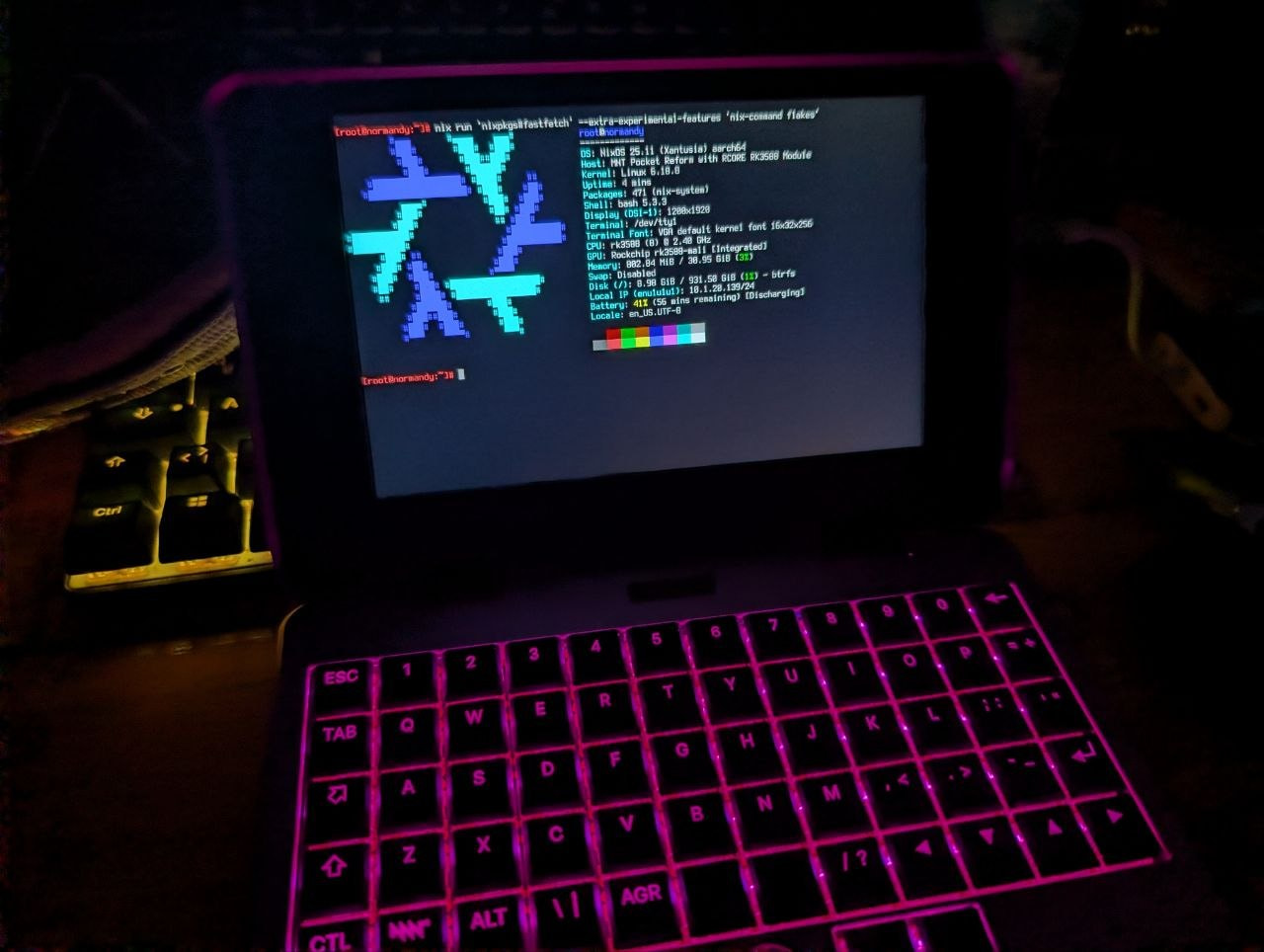


 I literally joined the forum the moment I saw this post eheh!