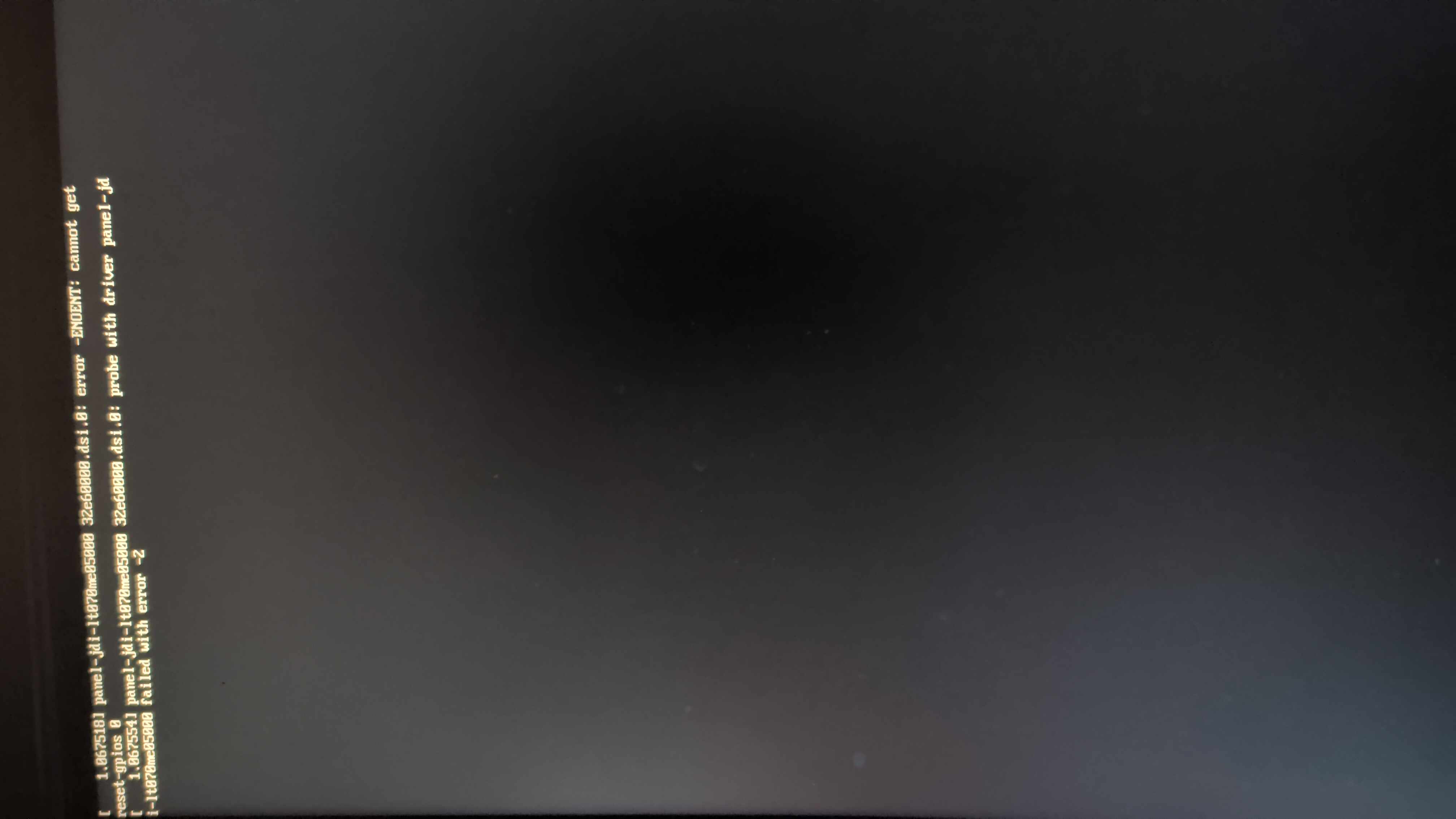
is the xfs driver (xfs.ko.zst iirc?) present in your ramdisk? if i remember right you may also want an fstab in your ramdisk as well.
The handbook says the display is physically rotated 90°, in a Wayland session there are be ways to rotate it (man 5 sway-output or wdisplays?), but i don’t recall having the same issue on mine.
Turns out the pockets-reforms-base package from @joe-albanese git overwrote the fstab file I had on the sd card I will be fixing that as soon as I get home, I will be using fbcon=rotate:3 in the kernel command line to fix the framebuffer
dtb folder was missing from the extlinux.conf, only figured out that was the problem after hooking up a usb to serial adapter to the pins on the inside, after some work using fdtdir instead of fdt it appeared to fix the problem. However it only let me get past uboot then I would only have a blank screen on both the hdmi plug and on the internal screen. I took a dtb folder from the default debian install and replaced the ones made by pocket-reform-kernel however I would get gray horizontal lines on my screen that would not go away
This took me way to long to get working but it works now, had to use Stephano’s arch kernel just to get it working, then I had to use dracut without the -H flag and use the kernel cmdline in the extlinux.conf folder to point to the root directory currently it doesn’t have wifi I will need to compile the kernel myself on my end so dkms doesn’t throw a fit again about no kernel headers
I’ve spent some time and I have managed to get the pocket-reform-kernel to actually boot, the problem now is I don’t have any video output uboot does show the kernel has started
U-Boot 2022.04 MNT Reform 2025-01-12-63934-gb0e908b1ec-dirty (Jan 12 2025 - 22:30:46 +0000)

CPU:   i.MX8MP[8] rev1.1 1800 MHz (running at 1200 MHz)
CPU:   Commercial temperature grade (0C to 95C) at 64C
Reset cause: POR
Model: MNT Pocket Reform with i.MX8MP Module
Board: nitrogen8mp
       Watchdog enabled
DRAM:  8 GiB
No USB device found
Core:  142 devices, 26 uclasses, devicetree: separate
MMC:   FSL_SDHC: 0, FSL_SDHC: 2
Loading Environment from MMC...
*** Warning - bad CRC, using default environment

auto-detected panel 1920x1080M@60
Display: hdmi:1920x1080M@60 (1920x1080)
[*]-Video Link 2 (1920 x 1080)
        [0] lcd-controller@32fc6000, video
        [1] hdmi@32fd8000, display
In:    serial
Out:   serial
Err:   serial

 BuildInfo:
  - ATF 7e3484c

Net:   Could not get PHY for FEC1: mask 0x90
Could not get PHY for FEC1: mask 0x90
Micrel ksz9031
eth0: ethernet@30bf0000 [PRIME]
Hit any key to stop autoboot:  0
MMC: no card present
mmc_init: -123, time 2
switch to partitions #0, OK
mmc2(part 0) is current device
Scanning mmc 2:1...
Found /extlinux/extlinux.conf
Retrieving file: /extlinux/extlinux.conf
1:      Void Linux Version 6.11.6_1
Retrieving file: /initramfs-6.11.6_1.img
Retrieving file: /vmlinux-6.11.6_1
append: ro no_console_suspend cryptomgr.notests plymouth.ignore-serial-consoles loglevel=3 cryptdevice=/dev/nvme0n1:cryptlvm root=/dev/voidMNTVolumeGroup/root rootfstype=xfs rootflags=rw,attr2,inode64,logbufs=8,logbsize=32k,sunit=32,swidth=256,noquota ro no_console_suspend pci=pcie1
Retrieving file: /dtbs/dtbs-6.11.6_1//freescale/imx8mp-mnt-pocket-reform.dtb
Moving Image from 0x40480000 to 0x40600000, end=42270000
## Flattened Device Tree blob at 43000000
   Booting using the fdt blob at 0x43000000
   Using Device Tree in place at 0000000043000000, end 0000000043010181

Starting kernel ...
My current problem is that I have a black screen when it boots
If your UART output is stopping at “Starting kernel …” I’m guessing you have a kernel command line whose last console setting is console=tty1, probably also contains loglevel=3.
The last console= entry on the kernel command line becomes the primary /dev/console.
Depending on your hardware, you can set the primary console to the UART: rs3588:console=ttyS2,1500000 A311D:console=ttyAML0,115200 i.MX8M Plus:console=ttymxc0,115200
You might want to change loglevel=3 to loglevel=7 for debugging.
In this case the problem is that the kernel cmdline was:
So there is no console=... setting at all!
The right console=... setting by platform can be retrieved from the $BOOTARGS parameter in the machine.conf files in /usr/share/reform-tools/machines/ for each platform.
I updated my kernel and base-system package. I’ve tried reinstalling my kernel which rebuilds dracut and extlinux, and I’m typing this from my pocket reform so it seems to work
It’s in the pocket-reform-imx8mp branch. The packages you’re looking for are pocket-reform-base and pocket-reform-kernel. I’ve been meaning to make PRs for those into the real void repos, but I get time to work on this pretty randomly.
Also I forgot to push my updates to ezurio-qcald-2.0-dkms and reform2-lpc-dkms until just now so if you want your dkms mods to be up to date, you should pull again
Ah, Had some problems with dkms last night. Ill pull and recompile those modules tonight. Extconf needs some minor fixes too but that shouldn’t take too long to fix
Some of my kernel command line from my desktop managed to end up in the extconf command line options. Also the display remains blank but when I plug my I get something
I managed to figure out why the display was not working, turns out when I originally compiled the kernel when It asked me about the display driver for the reform and I may have originally pressed n instead of y. Display output works. The only issue I have at the moment is wifi