So I ran into a bug after upgrading to kernel 6.18.3 where my NVMe and thus my encrypted volume was not found.
System: Pocket reform, system controller FW 20251118, Keyboard custom map build of 2025118, OS Debian Trixie migrated to sid with reform repos as well, Running sway and hyperland via tuigreet. emmc boot of encrypted NVME.
I play around and break my system often.
I tried to recover my booting system by booting my SD card and using chroot.
from earlier posts:
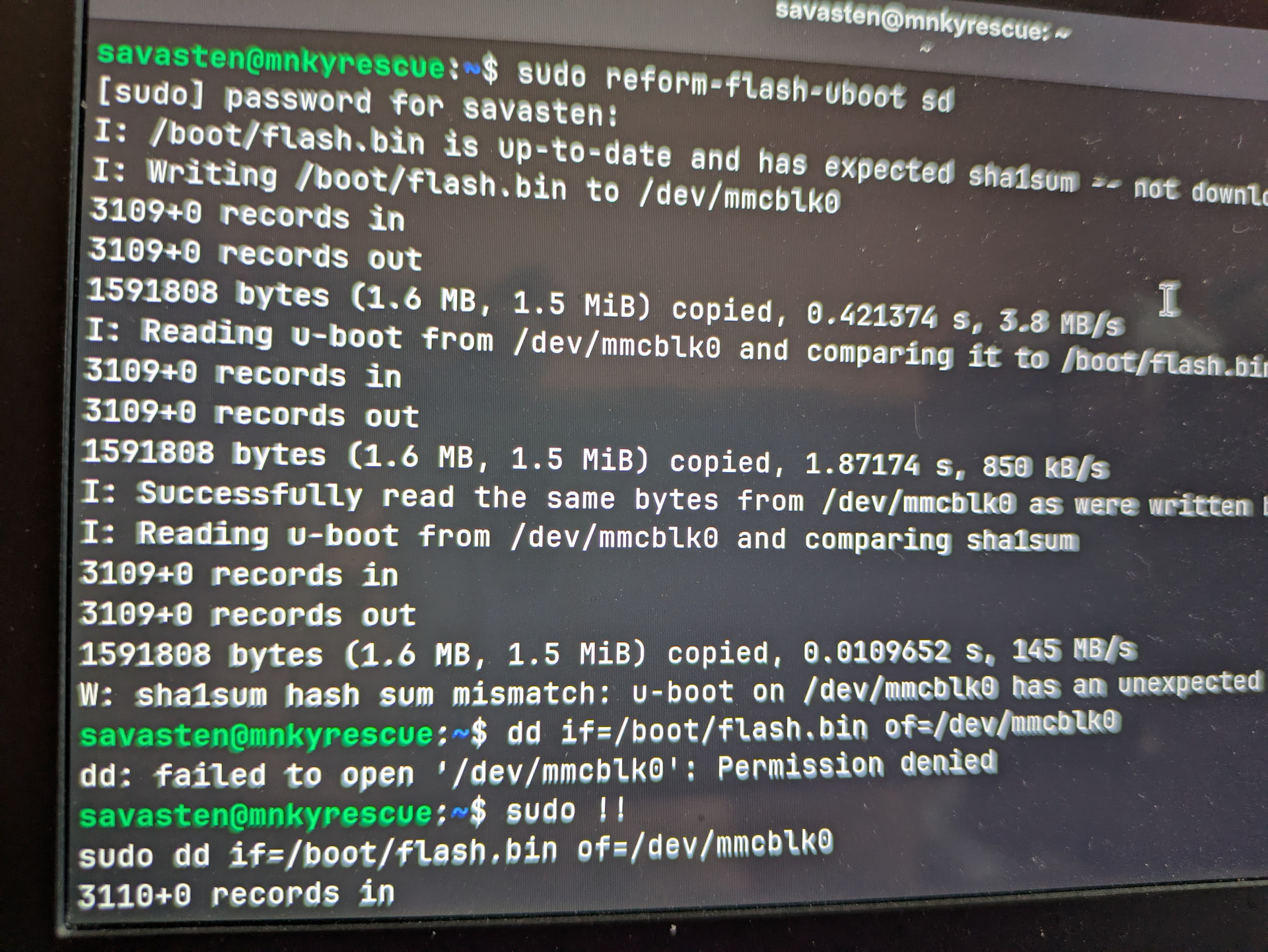
I tried updating the system and other misc things with no luck not understanding the kernel issue at the time. I ended up running reform-check and saw the messages about u-boot not being up to date.
I ran the reform-flash-uboot sd and reform-flash-uboot emmc . That was a mistake. I rebooted to a system that would power on but not boot from emmc or sd card. Just keyboard lights and dark screen. I was able to get a UART log attached below. (I did struggle with the pin numbering on the board. I finally figured it out)
After that I figured that I broke the EMMC boot process. I ordered a CM4 IO board and figured out the steps to recover SD card booting.
Power up the board in USB boot, flash android 9, then flash android again but this time disconnect the USB power at the end of the 7% formatting stage. From there I could boot the Debian Banana Pi image and dd zero boot0, boot1, and the main partition of the emmc.
I have reassembled the system and it now will boot to the SD card again.
I am partially back to the beginning of the issues I caused.
I would like to rebuild/image the emmc back to the standard layout.
Current layout:
/dev/mmcblk1boot0 4 Mib
/dev/mmcblk1boot1 4 Mib
/dev/mmcblk1p1 14.6G boot=set type=Linux 83 ext4 - This currently is set as the boot directory for my NVME os
My goal is to revert my wrongs and get my old system booting. If not I am fine reloading the system but that seems less fun.
Help needed:
- Correct emmc layout and data including u-boot
- How to fix u-boot to point to the encrypted nvme as the root partition.
- I am not sure where the default swap drive was located.
Thank you everyone for all you help and sorry about the long message.
Keith