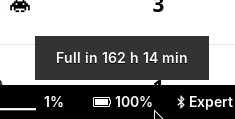
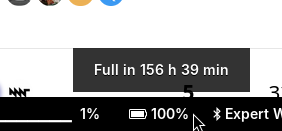
I ran the battery to the ground by mistake. The charge status in swaybar never left 99% or 100%. Now it’s back on the charger and the display makes no sense:
If you let it on the charger overnight, for example, the OLED should show 100% at some point (it recognizes full charge when there’s not much current going into the cells anymore and most cells are near-full voltages). Then the reporting should be fine again as well.
It’s always on the charger. I only disconnect it every once in a while. I never shows anything other than 100% (sometimes 99%) in the tray, and ???% in the OLED menu even when it’s been off the charger for a while.
Similar problem for me, the OLED menu shows ???% even after leaving it on the charger overnight. In linux it always shows 6%, shows everything in upower even at 0 Wh, state is “pending charge” and does not acknowledges loading. I try to empty the batteries now to see if that does anything?!
OK, sounds like the firmware is not correctly recognizing the 100% state of charge. We might have to tweak the conditions for that a bit in the code. Can you send me the cell voltages and the amps (“A” value) in the OLED menu battery screen when the Reform is turned off, on charger, and doesn’t appear to charge much anymore (i.e. could be considered full)?
Thanks for the heads-up! I’ll have to try this when I have a minute.
EDIT: Who am I kidding… I flashed the latest LPC firmware from the repo and nothing seems to have changed for me: the OLED display still shows ??? and the desktop icon still says 99%.
I’ll run it on battery for a while: maybe it needs to see a voltage drop, or a full discharge / recharge cycle or something…
Nope. I let the batteries run out, and now it’s totally confused: the OLED display does some while switching between 2.7V and 3.1V voltage on all cells, and -1.-something A and +0.4-something A (I’m assuming it’s switching from charging to discharging every second or something) and the display shows nonsense:
And it’s now showing a percentage that’s going down when it’s running on battery.
Funnily enough, upower seems to report the same percentage as the OLED display, but the percentage on the swaybar battery applet icon thing seems to be trailing behind by a couple percents. Either that or it’s trying to be more clever than the system’s own battery management.