Laptop left plugged in at the hotel and left running. The power got cut for a few hours, and I returned to a dead laptop. Again…
The red LED flashes and it doesn’t seem to charge. I need the laptop for a presentation in a few hours and I don’t have screwdrivers here. Any chance it will eventually charge enough to restart by morning without opening the machine?
Well, I managed to undo the screws with my company-branded pocket knife - the blade of which is now ruined I disconnected the batteries and reconnected them, and it’s back on the road I guess…
It was charging apparently, but the keyboard was in a coma. Now it’s hard-reset and it turned the machine back on, thank goodness…
I still run the keyboard firmware from before @minute did their big rework a while back, because it has my F1-F12 shutdown patch to forcibly turn the laptop off when the lid is closed long enough (to ensure the machine never stays on even if the OS isn’t running when the lid is closed - I’m talking about this).
Is this deep discharge keyboard coma thing fixed in the newer keyboard firmware? If so, I guess it would be worth porting my lid shutdown patch to the newer firmware. I can’t ruin a pocket knife each time the batteries get discharged…
i think it is not completely fixed. I had my keyboard fw freeze twice in the last days when device was powered off due to low battery.
It is not necessary to remove the batteries, it sufficient to reset the keyboard fw with the small switch - but you need to remove the top frame around the keyboard to get there - so again you need a screwdriver for that.
Maybe drilling a small hole in the top plate just above the reset switch would do the trick. I can always find a toothpick somewhere. It’s not like I’m far from a cocktail for very long
Or installing a reset switch on the side of the case or something. But if I do that, I’d rather it be a general reset that hits the LPC also, and I haven’t looked at the motherboard’s schematic to find out if there is a general reset line somewhere. I guess interrupting the battery ground would achieve the same result though…
BTW I adjusted the title of the thread a bit because actual deep discharge (past the undervoltage protection) would be a more serious bug (this could happen in the old days before we had the protected battery boards).
Another BTW: would you be interested in working on a “real” lid sensor solution? What we had in Reform 1 was a hall effect sensor near the top of the keyboard, and a circular (coin shaped) magnet below the display. This worked quite well but didn’t make it to Reform 2 and we never brought it back. The keyboard 4.0 has 2 little FPC connectors at the front that could be used to connect a hall effect sensor. Maybe there’s an I2C one? Alternatively and more elegently, it could be added to the OLED display PCB (and live on the same I2C bus).
Sure why not. I’ll look into the electronics of it and I’ll scrounge something in my parts bin. Unless you have something ready-made you want to send me. And I have plenty of magnets of all sizes, so I can glue one behind the screen bezel somewhere.
But I will say this: don’t dismiss the F1+F12 foam pad thing as a valid lid switch solution: it might look ghetto, but I’ve been rocking that thing for a few months now, it works phenomenally well:
It really is no different, and as effective as any lid switch on any laptop I’ve ever used.
it has zero impact on the keys’ health or springiness that I can see.
It doesn’t increase the parts count - i.e. it reuses keys that are already there and serve no purpose when the laptop is closed, so you can see it as an elegant reuse of existing resources.
it’s a retrofit you can sell for pennies to all existing Reform owners - if they don’t find two pieces of soft foam themselves at the hardware store.
It’s a totally valid lid switch solution you can ship right now on new machines without requiring any design change.
Honestly, apart from the ghetto-looking factor, I see no downsides in implementing the lid switch function with pieces of foam.
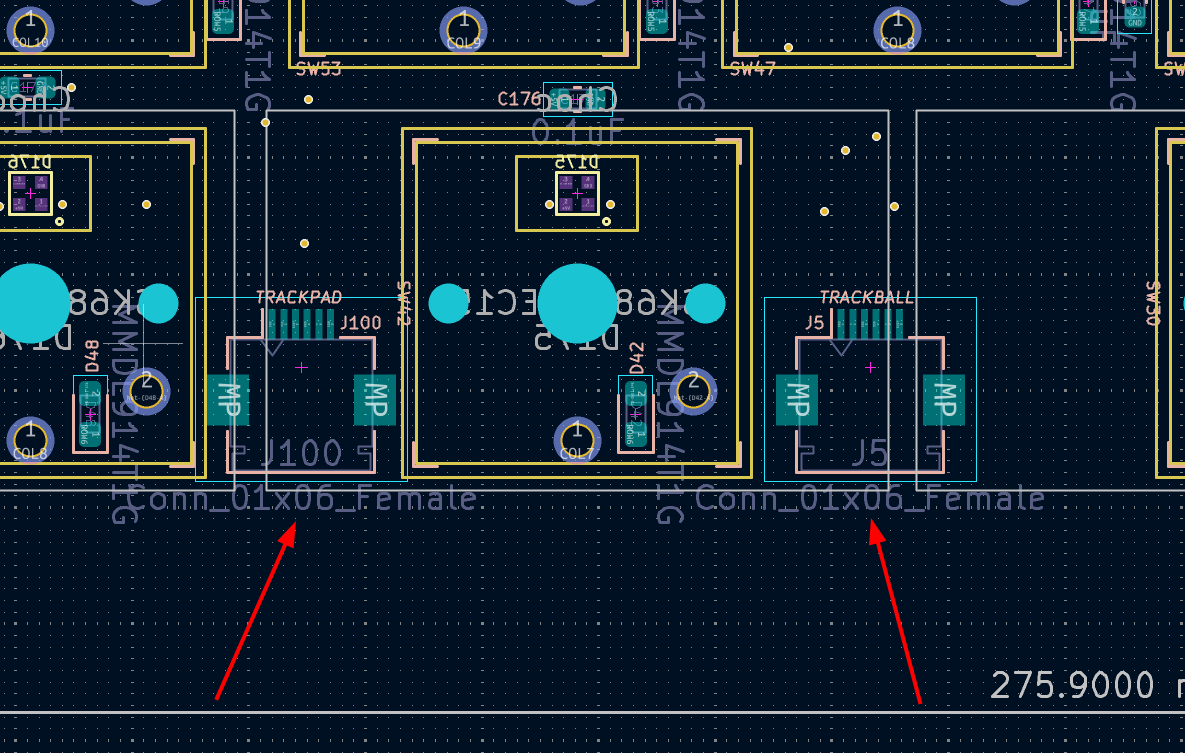
They’re not in use / you’ll see that there’s nothing connected to them. Only the “TRACKPAD” one is used in Reform Next. BTW unrelated, I recommend to turn off the “Fab” layers in KiCAD, I never use them and they just add noise.
 I disconnected the batteries and reconnected them, and it’s back on the road I guess…
 - nice “life hack”.