Hey, I was wondering if anyone else struggled with this and can maybe give me some tips.
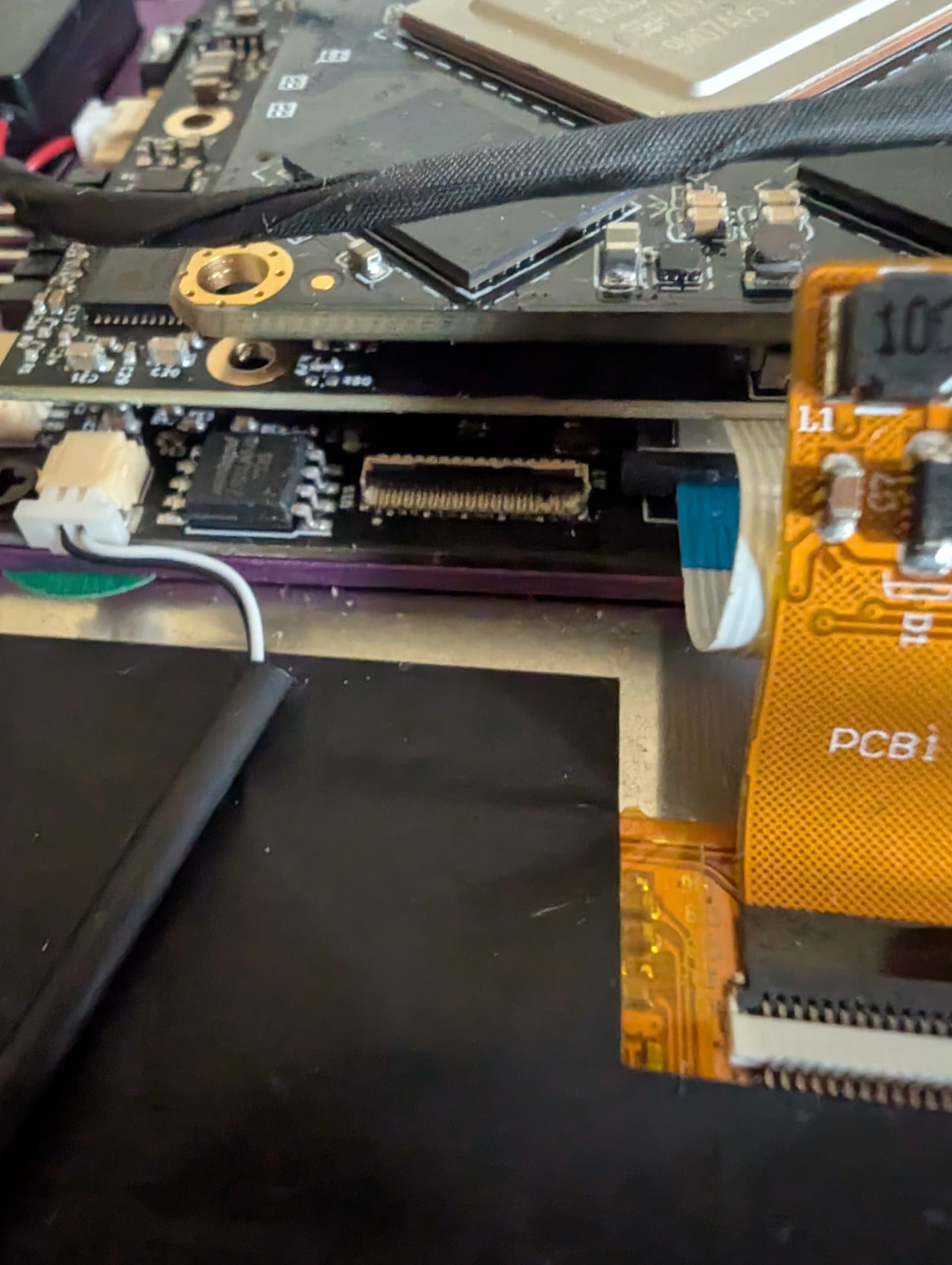
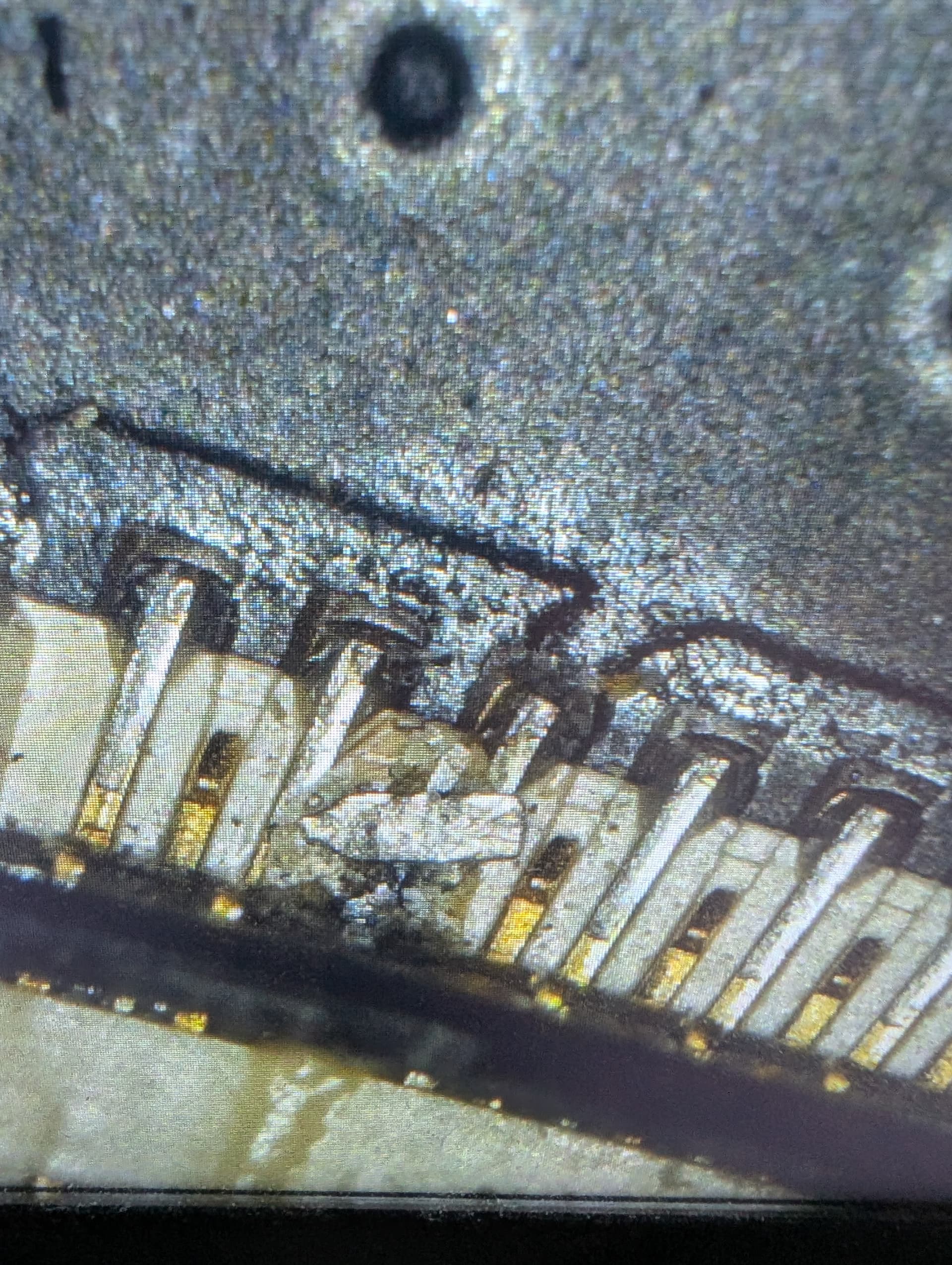
I am still nearly a year later trying to get my internal display working on my pocket. The issue I seem to be running into is that it’s difficult for me with my fat fingers and shaky hands to install the display cable into the slot on the motherboard. Attached are some pictures of the specific part I’m talking about.
I’ve tried fingers, tweezers, and bent nose tweezers; and have destroyed about 3 cables so far. I don’t understand if the fpc cable is supposed to push into the slot for a solid connection, or just rest on top of the connectors and have the little lid lock snapped into place. Based on the connector on the back of the display, I would expect to be able to insert it a bit farther than I’m able. A couple of times I’ve gotten it to seat in a slotish thing, but it’s always crooked. I’ve cleaned out the slot with compressed air, and the folks at MNT were kind enough to send me some replacement cables, but at this point I’d like some pointers because I’m afraid I’m going to damage the slot on the motherboard. I’ve ordered some of the same part number of the cable they sent me from mouser to prevent them from having to ship overseas, but I very much feel like this falls under the realm of user error. Some additional guidance would be helpful.
There has been once or twice where I felt like the cable was seated properly, but I wasn’t getting any output on the internal display. It’s possible that I have sometime in the past changed the default output display to the external display, but would appreciate some assistance in troubleshooting this issue before I cause any damage that would require me to replace the motherboard.
Unfortunately, this has been a blocker in wanting to use my pocket, as it’s just not practical for me to hook it up to an external display all the time. I’d like to spend some time using the system and getting accustomed to the keyboard, but using it with an external display I often feel like I’m just using an arm desktop, which is not what I bought this computer for.
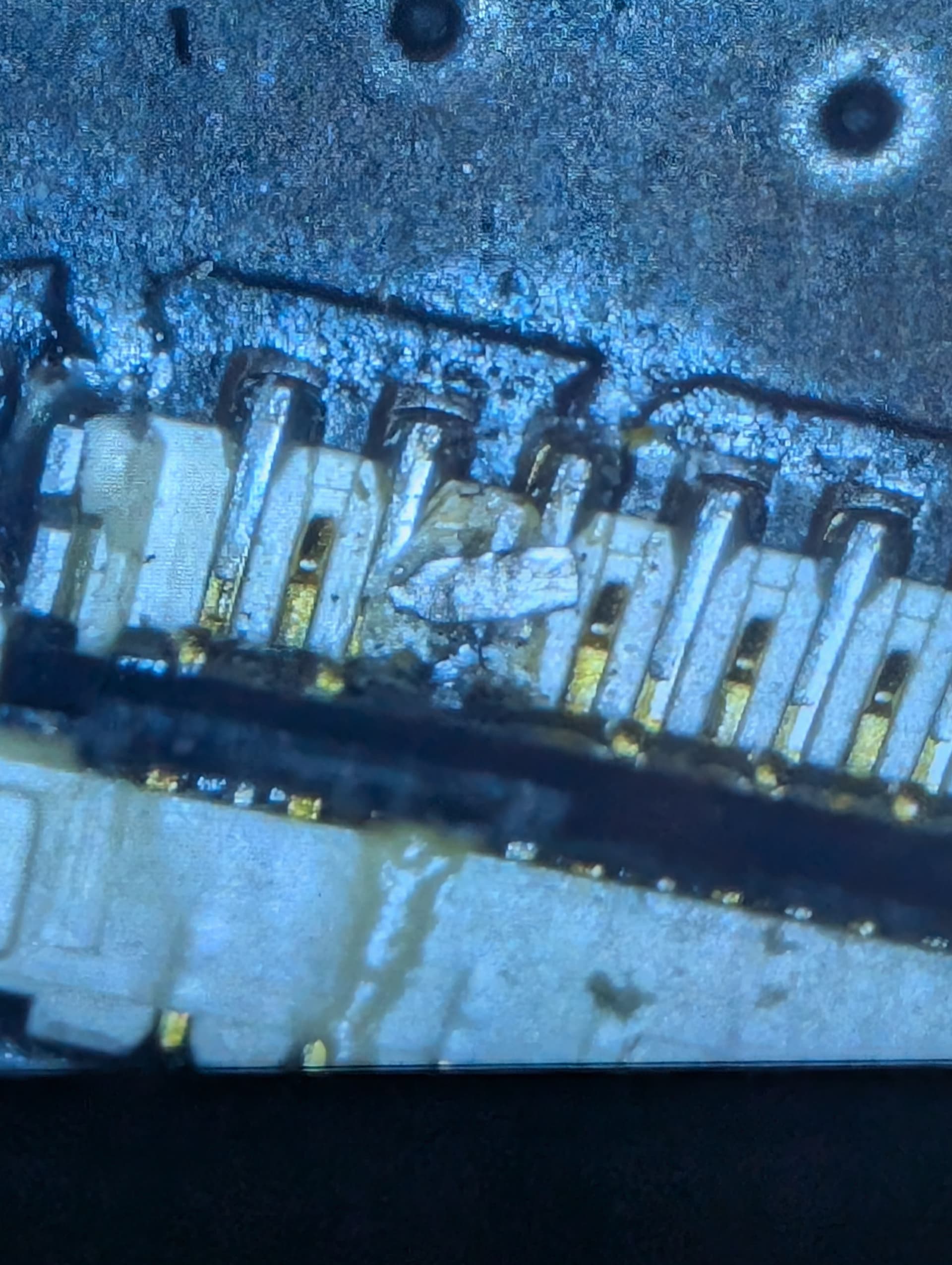
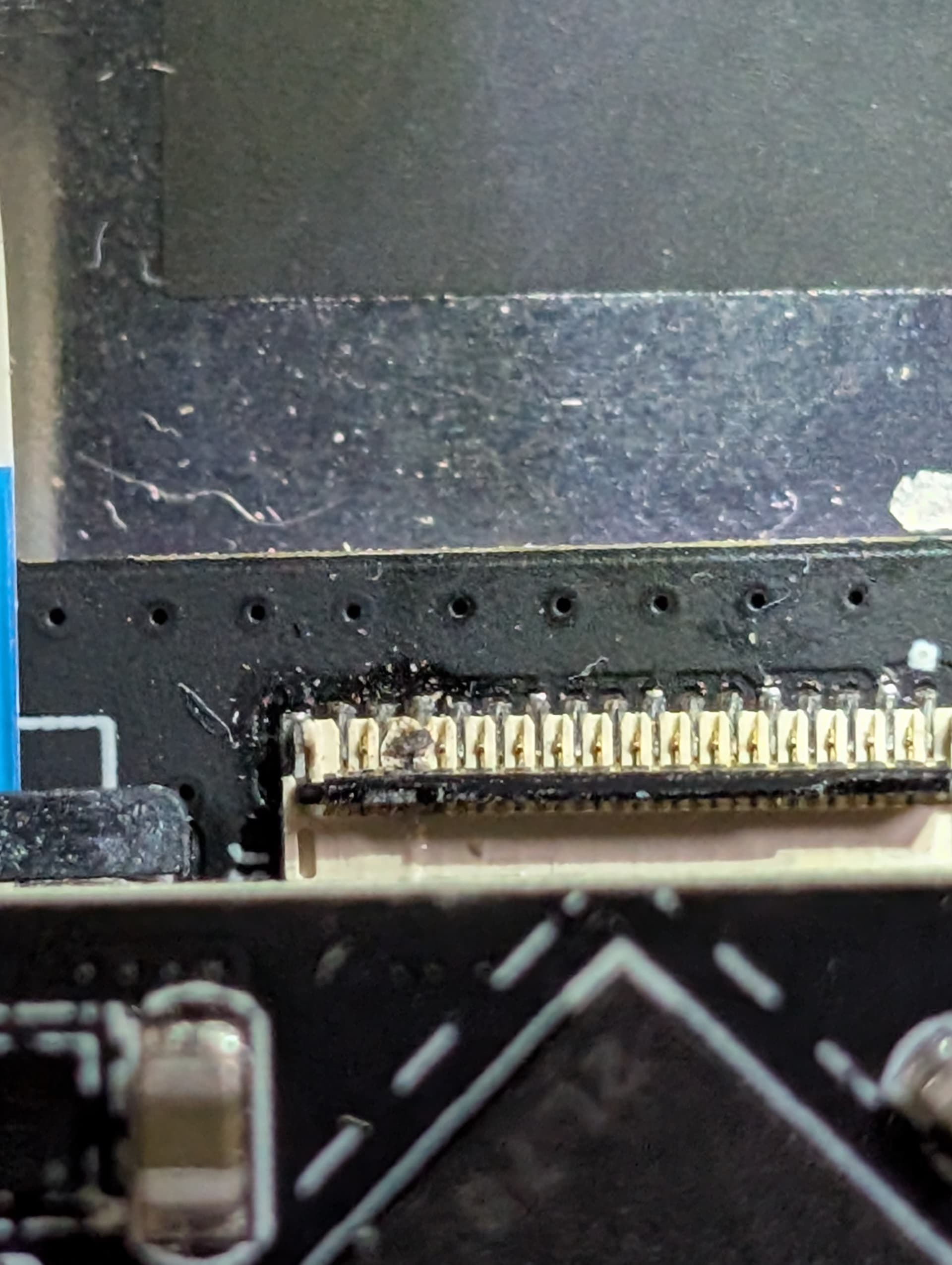
Normally you just open the flap, stick the cable in there and close the flap (from the top). It’s hard to see because of the image quality, but it looks like something may be wrong with the connector near the right side, there’s some black blob / irregularity there. Any chance you could make a good crisp macro shot?
Yeah, thanks for the quick response. I messaged support about this a while ago with a microsocope shot, let me see if I can find it. I should mention, that the latch appears to be worn out if that’s the way I’m supposed to install the cable. I don’t know how many latch cycles it’s rated for, but apparently not the number of cycles I’ve put it through.
Thanks for the much better photos! There’s some debris stuck there, and it looks like a piece of metal that would cause a short. I’ve seen something similar before but not sure how that happens. In any case I don’t think that’s your fault, and it’s no wonder the cable doesn’t get in there. We should do a warranty board level repair and switch out that connector for you. Please respond in the support ticket (or a new one on support.mnt.re) with a link to this message and my colleague Plom can make you a UPS label to retrieve the device for repair.
I had some troubles installing the cable, too. In my case it was 100 % user related, but my Pocket Reform is operational now.
I found that it’s way easier to install the cable on the main board when the locking machanism for the main processor is open. That way the processor PCB is angled and gives you more space to work in.
I hope this helps in case you need to re-attach the cable - and hopefully it’ll also help all the other people struggling with the display cable.
Thanks for the help, I posted updates in IRC but neglected to update my post here.
The issue was indeed some kind of slag or other material stuck to the pins on the motherboard video connector. After trying unsuccessfully (and destroying a few cables in the process) to connect the cable, I ended up RMAing the motherboard with MNT support. They sent me a replacement and I’m happy to report that with the new board everything works as it was intended. I now have a perfectly workable display, and all is as it should be.
With a functional connector on the motherboard, the only potential issue I found in attaching the display cable would come from accidentally pulling it out while fiddling around with other internals. It is indeed easier to attach the fpc display adapter to the display, then connect the fpc display cable to the motherboard, then the display cable to the display adapter. I had to fiddle with it a bit as I kept knocking the cable out of the display adapter while attempting to connect it to the motherboard. After I changed the order, all seems well.