When encountering problems after or during an upgrade it would be useful to know what exactly got upgraded. In case it is more than what can be seen in the console snippet you shared, the information can be found in /var/log/apt/history.log and /var/log/apt/term.log.
But that one should be fixed already. Which version of busybox do you have right now?
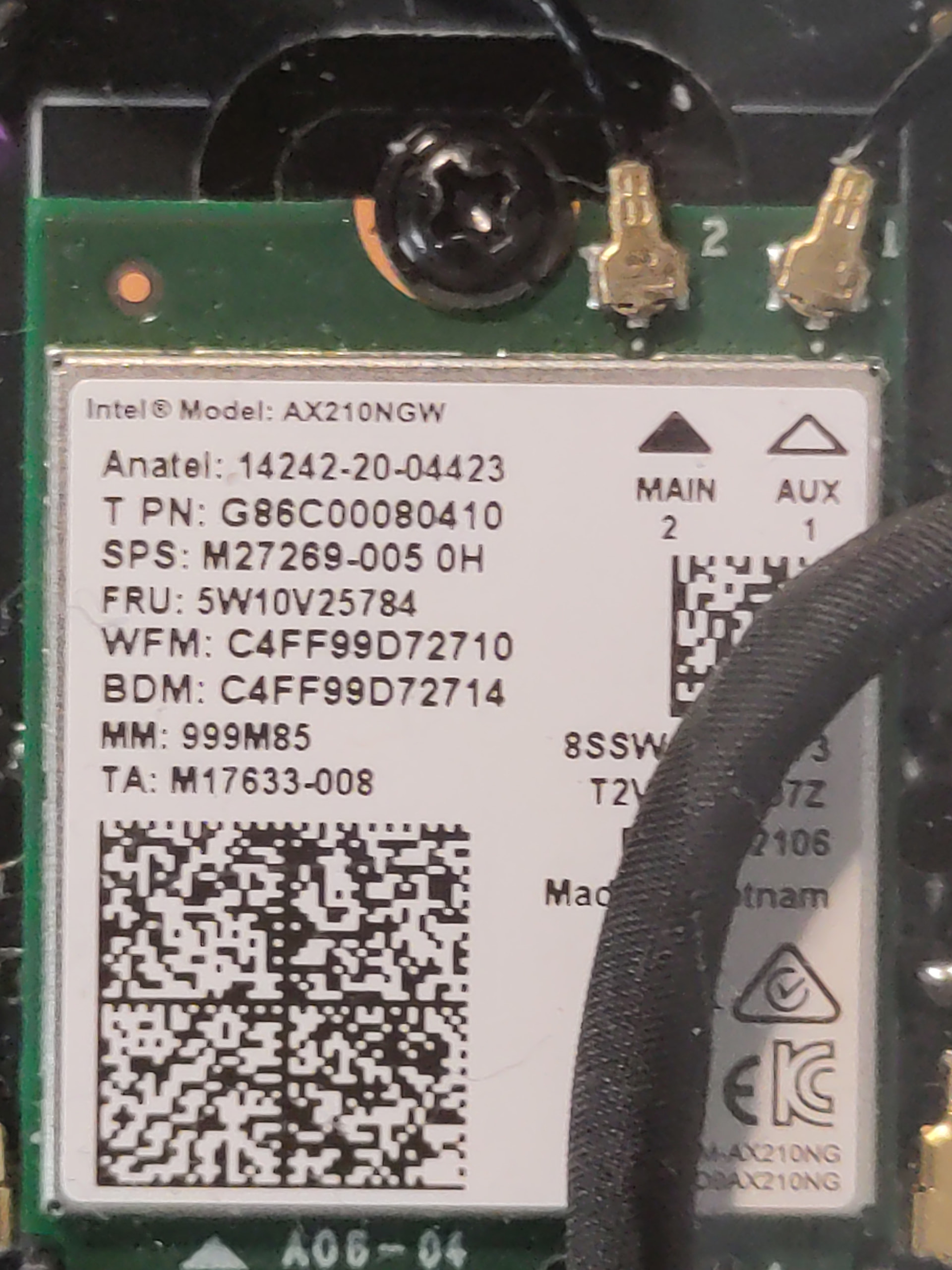
There are currently issues for some with their wifi and kernel 6.18 which are in the process of being investigated. I think I remember you had the rk3588, is that correct? Please provide at least which SoM you have when reporting problem. What also helps is the output of sudo reform-check which should include all diagnostic information necessary for most problems.
This is beyond my eyesight, but I think I recognized Intel. I’ll be buying a magnifying glass soon.
Here is the issue of reform-check:
micha@mntremk:~$ sudo reform-check
I: Contents of /proc/device-tree/model: MNT Reform 2 with RCORE-DSI RK3588 Module
I: `uname -a` output: Linux mntremk 6.18.5-mnt-reform-arm64 #1 SMP PREEMPT Debian 6.18.5-1+reform20260127T163249Z (2026-01-2 aarch64 GNU/Linux
I: Version of linux-image-mnt-reform-arm64: 6.18.5-1+reform20260127T163249Z
I: Version of reform-tools: 1.84-1+reform20260128T083307Z+1
I: Version of system image: System Image v5: 2026-01-27
I: Version of LPC firmware: MREF2LPC 30_R1 20250701
E: expected u-boot version string to start with upstream version but got: 2024.10-g424c714eb247-dirty
I: Contents of /proc/device-tree/chosen/u-boot,version: 2024.10-g424c714eb247-dirty
W: Unable to parse contents of /proc/device-tree/chosen/u-boot,version -- U-Boot too old?
I: probably booting via /boot/extlinux/extlinux.conf (/boot/boot.scr also exists)
I: Mount source of /: /dev/reformvg/root (LVM vg 'reformvg' on LUKS device 'reform_crypt' on SSD)
I: Mount source of /boot: /dev/mmcblk0p1 (eMMC)
I: Recommends of reform-desktop-minimal is not installed: reform-qcacld2
I: the following files differ from how they are shipped by reform-tools (ignore /var/lib/alsa/asound.state):
??5??????   /var/lib/alsa/asound.state
I: /boot/initrd.img-6.18.5-mnt-reform-arm64 does not belong to any installed kernel package
I: /boot/vmlinuz-6.18.5-mnt-reform-arm64 does not belong to any installed kernel package
E: the currently running kernel is not installed as a package
I: Install the package shellcheck for checking /boot/boot.scr for problems
I: kernel boot parameters your system does use but which are not the default:
 + clk_ignore_unused
I: kernel boot parameters which are the default but your system doesn't use them:
 - console=ttyS2,1500000
W: reform-setup-wizard failed to clean up /etc/profile.d/reform-setup.sh. It can be safely removed.
W: eMMC does not contain latest uboot
W: You can update it to the latest version by running as root:
reform-flash-uboot emmc
I: note that updating u-boot on eMMC on your platform is not without risk!
micha@mntremk:~$
Yes, this is a known issue with RK3588 on Linux 6.18. There is a temporary workaround to add the pcie_aspm=off option to your kernel cmdline until this is fixed properly (famous last words). You could create the file /etc/u-boot-menu/conf.d/reform_pcie_fix.conf with the following content:
Then run sudo u-boot-update and then have a look at your /boot/extlinux/extlinux.conf. The lines that start with append should now have pcie_aspm=off at or near the end. If not, something went wrong. In that case, delete /etc/u-boot-menu/conf.d/reform_pcie_fix.conf and re-run sudo u-boot-update to restore the original state.
Then reboot and check /proc/cmdline to verify that pcie_aspm=off is part of the cmdline. Your wifi should now reliably be present when booting. Your feedback is valuable, thank you!
That is indeed suboptimal and confusing. Sorry for that. I created a merge-request for u-boot-menu to start shipping the directory in the packaging: I Challenge Thee
Luckily we also have the u-boot-menu maintainer in this forum. @vagrantc could you have a look at that MR on salsa, thank you!
I’m sorry that you had to face all these issues. It was quite silent for a few months but recently we had the gdm issue and with kernel 6.18 we have these pcie problems…
Maybe a silver lining is that all bugs we fix now will not be in the next Debian stable release. Unfortunately to find bugs, people first need to run into them. This is why I am glad that you took the time and put in the effort to report this problem and confirm that the temporary workaround is effective.