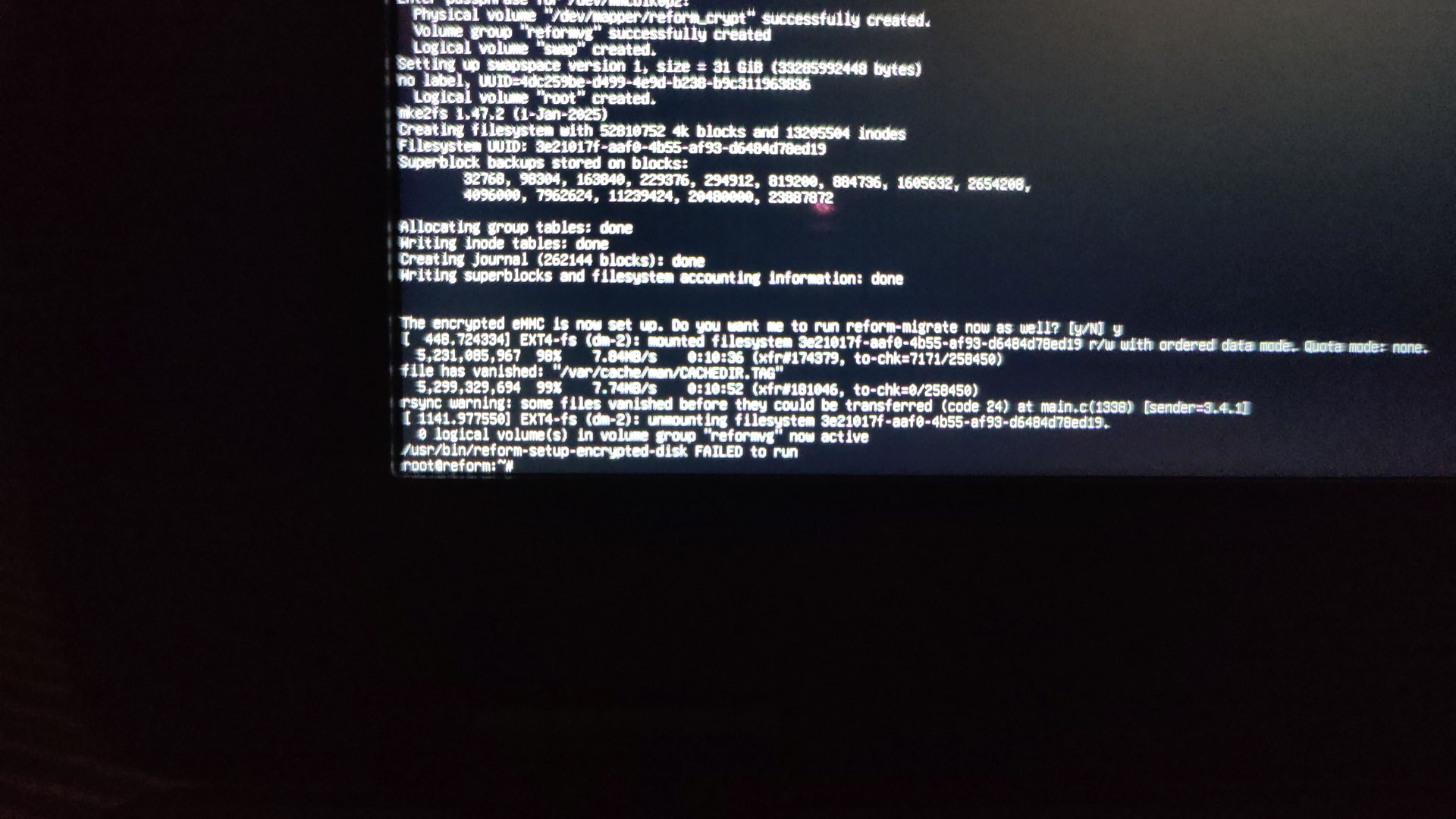
After the problem with the last update, I was sometimes able to log into the terminal:
I tried updating, it didn’t help.
bmaptool didn’t work, images weren’t downloaded.
dd wrote the image(Debian 13 Trixie + Backports) to the SD card. But the system installation failed.
I used my phone to record Debian Live for MNT Reform on SD card(The screen was flickering and upside). Then I deleted the partitions on emmc and installed Debian Live. But after that was just black screen and not a single image from the SD card was loaded..
Good day @starter Can you share a little more information. What SOC does your pocket reform contain? Was it working prior to the update? Have you tried the latest Reform image?
Yes, as @Savasten said, please provide more details. We cannot help you otherwise.
What happened when you tried?
What did you run? What was the error message?
How did it fail?
Also, maybe consider opening one thread for each of these issues because these seem to be very distinct problems and it easily becomes confusing and messy when one tries to handle multiple problems at once.
Your topic title asks “how to install debian?” And usually you’d download the latest system image for your platform from https://mnt.re/system-image flash that to an sd-card, boot your device from that and then install that system to the device by running reform-setup-encrypted-disk.
What do you mean by “after installation”? How did you install it? Did you run reform-setup-encrypted-disk? If not, then your current system is on sd-card and not on your emmc or nvme.
You mean that if you remove the SD-card, the system does not boot?
Remember that as long as you have the SD-card in, the pocket will boot from SD-card.
From your screenshot I see that you are now using the official MNT Debian unstable system images and not the image from reform.debian.net?
If your system does not boot (without having an SD-card inserted) try to boot at least twice more. There is an issue with rk3588 where it sometimes fails to init eMMC and then you just need to power it off and on again and it will usually boot fine then.
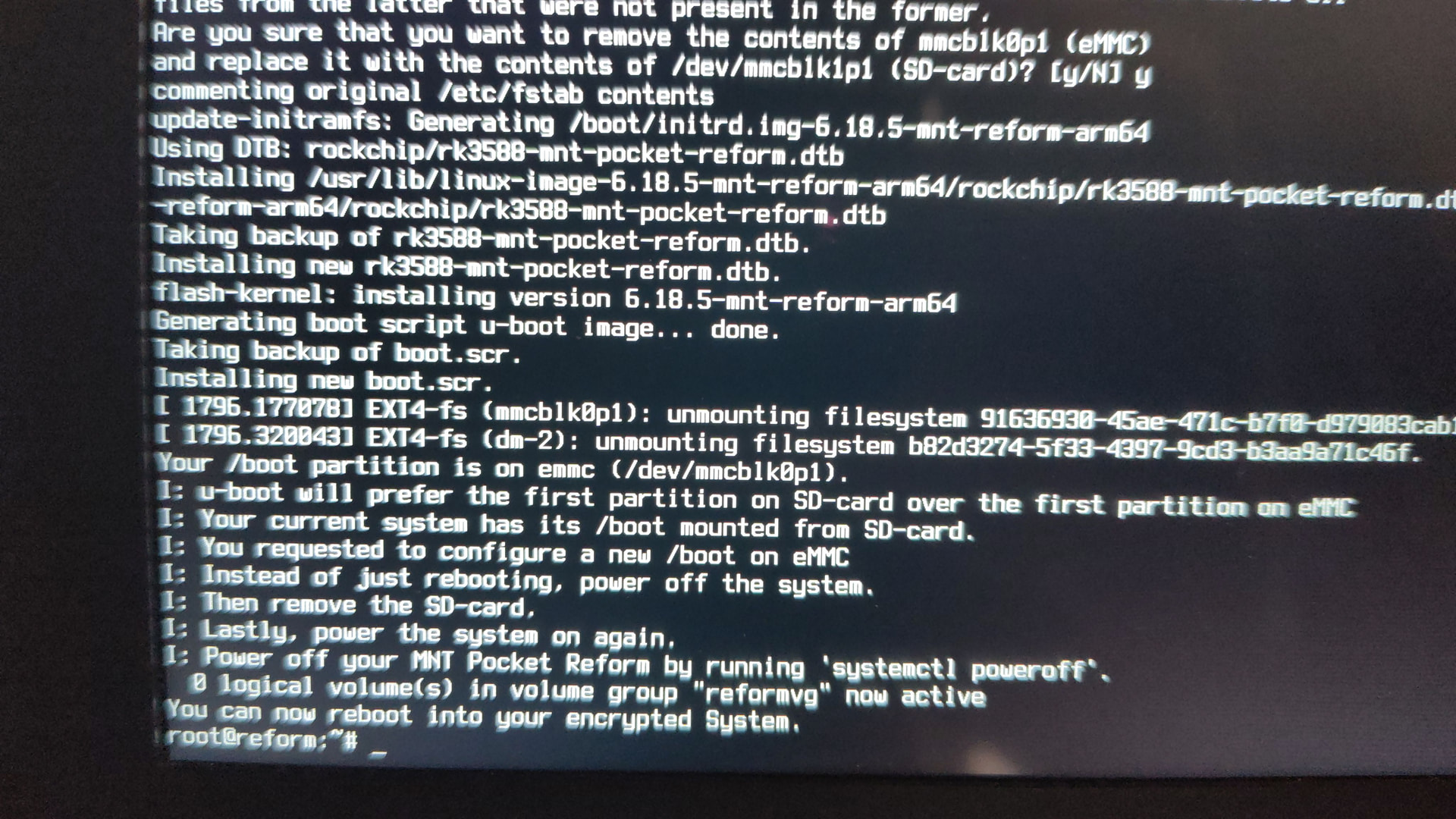
According to that screenshot, you chose to have your /boot on your sd-card. That’s why your system will not boot without the sd-card in.
You can choose to have your /boot partition on the emmc when you run reform-setup-encrypted-disk.
You can always easily access all the important diagnostic information by running sudo reform-check. That tool would also have told you that your /boot is on your sd-card.
Flash the latest system image on an sd-card
boot that and fill out the setup wizard
run reform-setup-encrypted-disk
If you don’t have u-boot on your emmc, then you need to flash that as well using reform-flash-uboot emmc.
When running reform-setup-encrypted-disk make sure to choose to have your /boot on emmc or otherwise your /boot will be on the sd-card and then you cannot boot without having the sd-card in.
You got a similar message earlier. In one of your photos rsync failed because the file /var/cache/man/CACHEDIR.tag vanished. That this happens is normal when you attempt to copy a system which is currently running. Files will be created and removed in the background regularly. In the past, rsync would fail when this happens but this is fixed in the latest version of reform-tools which you are probably using right now. Thank you for confirming that it works as expected!
This is just a warning from the initramfs and you can safely ignore it.
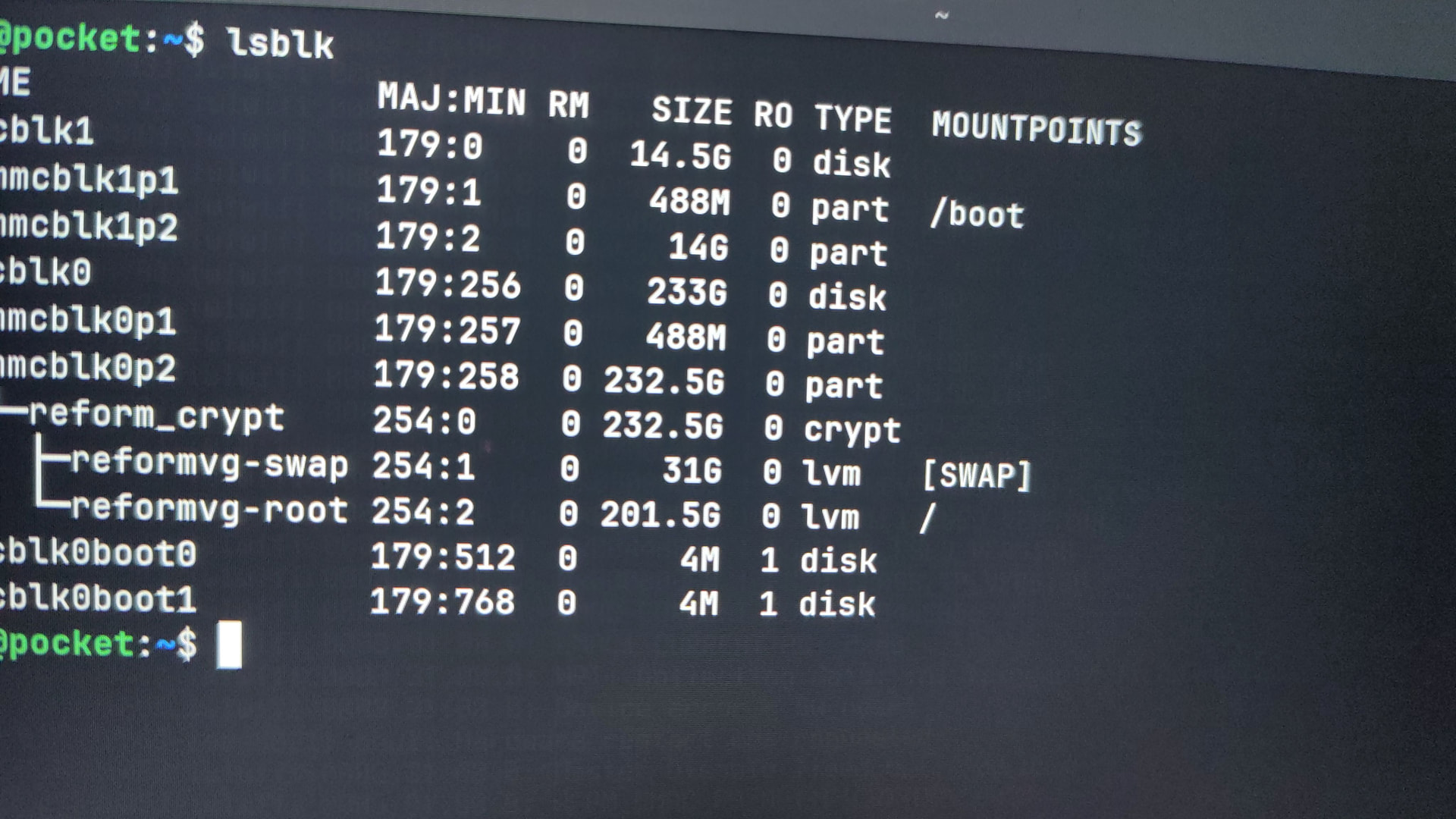
So now you can boot your system without having an sd-card inserted? Nice!
If you like, you could post the output of sudo reform-check if you would like me to have a look.
sudo reform-check
I: Contents of /proc/device-tree/model: MNT Pocket Reform with RCORE RK3588 Module
I: `uname -a` output: Linux pocket 6.18.5-mnt-reform-arm64 #1 SMP PREEMPT Debian 6.18.5-1+reform20260127T163249Z (2026-01-2 aarch64 GNU/Linux
I: Version of linux-image-mnt-reform-arm64: 6.18.5-1+reform20260127T163249Z
I: Version of reform-tools: 1.84-1+reform20260128T083307Z+1
I: Version of system image: System Image v5: 2026-01-27
I: To retrieve the latest sysctl and keyboard firmware versions either install libxmlb-utils or install curl, xz-utils and libxml2-utils
I: Version of system controller firmware: 20251118
I: Version of keyboard firmware: 20251118
I: Version of LPC firmware: PREF1SYS R1 20251118
I: Version of upstream U-Boot: 2024.10
I: Version of MNT U-Boot: 2026-01-28
I: probably booting via /boot/extlinux/extlinux.conf (/boot/boot.scr also exists)
W: reform_crypt LUKS device on unusual disk: /dev/mmcblk0p2
I: Mount source of /: /dev/reformvg/root (n.a.)
I: Mount source of /boot: /dev/mmcblk0p1 (eMMC)
I: MNT Reform Desktop meta-package is not installed: reform-desktop-full
I: Depends of reform-desktop-full is not installed: gnome
I: the following files differ from how they are shipped by reform-tools (ignore /var/lib/alsa/asound.state):
??5??????   /var/lib/alsa/asound.state
I: the reform-qcacld2 package is only required for wifi on the Pocket Reform with i.MX8MP, you can safely remove it unless you plan to go back to the imx8m+
I: Install the package shellcheck for checking /boot/boot.scr for problems
W: reform-setup-wizard failed to clean up /etc/profile.d/reform-setup.sh. It can be safely removed.
I: eMMC contains the latest u-boot version 2026-01-28