I figured that even at a somewhat mature age, one can still treat oneself, so I bought a Pocket Reform—a wish I’d had for quite some time—to complement my Classic. Patience isn’t one of my strong suits, so I ordered it from Mouser and am curious to see if the i.MX8MPlus will live up to my expectations.
Since the Pocket Reform is only available there without an m2 NVMe drive, I wanted to install one myself. I still have a few of them lying around.
After installing it and entering `reform-setup-encrypted-disk`, I get the message “is neither block device nor regular file.”
The NVMe drive comes from another laptop and contains a bootable Debian installation.
Do I need to erase or format the NVMe drive first?
While running the “reform-setup-encrypted-disk” script, I answered all the questions to the best of my knowledge (see also the messages displayed after the script finished running). However, the Pocket won’t boot after I removed the microSD card.
I have a imx8m+ classic Reform here where I can test what you did. This is in the hopes that your problem is not specific to the Pocket Reform. But it might be. In case your problem is specific to the Pocket, can you boot your system from an SD-Card and run reform-check? It will tell you what display panel version you have, what firmware version you have installed and what kernel is currently running. There recently were problems with v1 firmware. Make sure to flash the latest system image which has all the fixes:
Do you happen to have a usb uart adapter to get serial output during boot?
After booting from a microSD card and running sudo reform-check, the following output was displayed:
sudo reform-check
[sudo] password for micha:
I: Contents of /proc/device-tree/model: MNT Pocket Reform with i.MX8MP Module
I: `uname -a` output: Linux mntprmk 7.1.7-mnt-reform-arm64 #1 SMP PREEMPT Debian 7.1.7-1+reform20260810T224458Z (2026-08-10 aarch64 GNU/Linux
I: Version of linux-image-mnt-reform-arm64: 7.1.7-1+reform20260810T224458Z
I: Version of reform-tools: 1.88-1+reform20260803T142427Z+1
I: Version of system image: System Image v5: 2026-08-04
I: Version of system controller firmware: 20250623
I: Latest version of system controller firmware: 20260808
I: Version of keyboard firmware: 20250623
W: No known path for mnt_pocket_reform_panel_version for MNT Pocket Reform with i.MX8MP Module -- please consider contributing the output of: find /sys -name mnt_pocket_reform_panel_version
W: /sys/bus/spi/drivers/reform2_lpc/spi1.0/firmware does not exist -- is the reform2_lpc module loaded?
W: Unable to retrieve bootloader version
I: probably booting via /boot/extlinux/extlinux.conf (/boot/boot.scr also exists)
I: Mount source of /: /dev/disk/by-label/reformsdroot (n.a.)
I: Mount source of /boot: /dev/mmcblk0p1 (SD-card)
I: the following files differ from how they are shipped by reform-tools (ignore /var/lib/alsa/asound.state):
??5??????   /var/lib/alsa/asound.state
I: kernel boot parameters your system does use but which are not the default:
 + fbcon=rotate:3
I: kernel boot parameters which are the default but your system doesn't use them:
 - console=ttymxc1
W: reform-setup-wizard failed to clean up /etc/profile.d/reform-setup.sh. It can be safely removed.
I: Install the package shellcheck for checking /boot/boot.scr for problems
W: eMMC does not contain latest bootloader
W: You can update it to the latest version by running as root:
reform-flash-bootloader emmc
I: note that updating the bootloader on eMMC on your platform is not without risk!
micha@mntprmk:~$
Unfortunately, I don’t have a USB-UART adapter. I guess I should get one.
I downloaded the system image from source.mnt.re today.
Is this the output from the system you booted from sd-card or is this the output from the system you have just installed (for example by using reform-rescue-shell to enter a chroot environment)?
If you don’t mind to help, could you please run:
find /sys -name mnt_pocket_reform_panel_version
And paste the output of that command? Thank you!
This is odd. When was the last time you updated the bootloader on eMMC? reform-setup-encrypted-disk offers to flash u-boot for you. Did you accept that offer? If yes, did you flash it to sd or emmc?
It works fine with RK3588 (which uses a 10 times higher transfer rate than the other boards) and I bought it here:
That being said, ideally you should not need one because. Of course it makes diagnosing a problem much easier but I’d call it the last resort. Ideally, I would not create buggy scripts (sorry) and it would also help if we had a bootloader that knew how to turn on the display. There exists barebox but that only works for rk3588 so far.
The only practical downsides with the adapter above I have are:
only three out of the six cables are ever required when interfacing with the Reform
the USB-A plug cannot be connected to the Pocket Reform without an adapter (but the same would be true about the classic Reform if it were a USB-C plug instead)
When buying you should be fine if you choose a USB UART adapter which is advertised as using “3.3 V” to communicate. Also see this link:
A very popular chip that these adapters use is the FTDI 232. If an adapter you are looking at says that it’s using that chip and is 3.3 V, then it will likely work.
Ah… hrm… it seems I was wrong. reform-setup-encrypted-disk does not offer flashing a bootloader. Do you remember when you last updated the bootloader on emmc? Maybe it is too old?
This message suggests that your bootloader is ancient. Maybe something got introduced which makes an old u-boot on imx8m+ fail? There were some things like ancient imx8m+ u-boot not setting $fdtfile at all which makes extlinux booting fail. To find out whether that’s the culprit you’d need the output via serial.
In the meantime, we could check your u-boot version. Can you upload the first 16 MiB of your eMMC somewhere and share it with me somehow? You can dump the contents by doing this:
Not that I know of. I received the Pocket this week (Mouser order). After setting it up, I ran `apt update` and `full-upgrade` (1,687 packages!). A little later, I installed the NVMe drive.
And here I have to deviate a bit from my initial description. I then ran `reform-setup-encrypted-disk` on the console. That ran without any problems; however, it wouldn’t boot afterward.
Then I downloaded the latest system image from mnt.re, wrote the image to a microSD card, booted from it, and ran `reform-setup-encrypted-disk` again. That didn’t work either, and that’s where we stand now.
This is u-boot version U-Boot SPL 2022.04 MNT Reform 2025-01-12-63934-gb0e908b1ec-dirty (Jan 12 2025 - 22:30:46 +0000).
The only functional changes since then were:
console=ttymxc1,115200 got added to bootargs
/proc/device-tree/chosen/u-boot,version now exists
fbcon=rotate:3 got removed from bootargs
None of this explains the issue you see, so I think we can rule out u-boot.
You don’t have serial access but there is still something else you can do. Boot the system from an sd-card and then enter a chroot shell using the tool reform-rescue-shell. This gives you shell access to your system and you can do things in it like running:
sudo systemctl enable openssh
Then you leave the chroot shell (reform-rescue-shell will clean up and umount everything) and next time you boot, maybe you have no display but maybe it boots far enough so that the device shows up on the network (check the DHCP leases of your router) and if you can ping it, then you can ssh into it.
Another thing you can do inside the chroot environment set up by reform-rescue-shell is to regenerate the initramfs just to be sure:
micha@mntprmk:~$ sudo reform-rescue-shell
[sudo] password for micha:
I: Assuming /boot on first partition of eMMC and root filesystem on encrypted SSD.
Does that sound right? [y/N] y
Enter passphrase for /dev/nvme0n1:
  2 logical volume(s) in volume group "reformvg" now active
root@mntprmk:/# sudo systemctl enable openssh
sudo: unable to allocate pty: No such device
root@mntprmk:/#
Unfortunately, I’m still not really making any progress.
Thanks for your patience!
micha@mntprmk:~$ sudo reform-rescue-shell
[sudo] password for micha:
I: Assuming /boot on first partition of eMMC and root filesystem on encrypted SSD.
Does that sound right? [y/N] y
Enter passphrase for /dev/nvme0n1:
  2 logical volume(s) in volume group "reformvg" now active
root@mntprmk:/# systemctl enable openssh
Failed to enable unit: Unit openssh.service does not exist
root@mntprmk:/#
Hi Josch,
Let me put it this way: my enthusiasm for and belief in open-source software and hardware far exceed my knowledge of them. That’s why I’m very grateful that you and a few others are so generously sharing your knowledge here.
And now, here’s my attempt with ssh:
micha@mntprmk:~$ sudo reform-rescue-shell
[sudo] password for micha:
I: Assuming /boot on first partition of eMMC and root filesystem on encrypted SSD.
Does that sound right? [y/N] y
Enter passphrase for /dev/nvme0n1:
  2 logical volume(s) in volume group "reformvg" now active
root@mntprmk:/# systemctl enable ssh
Created symlink '/etc/systemd/system/sshd.service' → '/usr/lib/systemd/system/ssh.service'.
Created symlink '/etc/systemd/system/multi-user.target.wants/ssh.service' → '/usr/lib/systemd/system/ssh.service'.
root@mntprmk:/#
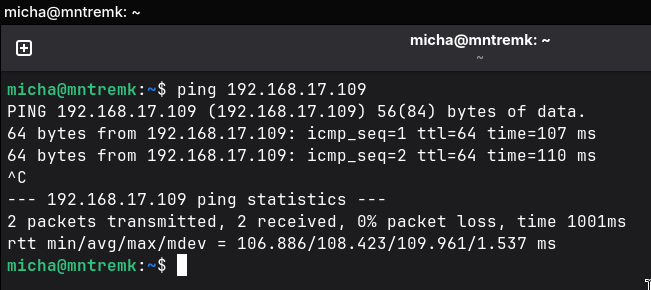
And just like that, it works. The big one (Classic) can access the small one (Pocket) :
 Patience isn’t one of my strong suits, so I ordered it from Mouser and am curious to see if the i.MX8MPlus will live up to my expectations.
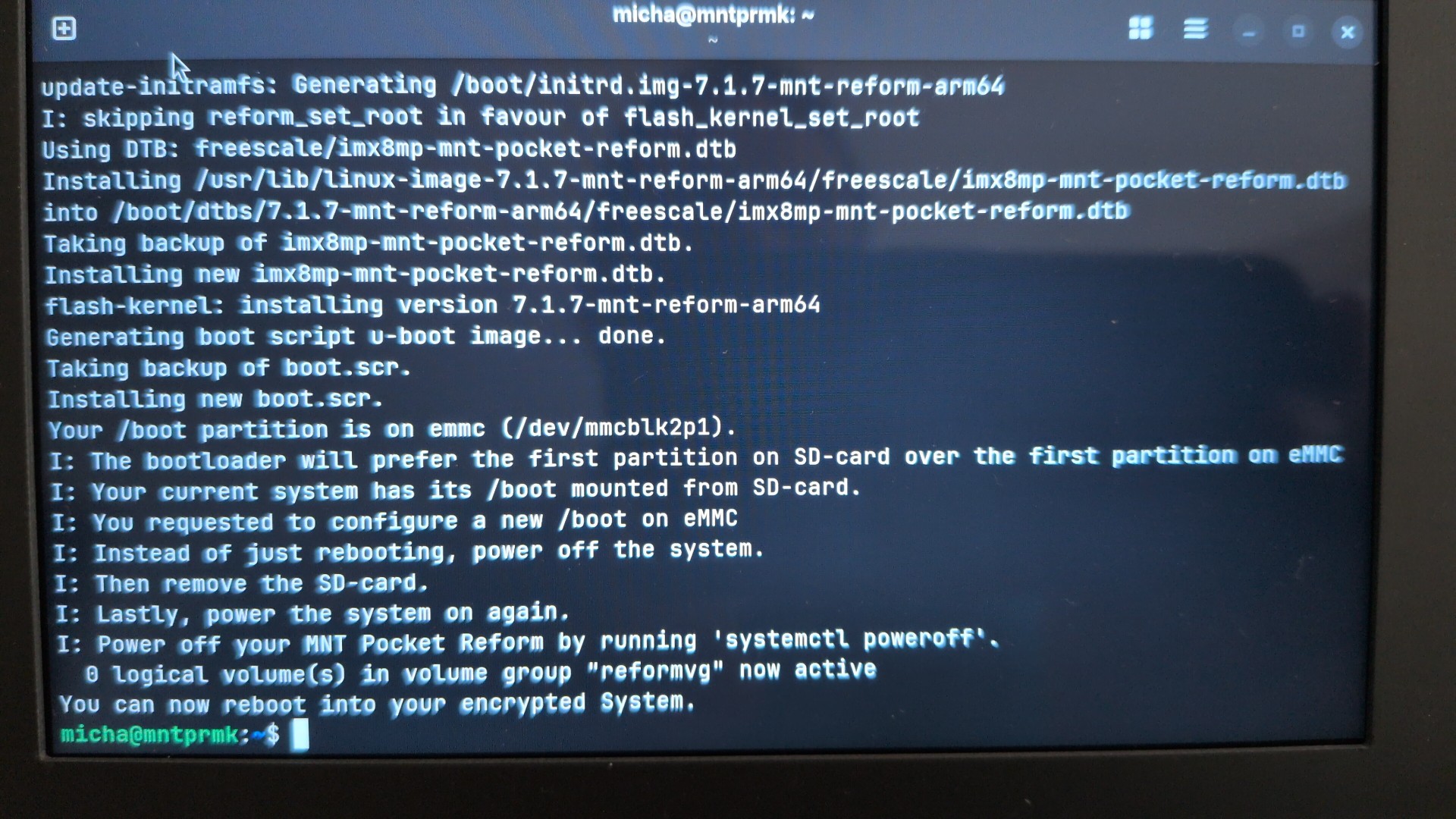

 :
: