Hello everyone,
Is there a way to configure the Reform so that the keyboard lighting is active immediately upon booting? I’m not sure, but I think that used to work.
Micha
[Reform Classic - RK3588 32/256 - 1TB - Sway]
Hello everyone,
Is there a way to configure the Reform so that the keyboard lighting is active immediately upon booting? I’m not sure, but I think that used to work.
Micha
[Reform Classic - RK3588 32/256 - 1TB - Sway]
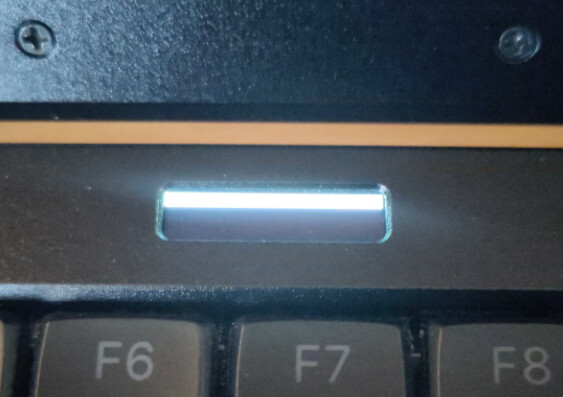
I tried to activate the keyboard brightness via the OLED when the Sway login screen appeared. It didn’t work. Since then, the OLED has only been displaying a white bar and three positions.
Micha
Hi, this looks like a memory leak bug that was in older versions of the Keyboard V4 Firmware. Would you be up for updating the keyboard’s firmware using these steps: Hardware — MNT Reform Operator Handbook, 3rd Edition documentation ?
Hi minute,
the manual states that after pressing the key combination Circle key+x, the keyboard enters programming mode and no longer responds to input.
However, the keyboard on my Reform still responds after this. Should I still enter the command described in the manual?
I followed the instructions in the manual. After completing the procedure, the following message appears in the terminal:
Keyboard V4 with USB ID 1209:6d02 found
To put the keyboard into flashing mode, press the Circle key followed by the X key (fifth row …).
Alternatively, flip the ‘PROG’ DIP switch to ‘ON’ and press the ‘RESET’ button next to it.
Waiting for the disk to appear …
After that, nothing else happens.
Of course, I pressed Circle and X beforehand.
How can you tell that the keyboard is in update mode?
Micha
The keyboard is no longer responding.
I would be grateful for any help!
Micha
After pressing circle+x, the oled screen should show that it’s in firmware update mode.
Do you have a keyboard layout where the X key is at a different position? As far as the firmware is concerned, it counts that you press the key at the correct position not with the right label on the keycap.
So your laptop is off and since the keyboard is not responding you cannot turn it on?
You can also flash the keyboard from a different computer. Pressing circle+x is only a convenience feature. Flipping the dip switch is the way which should always work.
When you remove the keyboard bezel you can also try pressing the reset button.
I’m sorry for not being very active in the forum these days. We have a huge exam tomorrow. I’ll be more free aftwards. Thank you for being persistent and sorry for not trying to help earlier.
Unfortunately, after pressing Circle+X, the OLED did not display anything (except for the white bars mentioned at the beginning).
The keyboard layout is “normal” (i.e., X is the fifth row, fourth key from the left).
I pressed the reset button—without success (several attempts).
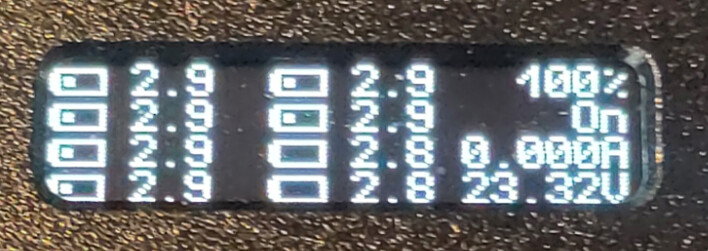
I finally succeeded after connecting the power supply and then pressing the reset button. The OLED now displays everything correctly and the keyboard works.
I don’t understand why it only works with the power supply connected, as the battery charge is 100%.
Now I’m observing whether the keyboard lighting works reliably after booting.
Thank you very much for your support despite the time pressure. I wish you a successful exam!
Micha
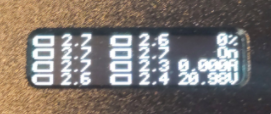
An observation after 4-5 hours of office work with the Reform following the FW update: even after hours of battery operation, the OLED still shows 100% capacity. Meanwhile, the voltage has dropped to between 2.7 V and 2.3 V.
After today’s apt update && upgrade, the issue has been resolved