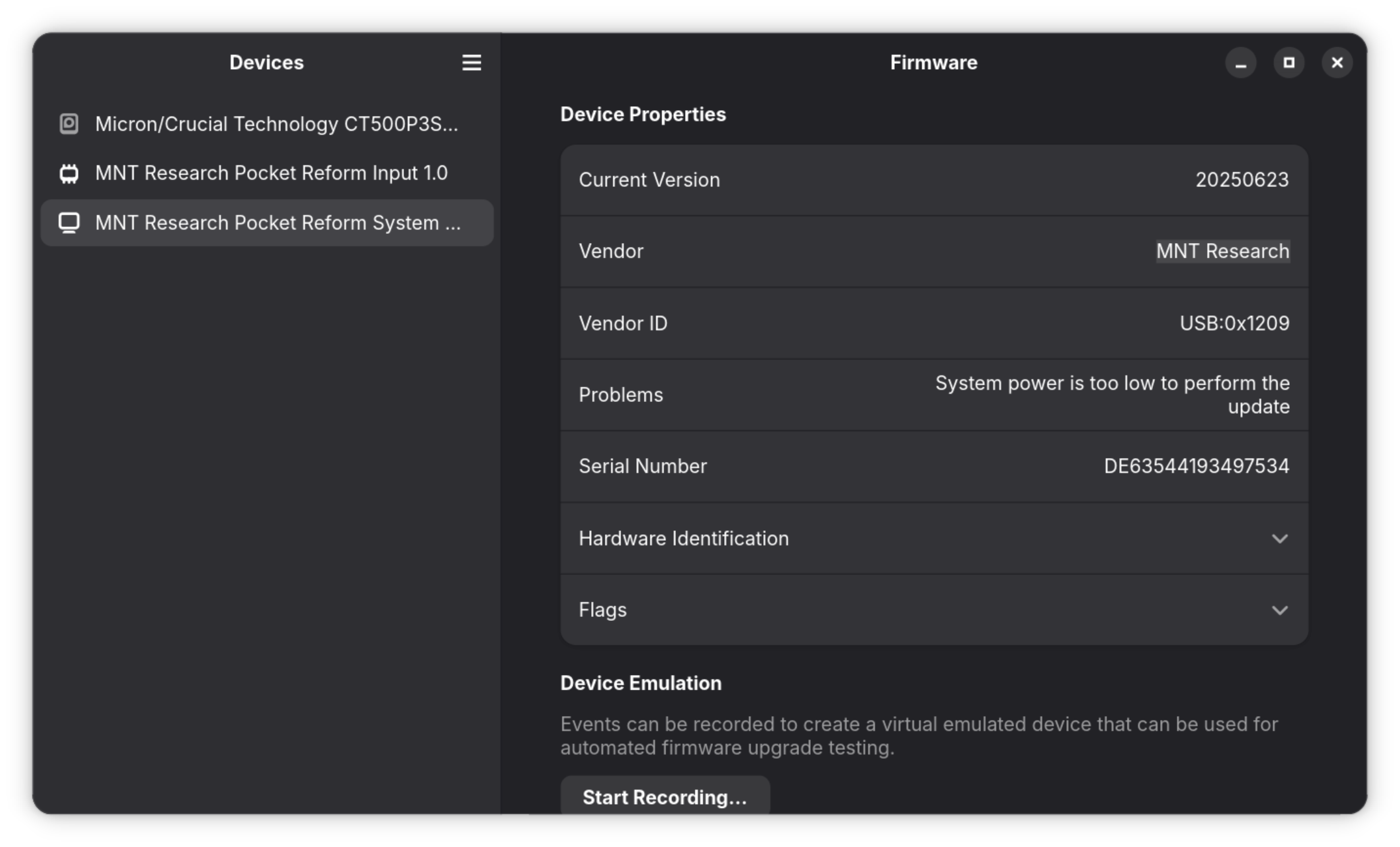
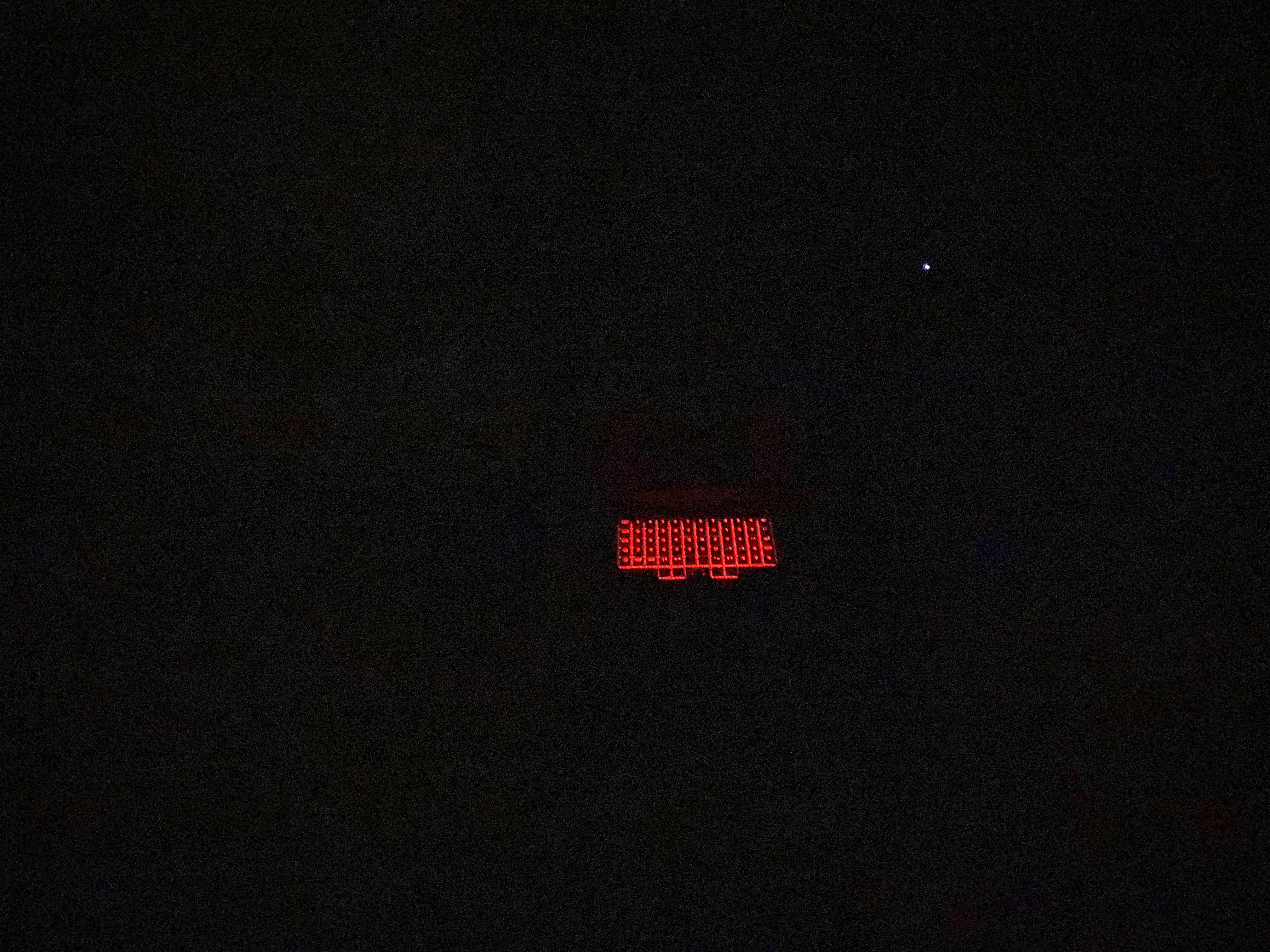
A recent update brought a weird behaviour with it. Nothing dramatic and nothing to be concerned about, but strange: When I power down, the keyboard remains list at the most minuscule level. When I walk past the laptop in the dark, I’ll see it. During the daylight it’s easy to miss.
Strangely enough, if I use Hyper+trackball to change the color and brightness in this state, the light disappears completely and now the laptop looks truly “off”.
I have a MNT Pocket Reform with i.MX8MP Module.
I use the following desktop file to power off:
[Desktop Entry]
Type=Application
Name=Power off
Keywords=Shutdown
Exec=systemctl poweroff
Icon=system-shutdown
Hi Alex.
No. I would expect the Pocket Reform to shut down and power off completely after running systemctl poweroff. Unfortunately, that doesn’t happen. So, as a workaround, I use “Hyper-Enter-0.”
Best regards, Micha
Oh! I try to avoid such uncontrolled shutdowns because there are services running on the laptop. So for me, a controlled shutdown first would be mandatory. Perhaps that’s because I grew up with ext2 file systems without journalling. Switching off power without a shutdown would always risk file corruption.
We’re talking past each other.
I type systemctl poweroff in the terminal. This completes all write operations and shuts down services.
However, the keyboard backlight and the monitor remain on.
I turn both off by typing Hyper-Enter-0.
@MichaK and @elb are you also on imx8mp in your pocket reform like @kensanata ? I haven’t seen this issue on my rk3588 pocket reform and wonder how I can reproduce it.
Just so that we are all on the same page: I just did a custom build of linux 7.3.4 (which is not yet in the MNT repo because we had to fix up the u-boot loading addresses for imx8m+) and built these system images:
I flashed the rk3588 pocket reform image onto an sd-card, popped it into the pocket, booted it, ran the setup wizard, started gnome and then used gnome to shut down. Keyboard backlight is off and display is off. Here is the reform-check output to maybe spot if there are any differences in firmware and some such:
I: Contents of /proc/device-tree/model: MNT Pocket Reform with RCORE RK3588 Module
I: `uname -a` output: Linux m 7.3.4-mnt-reform-arm64 #1 SMP PREEMPT Debian 7.3.4-1+reform20261029T235300Z+gf97630cfa  aarch64 GNU/Linux
I: Version of linux-image-mnt-reform-arm64: 7.3.4-1+reform20261029T235300Z+gf97630cfa
I: Version of reform-tools: 1.89-1+reform20261113T102059Z+1
I: Version of system image: System Image v5: 2026-11-06
I: Version of system controller firmware: 20260819
I: Version of keyboard firmware: 20260819
I: Version of Pocket Reform panel: 2
W: /sys/bus/spi/drivers/reform2_lpc/spi1.0/firmware does not exist -- is the reform2_lpc module loaded?
I: Version of upstream U-Boot: 2024.10
I: Version of MNT U-Boot: 2026-01-28
I: probably booting via /boot/extlinux/extlinux.conf (/boot/boot.scr also exists)
I: Mount source of /: /dev/mmcblk1p2 (SD-card)
I: Mount source of /boot: /dev/mmcblk1p1 (SD-card)
I: the reform-qcacld2 package is only required for wifi on the Pocket Reform with i.MX8MP, you can safely remove it unless you plan to go back to the imx8m+
W: reform-setup-wizard failed to clean up /etc/profile.d/reform-setup.sh. It can be safely removed.
I: Install the package shellcheck for checking /boot/boot.scr for problems
W: eMMC does not contain latest bootloader
W: You can update it to the latest version by running as root:
reform-flash-bootloader emmc
I: note that updating the bootloader on eMMC on your platform is not without risk!
I: The space where the bootloader would've been on eMMC is all zeroes.
I: SD-card contains the latest bootloader version 2026-01-28
I’ll now swap out RK3588 for imx8m+ and will see what happens with that one.
EDIT: works fine on imx8m+. Here is the reform-check output:
I: Contents of /proc/device-tree/model: MNT Pocket Reform with i.MX8MP Module
I: `uname -a` output: Linux m 7.3.4-mnt-reform-arm64 #1 SMP PREEMPT Debian 7.3.4-1+reform20261029T235300Z+gf97630cfa  aarch64 GNU/Linux
I: Version of linux-image-mnt-reform-arm64: 7.3.4-1+reform20261029T235300Z+gf97630cfa
I: Version of reform-tools: 1.89-1+reform20261113T102059Z+1
I: Version of system image: System Image v5: 2026-11-06
I: Version of system controller firmware: 20260819
I: Version of keyboard firmware: 20260819
I: Version of Pocket Reform panel: 2
W: /sys/bus/spi/drivers/reform2_lpc/spi1.0/firmware does not exist -- is the reform2_lpc module loaded?
I: Version of upstream U-Boot: 2022.04
I: Contents of /proc/device-tree/chosen/u-boot,version: 2022.04 MNT Reform 2 with i.MX8MP Module 2025-11-04-5-g1408fbf-gb0e908b1-dirty
I: Booting with outdated U-Boot. Local version is E: machine name in u-boot version does not match system: MNT Reform 2 with i.MX8MP Module != MNT Pocket Reform with i.MX8MP Module while latest version is 2026-01-28
I: Version of MNT U-Boot: E: machine name in u-boot version does not match system: MNT Reform 2 with i.MX8MP Module != MNT Pocket Reform with i.MX8MP Module
I: probably booting via /boot/extlinux/extlinux.conf (/boot/boot.scr also exists)
I: Mount source of /: /dev/mmcblk0p2 (SD-card)
I: Mount source of /boot: /dev/mmcblk0p1 (SD-card)
I: the following files differ from how they are shipped by reform-tools (ignore /var/lib/alsa/asound.state):
??5??????   /var/lib/alsa/asound.state
W: reform-setup-wizard failed to clean up /etc/profile.d/reform-setup.sh. It can be safely removed.
I: Install the package shellcheck for checking /boot/boot.scr for problems
W: eMMC does not contain latest bootloader
W: You can update it to the latest version by running as root:
reform-flash-bootloader emmc
I: note that updating the bootloader on eMMC on your platform is not without risk!
@elb@MichaK@kensanata All our latest fixes are now in the MNT Debian repository and I triggered a new official system image build with these changes which you can access here:
Could you flash the respective image to an sd-card, boot with it, complete the setup wizard, log into gnome, run sudo reform-check > log 2>&1 and then shut down using the gnome menu in the upper-right corner?
If it does not shut off cleanly, get the file log from the SD-card and please share it here so that we maybe find out why your systems are different from mine.
Hi Josch,
First of all, thank you very much for your help. I followed the steps you described.
However, after entering “sudo reform-check > log 2>&1” nothing happens for several minutes.
When I shut it down via the GNOME menu, the keyboard backlight stays on.
Ah, sorry. That command sends all output to the file log. If you didn’t run sudo apt update before running that command, then the command will ask you whether it should run apt itself and stall forever because you didn’t see the question. You have two ways forward:
a) run sudo apt update beforehand or
b) instead run sudo reform-check 2>&1 | tee log because that will allow you to see the output and redirect it to a file
I: Contents of /proc/device-tree/model: MNT Pocket Reform with i.MX8MP Module
I: `uname -a` output: Linux mntprmk 7.3.4-mnt-reform-arm64 #1 SMP PREEMPT Debian 7.3.4-1+reform20261029T235300Z+gf97630cfa  aarch64 GNU/Linux
I: Version of linux-image-mnt-reform-arm64: 7.3.4-1+reform20261029T235300Z+gf97630cfa
I: Version of reform-tools: 1.89-1+reform20261116T005001Z+1
I: Version of system image: System Image v5: 2026-11-11
I: Version of system controller firmware: 20250623
I: Latest version of system controller firmware: 20260819
I: Version of keyboard firmware: 20250623
I: Version of Pocket Reform panel: 2
W: /sys/bus/spi/drivers/reform2_lpc/spi1.0/firmware does not exist -- is the reform2_lpc module loaded?
I: Version of upstream U-Boot: 2022.04
I: Version of MNT U-Boot: 2026-01-28
I: probably booting via /boot/extlinux/extlinux.conf (/boot/boot.scr also exists)
I: Mount source of /: /dev/mmcblk0p2 (SD-card)
I: Mount source of /boot: /dev/mmcblk0p1 (SD-card)
W: reform-setup-wizard failed to clean up /etc/profile.d/reform-setup.sh. It can be safely removed.
I: Install the package shellcheck for checking /boot/boot.scr for problems
I: eMMC contains the latest bootloader version 2026-01-28
I’d be happy to. But please bear with me—I need a little more help here. What exactly do I need to type into the command line to update the keyboard and system controller firmware?
 I try to avoid such uncontrolled shutdowns because there are services running on the laptop. So for me, a controlled shutdown first would be mandatory. Perhaps that’s because I grew up with ext2 file systems without journalling. Switching off power without a shutdown would always risk file corruption.