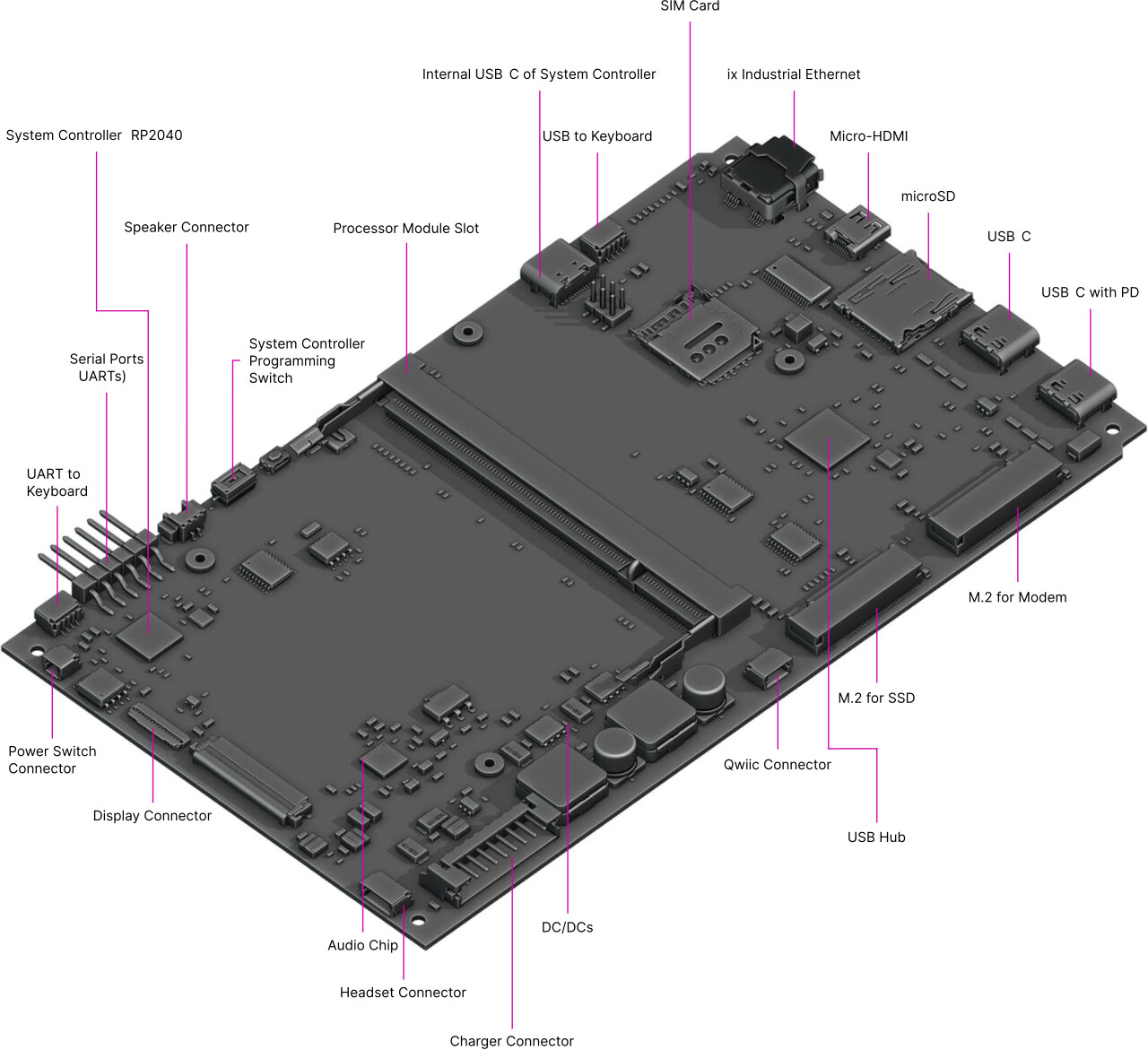
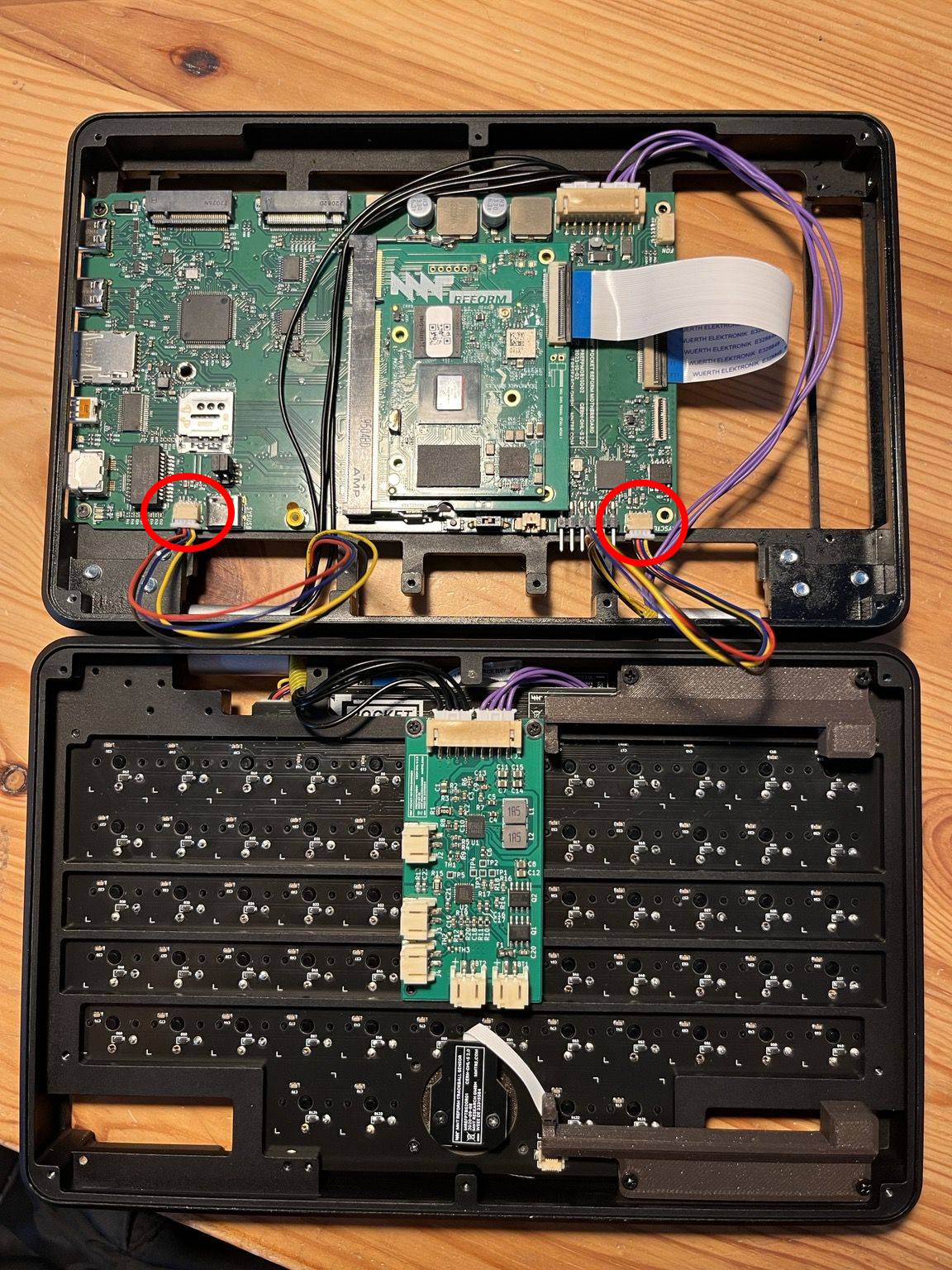
Something I’ve started noticing in the last few weeks is that I occasionally get a partial keyboard disconnect. Recently I saw it while I was typing: the keyboard was turning sluggish and within one or two seconds it was semi-dead. The reason I’m so confused is that the keyboard still works for OLED: I can Hyper-Return and shut the Pocket Reform down, for example. This happened to me two or three times in recent days while I was using the laptop. Potentially the same issue is that the laptop boots and by the time I get to the login prompt, I can no longer use it. My memories of this happening go back further, a few months, perhaps. It is only now that it has happened to me in mid session that I figured that there might be something else afoot.
The problem is not too bad, because I discovered a way to unblock the keyboard: Instead of rebooting, I can close the lid of the laptop and open it again and usually that brings the keyboard back.
To my innocent eyes, this doesn’t look like a hardware problem because I can keep using the OLED menu. Maybe a driver problem?
Does anybody have an idea that I can follow-up on? Some service log that I can check?
I: Contents of /proc/device-tree/model: MNT Pocket Reform with i.MX8MP Module
I: `uname -a` output: Linux subterraneobombus 7.1.12-mnt-reform-arm64 #1 SMP PREEMPT Debian 7.1.12-1+reform20260831T193840Z (2026-08-3 aarch64 GNU/Linux
I: Version of linux-image-mnt-reform-arm64: 7.1.12-1+reform20260831T193840Z
I: Version of reform-tools: 1.88-1+reform20260817T102547Z+1
I: Version of system image: System Image v4: 2024-05-03
I: Version of system controller firmware: 20260808
I: Latest version of system controller firmware: 20260819
I: Version of keyboard firmware: 20260808
W: No known path for mnt_pocket_reform_panel_version for MNT Pocket Reform with i.MX8MP Module -- please consider contributing the output of: find /sys -name mnt_pocket_reform_panel_version
W: /sys/bus/spi/drivers/reform2_lpc/spi1.0/firmware does not exist -- is the reform2_lpc module loaded?
W: Unable to retrieve bootloader version
I: probably booting via /boot/boot.scr (/boot/extlinux/extlinux.conf does not exist)
W: unexpected content in /etc/default/flash-kernel:
I: Mount source of /: /dev/mmcblk2p2 (eMMC)
I: Mount source of /boot: /dev/mmcblk2p1 (eMMC)
I: MNT Reform Desktop meta-package is not installed: reform-desktop-full
I: Depends of reform-desktop-full is not installed: gnome
I: Depends of reform-desktop-full is not installed: wofi
I: Suggests of reform-desktop-minimal is not installed: firmware-atheros
I: Suggests of reform-desktop-minimal is not installed: firmware-iwlwifi
I: Suggests of reform-desktop-minimal is not installed: firmware-mediatek
I: Suggests of reform-desktop-minimal is not installed: firmware-misc-nonfree
E: unexpected last line in /etc/skel/.profile, should be:
if [ "$(whoami)" = "root" ]; then reform-help --root; elif [ -z "$WAYLAND_DISPLAY" ]; then reform-help; fi
I: the following files differ from how they are shipped by reform-tools (ignore /var/lib/alsa/asound.state):
??5??????   /var/lib/alsa/asound.state
??5?????? c /etc/skel/.config/wayfire.ini
??5?????? c /etc/skel/.config/sway/config.d/input
??5?????? c /etc/profile.d/reform.sh
I: kernel boot parameters your system does use but which are not the default:
 + fbcon=rotate:3
 + loglevel=3
 + loglevel=3
I: kernel boot parameters which are the default but your system doesn't use them:
 - fbcon=font:TER16x32
W: /boot/flash.bin is not the latest bootloader
W: You can update it to the latest version by running as root:
reform-flash-bootloader
W: eMMC does not contain latest bootloader
W: You can update it to the latest version by running as root:
reform-flash-bootloader emmc
I: note that updating the bootloader on eMMC on your platform is not without risk!
❮ sudo find /sys -name mnt_pocket_reform_panel_version
/sys/devices/platform/soc@0/32c00000.bus/32e60000.dsi/32e60000.dsi.0/mnt_pocket_reform_panel_version
❮ sudo cat /sys/devices/platform/soc@0/32c00000.bus/32e60000.dsi/32e60000.dsi.0/mnt_pocket_reform_panel_version
1

 I have to fight a bit with my pocket reform by opening/closing it at every boot to get the keyboard to respond