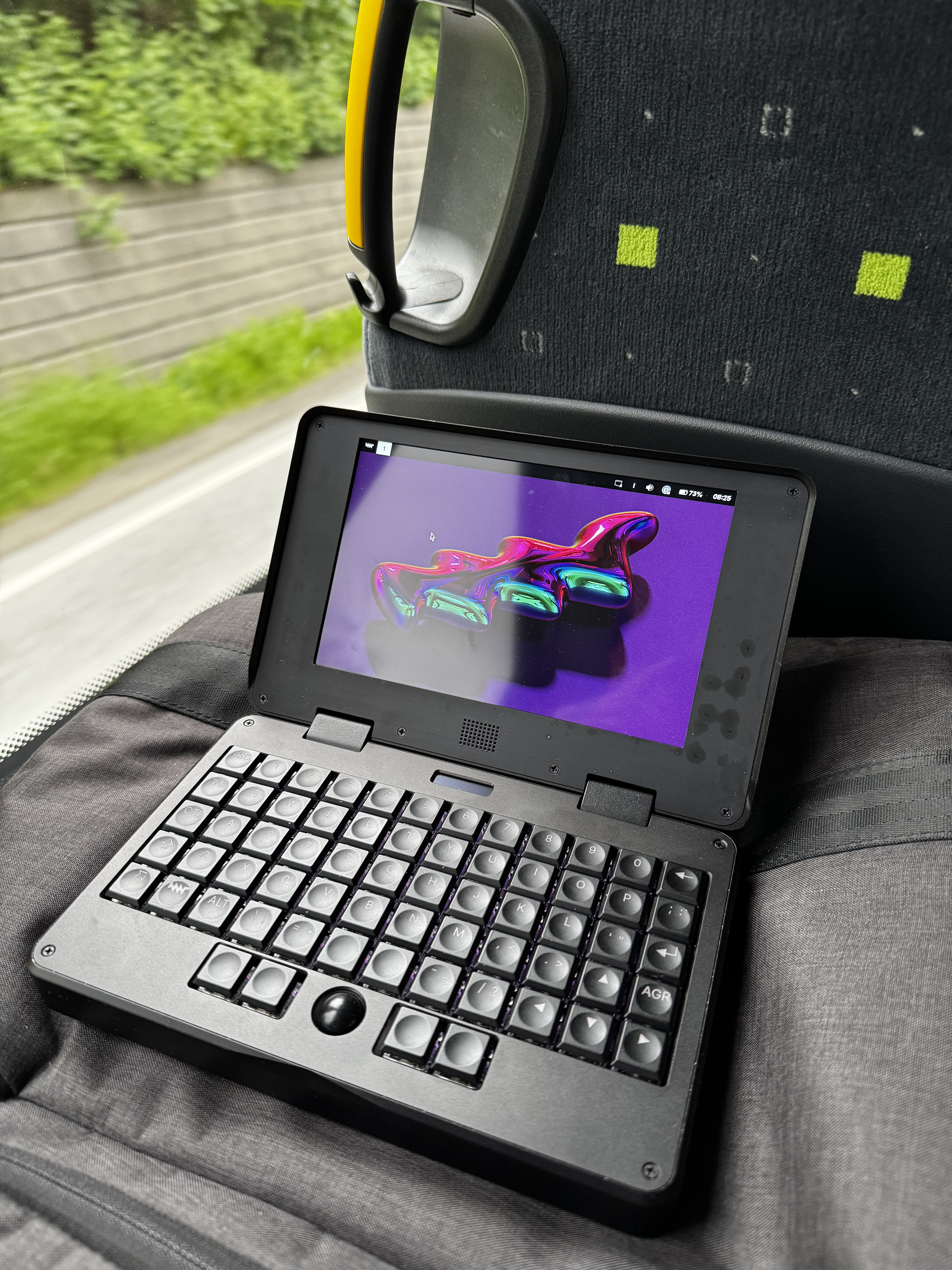
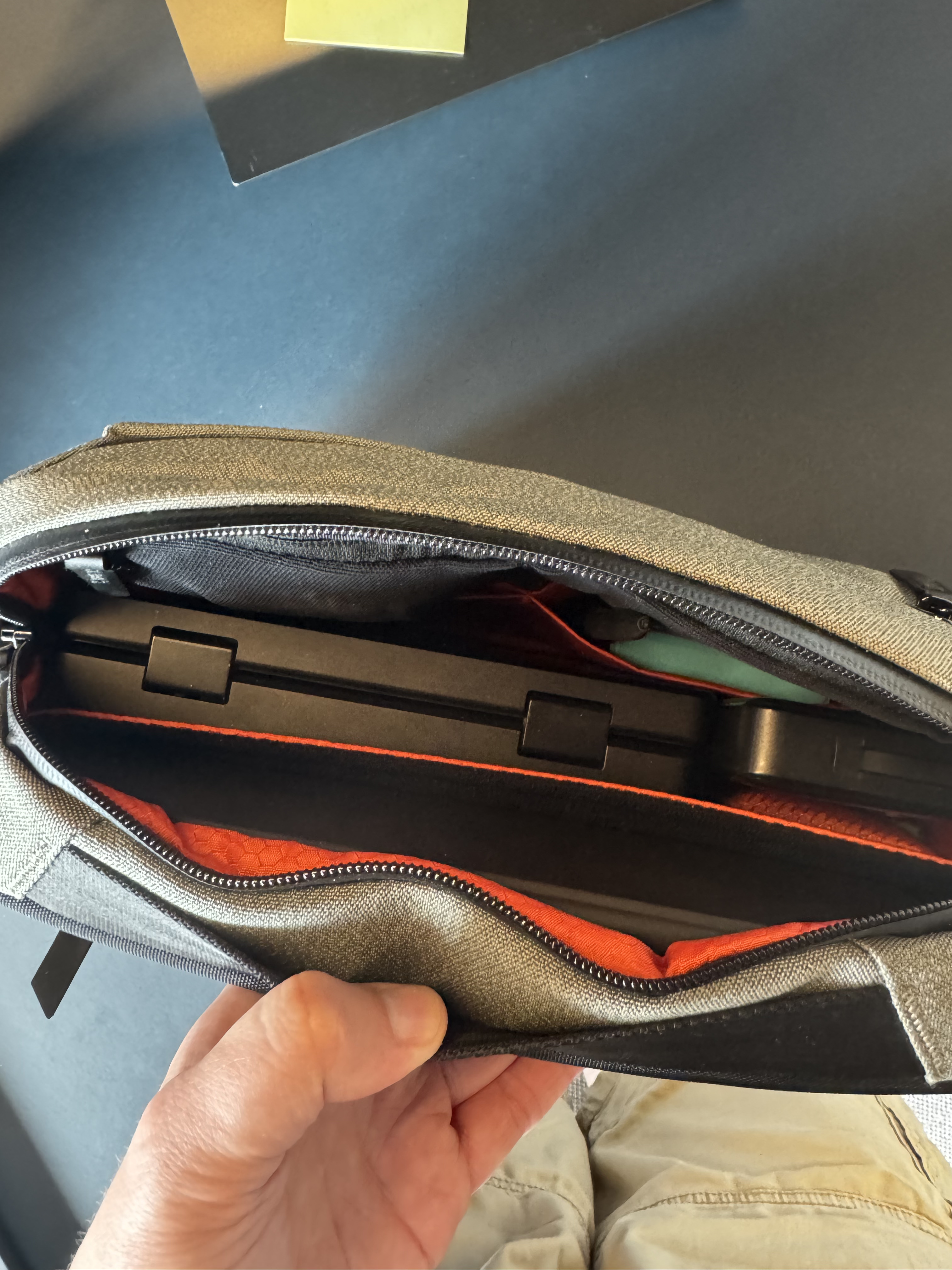
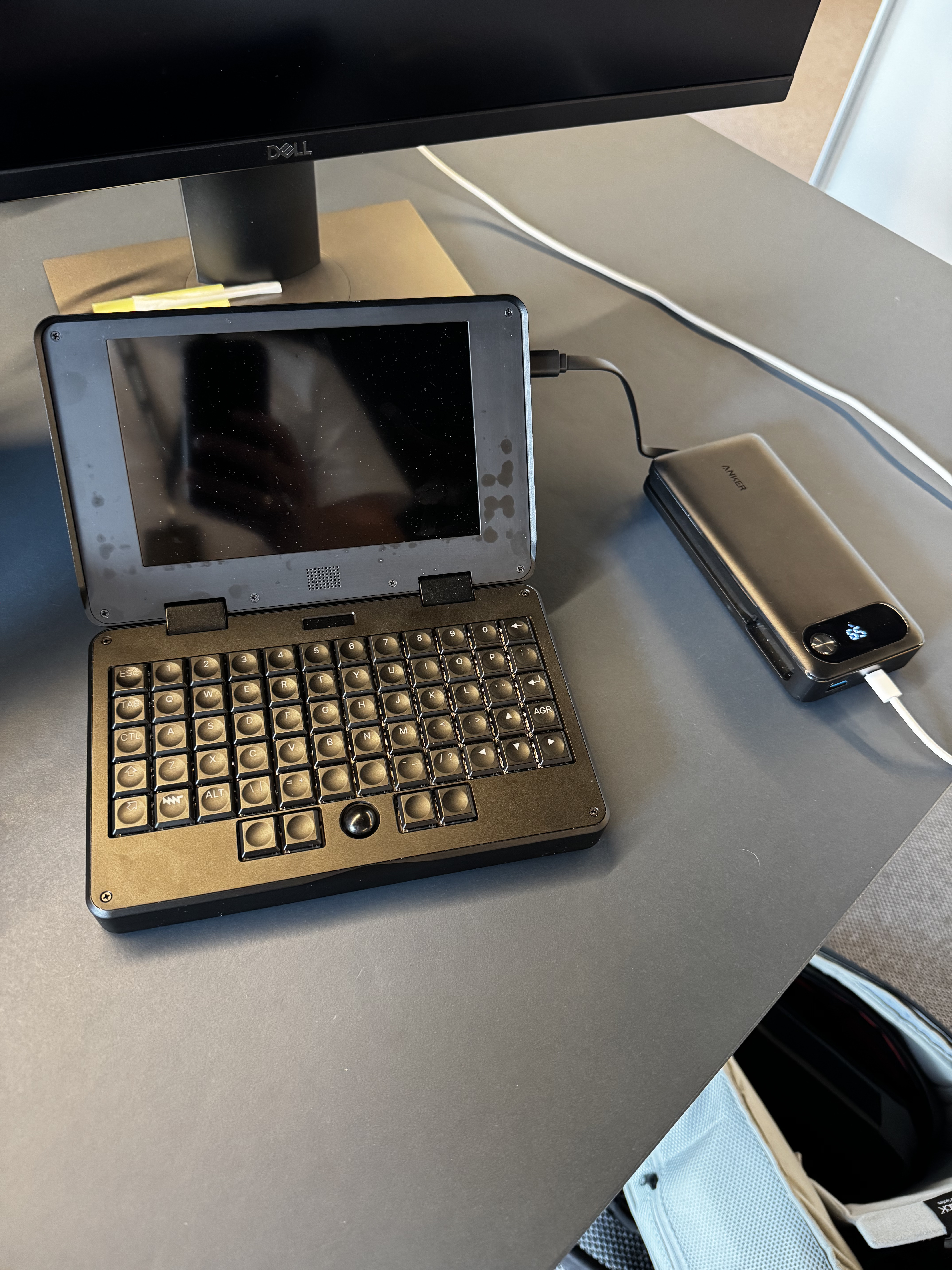
I’ve had the Pocket Reform for about two weeks now, so I figured it was time to share my early impressions.
tl;dr: I love it. It fills the niche I hoped it would, and it gets a lot of attention
from people who pass by my desk (usually because I stop them and make them look, but still!).
I bought the Pocket Reform because I needed something smaller than my current Macbook Pro 16" in order to do some light writing and programming on the bus ride to work, and the Pocket is able to do that while being one of the nicest and nerdiest devices I’ve ever laid eyes on.
It’s not a perfect device, by any means, but I still think it was worth the price.
I’ll try to keep this short, so I’ll switch over to bullet points, but feel free to ask questions.
The good
Mechanical keyboard. Takes a little getting used to, but it feels (and sounds) great.
Trackball is awesome. I need to figure out how to swap the scroll lock and the middle mouse button, though.
Crisp screen.
Chassis feels high quality.
Ridiculously easy setup. I was productive within minutes.
Can be repaired/upgraded. I’m already planning to update the keyboard and motherboard hardware.
Hardware is mounted behind the screen, so my lap stays cool.
No fan.
The small size. This thing goes with me everywhere.
I don’t mind the thickness of the device. I actually like the height up to the keys.
Screen could be bigger, but I’ve written several thousand words and lines of code on it. It’s good enough.
Battery life isn’t great, but it’s good enough. I carry with me a 65W power bank, and I haven’t needed it so far.
Wishlist
Battery modules in the online store, maybe even a bigger pack than what’s currently in the device.
LTE/5G modem in the online store. I’d ordered it with my original purchase if it was available. I know it’s possible to order one myself, but finding the right chip and antennae is more hassle than I’d like. It’d be great with a “official” solution.
Regrets
I chickened out. Should have gotten the Ultra Deep Purple color.
Should have opted for 32GB RAM. Not that I need it (I don’t think I’ve used more than 3GB yet) but prices rose sharply right after I placed the order.
Conclusion
Like I said, the MNT Pocket Reform is not perfect. It is, I think, the perfect device for me.
Thanks for this exciting review. I’m thinking about placing an order, too. If only it weren’t for the long delivery time. I see you’re using an Anker Powerbank. Which one is it?
The one I have seems to be discontinued. At least I cannot find it on their site. The power bank they do have with the most comparable specs is this one: Anker Prime Power Bank (20K, 220W)
Is there no easy to way to switch middle-mouse-button and scroll-button without compiling my own firmware? It’d be great to have a visual tool for remapping keys (and as a cheat-sheet)
I tried removing firefox, but I can’t do that without also removing mnt-desktop-full (or something), which seemed kinda scary
Setting up an encrypted disk should be a part of the setup wizard, imho
There are a bunch of gnome software installed even when selecting the sway desktop. It’s, fine? But it might be better to use more lightweight software when selecting sway. Like the foot terminal instead of the gnome-terminal (foot starts up much faster).
Most of these things are nitpicks, though. I’m very happy with how this thing works
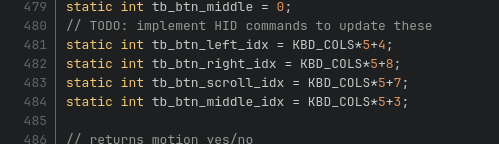
i might be able to help with #1 if you are willing to do a compile! the stock firmware does have a super straightforward build script and compiles quickly. you can change the mouse button positions in the stock firmware in main.c around lines 480-485, the last numbers (4, 8, 7, 3) are the only one you’d need to change.
static int tb_btn_scroll_idx = KBD_COLS*5+3;
static int tb_btn_middle_idx = KBD_COLS*5+7;
there’s also my QMK firmware port if you’re interested in that. setup is a more involved and compile takes way longer (especially if you’re on IMX8MP) compared to stock, but it does make the mouse row a normal part of the keymap so the keys are easily reassigned without sifting through boilerplate code. if you go that way you can set the bottom row like this:
#2 is possible, mnt-desktop-full is a ‘meta’ package which just pulls dependencies like firefox in. you can safely remove both #3 there is at least a script (if you don’t know already): reform-setup-encrypted-disk which helps you with that ^^
Not yet. This topic sometimes pops up in IRC and somebody (maybe @zeha ) might implement this feature at some point. As @sleeplessval points out, recompiling your firmware and swapping the buttons is easy but the downside is that now you have to recompile the firmware with your changes every time there is a new firmware version and you also can no longer use fwupd to update your firmware but have to flash manually.
As @R1ck points out, reform-desktop-full is just a “meta package” which means it doesn’t ship any files itself but just depends on other packages. You can remove it if you want to manage packages yourself. There is usually no need to remove firefox but if you have a good reason to do so, then you probably also do not want a meta package to get into your way of your custom setup.
Whether you select sway or gnome does not influence which software is installed. If it would, a bunch of software would need to be removed after making the selection. Keeping the packages installs allows you to switch to the other desktop freely at a later point. If you like foot better than gnome-terminal then absolutely feel free to switch. FWIW, foot used to be the default terminal in the past due to its light-weight nature.
I got my Pocket Reform three or four weeks ago (used with the ix8mp).
My overall experience was very similar to the experience of @robheghan.
Trackball: At first, I was very skeptical of the trackball. Once I used it, I fell in love with it quickly. However, the keys still confuse me. It would be nice to be able to reconfigure them easily. I always mix up the middle and right button.
Keyboard: Overall great, but there are some challenges. The enter key and the “:;” key cause some issues for me since I use the Neo2 keyboard layout. “:;” is the ‘y’ in Neo2. While writing I constantly hit enter, because I want to type ‘y’. The other issue is with the mod 3 and mod 4 keys. I need them for both hands, there is only one shift and the 45° tilted arrow key is not an m4 key.
External display: Connecting an external display requires to use Sway. Gnome did not work for me.
Design: well build. The fact that MNT copper logo helps to cool the CPU is genius. The idea to have the CPU inside the screen for an improved thermal design is really smart.
My whish list:
A touch screen
An optional camera and microphone with physical kill switch. Allowing video conferencing and potentially to control the pocket through hand gestures.
The LTE/5G module in the official shop.
A simple fitting sleeve. I know there is a designer sleeve in the shop. However, I would prefer something less expensive and simple.
Two arrow up/down keys on both sides of the display (scrolling while reading).
The tiny oled screen could be where the speaker is and instead have stereo speakers left and right of the screen.
In addition, maybe a crazy idea, but it would be nice to have an epaper display for reading. It could be integrated. For example, by putting it behind the current display and pulling it out (the ePaper display could be smaller as compared to the main display).
I use a userspace tool, keyd, to remap my keyboard keys. I believe it works for the trackball buttons too.
I used evtest to get the names of the keys I wanted to remap, then I wrote this config file to shuffle around some of the right hand modifier and punctuation keys:
You probably would want to replace [ids] * with the actual ID of the keyboard/trackball device to avoid buttons on other mice getting moved around. evtest also says the ID of the device.
It will work for left right and middle mouse buttons but it will not work for the button that activates the scroll wheel. Pressing that button does not produce an event visible to the OS. Pressing that button enables scrolling in the firmware and only when pressing and holding the scroll button and then moving the trackball will generate events for the OS.
Oh another neo2 user! I also have the classic Reform with neo2 laser engraved onto the keycaps. What weirded me out about the Pocket keyboard and neo2 was the position of the “d” (above enter) and the “j” (next to the left key). Yeah, there are just not enough keys for good neo2 support. XD
Works fine with both sway and gnome here via HDMI with rk3588.
Understandable. But this comes from somebody who is not into sleeves or bags usually: the Pocket Reform designer bag is really well made and already survived over a years being put in and out of a backpack daily multiple times without any age. It might sound silly but the buckle is the absolute best I’ve ever used. Really satisfying to open and close it.
hi, thanks for the nice review @robheghan and everyone who contributed to this thread! i talked to lucie and they confirmed that we’ll upload some of your wishlist products during the next weeks. they’ll be announced in our news updates and on mastodon as usual.
I am also using Neo2 and compiled a custom keyboard firmware to have modifiers available where I need them. But yes, its not perfect as the keyboard does not have enough keys I am especially missing the left Mod4. I have mapped it to a button on the row at the bottom, but its challenging to get used to