I bought my ZZ9000 card last year but have not had the opportunity to try it out until now. When I put in the passthrough card in the videoslot and the ZZ9000 with the cable between them, boot it up I get no image whatsoever.
Have also tried with another screen and a different HDMI-cable.
I do have an old MultiVision 2000 deinterlace card that I fitted into the videoslot of my A2000 and that works fine, so the video-slot is OK.
Also have a GVP card with SCSI that I put in and the A2000 boots as it should. This since I connected the B/W output to my monitor and can see that it booted as it should.
Any suggestions to why I don’t get any picture from HDMI on the ZZ9000 with passthrough?
Hi !
Thanks for your reply, sorry I’m a bit late to answer, been away.
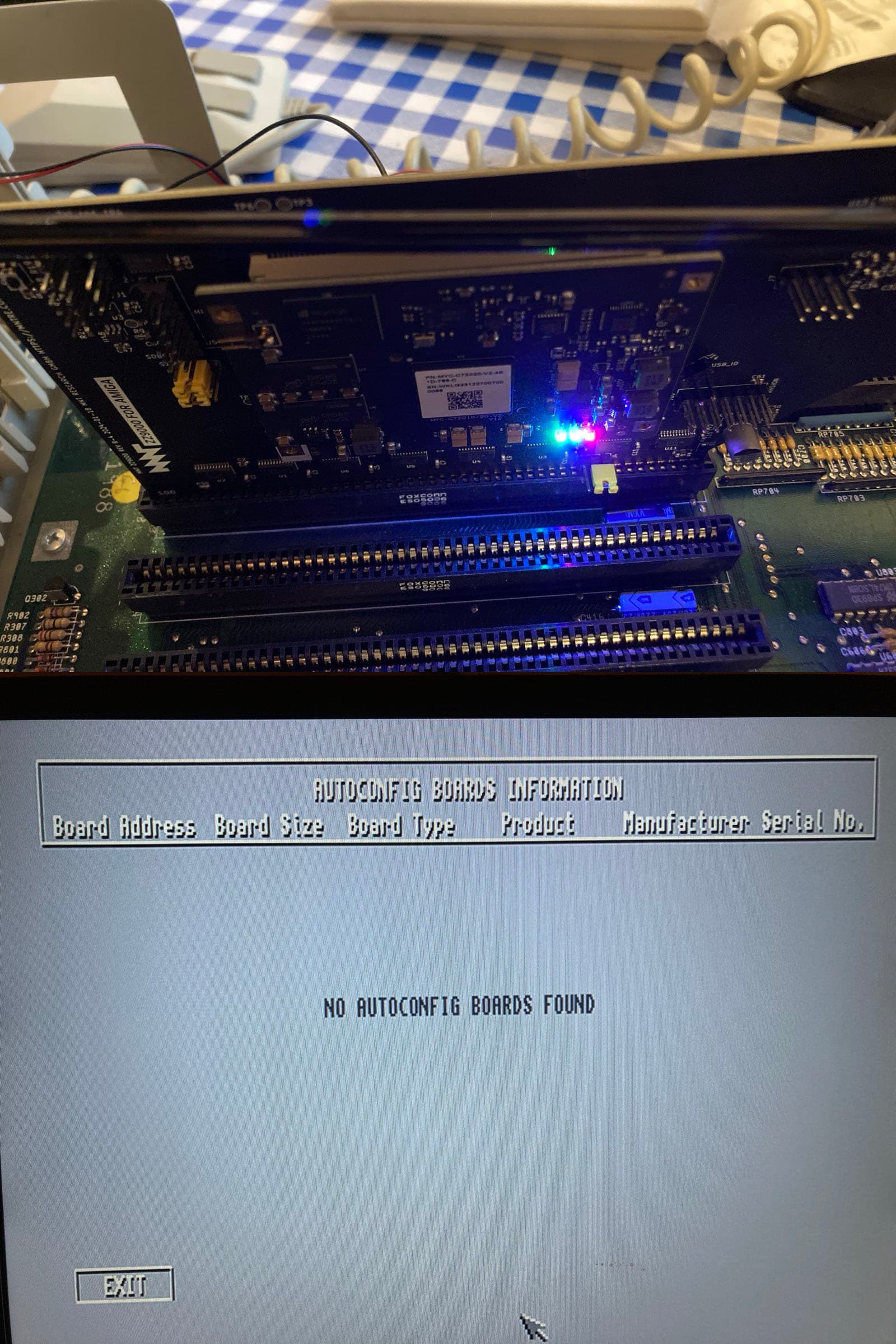
I don’t see any white LED glowing on the ZZ9000.
I have three LED-lights glowing (but I think that’s the FPGA-card) where the green is flickering some - see attached image.
Where is the white LED located?
Also ran SysInfo (4.4) with no other cards in the Amiga.
If I go into boards the list is empty, don’t know if the Amiga should see the ZZ9000 card though?
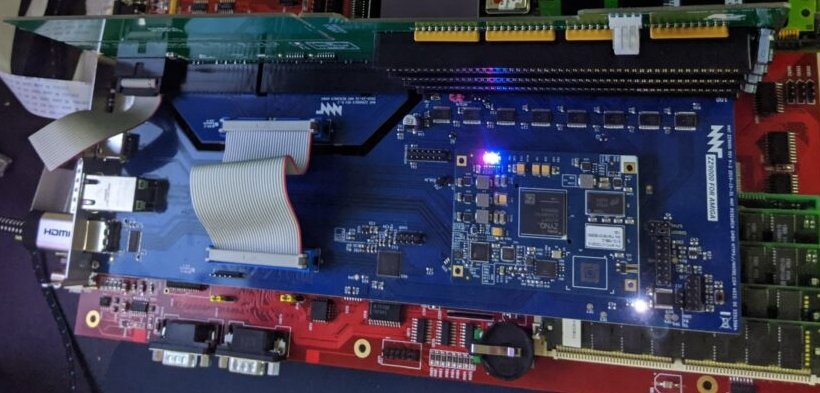
You can see the location of the white LED here on Stefan R.’s photo for example, glowing brightly in the bottom right of the picture:
It looks like it’s not on in your photo, so that’s probably the issue. This is the “DONE” indicator of the ZYNQ FPGA, indicating that it has successfully loaded the firmware from the MicroSD card.