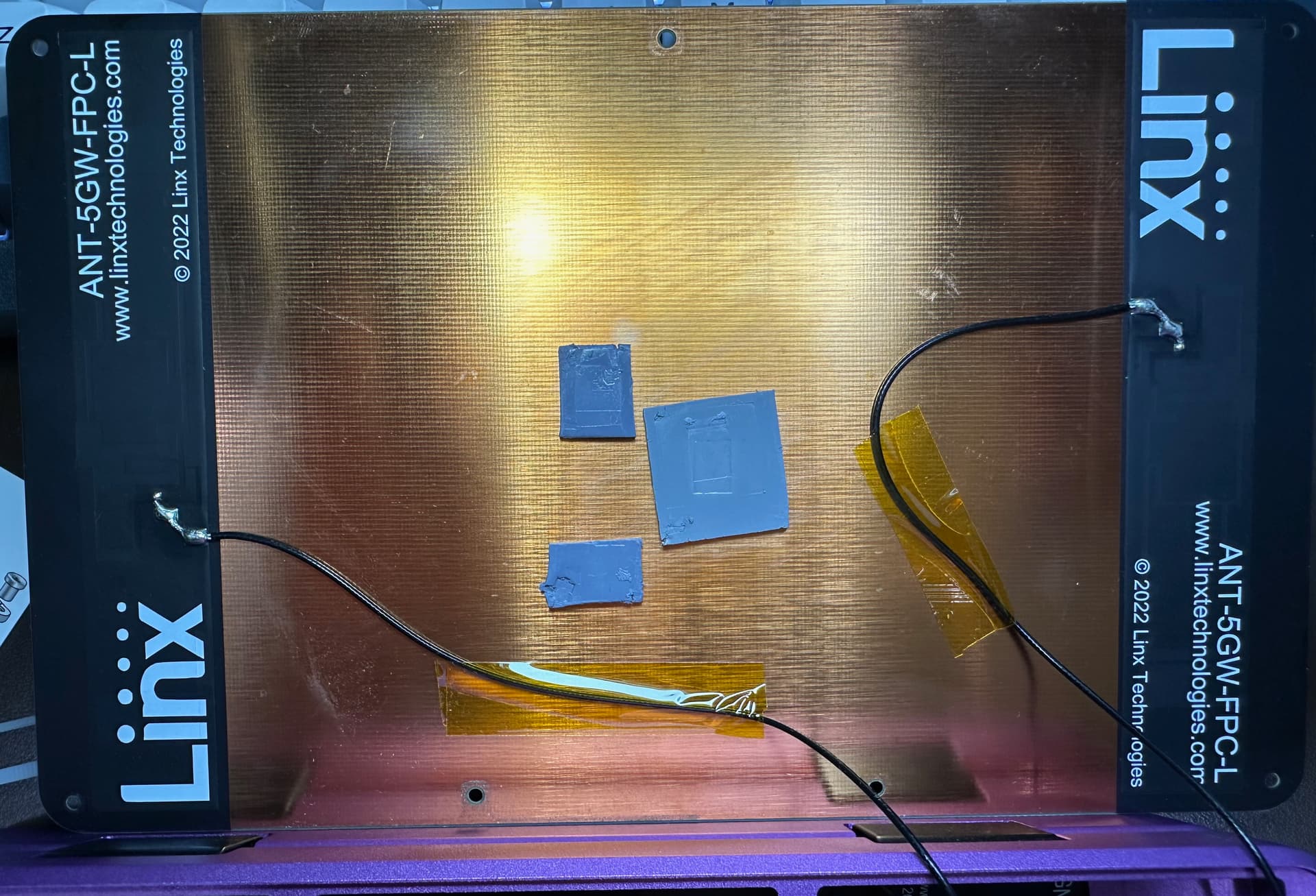
If it helps I am merely a few feet away from my Unifi AP’s in my home so the wireless signal should be really strong. It sees the wifi networks but after a period of time the wifi just stops working, and I do notice the back is quite warm as well.
So I have some improved thermal pads coming as well as kapton tape. But I was wondering is there anything else I should be trying to do? I am planning on adding a 4G cell modem in this laptop so I want to avoid installing another wifi card in this if possible.
I would like to be able to move away from the ethernet cable at my desk as I am planning to take this regularly for my own tinkering and work needs on the go hopefully as soon as end of next week when I replace the batteries that were also having an issue.
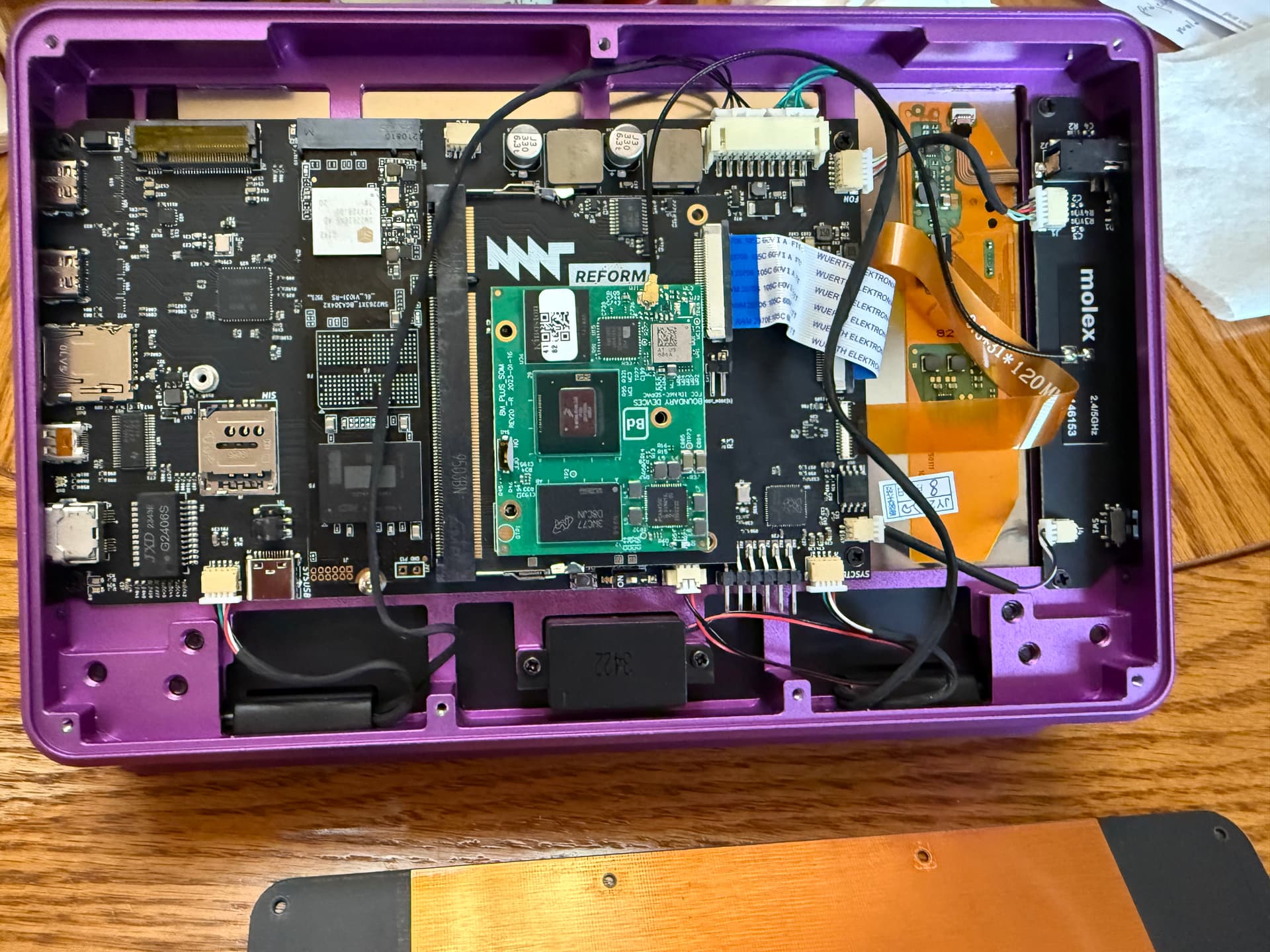
For your information, for my iMX8M+ Pocket Reform with LTE card, extra thermal pads and avoiding display cable from covering Wi-Fi antenna have stabilized my Wi-Fi connection to my UniFi APs. I am pretty pleased with current Wi-Fi stability and LTE capability.
Oh cool so we have the same path to upgrade and just waiting on the RK3588. I am also am looking at upgrading the lid to aluminum and looking at PCBWay to do that.
Would you happen to have some pictures how to best avoid the display cable because that has been really annoying.
Also where did you get those LTE antennas? They look quite nice!
I do not think solid metal lid will do well with LTE connections. Wi-Fi antenna is placed next to a non-metal window, but if lid is solid metal then these adhesive LTE antennae will be completely surrounded practically by metal objects inside.
Thanks for making me aware of this. I’ll keep that in mind as I work further into this @SpaceLizard . I’m waiting for hear back from PCBWay as they had reached out a few weeks earlier to want to possibly collaborate on some projects as I create cybersecurity and tech content, so I will make sure to better work with them to ensure the fit is as required and be sure to give any feedback if necessary to anyone to improve the process.
I was planning on putting the antennas behind the plastic screen bezel as I noticed some good gaps I could hide it in that probably won’t be effected by the metal plate. I may also reposition the WiFi antenna there if it impedes my signal too much. I’ll know more in the coming weeks.
Just an update the laptop is still dropping wifi constantly after rerouting the antenna and taping down the display connector, and adding a thermal pad to the wifi and power side of the iMX8M plus as some had suggested, and I even replaced all three thermal pads to ensure that wasn’t the issue. I am still waiting on PCB Way to send the new aluminum backplate to possibly eliminate all the thermal issues. I’m doing some updates on ethernet and hope maybe that helps but I am doubtful.
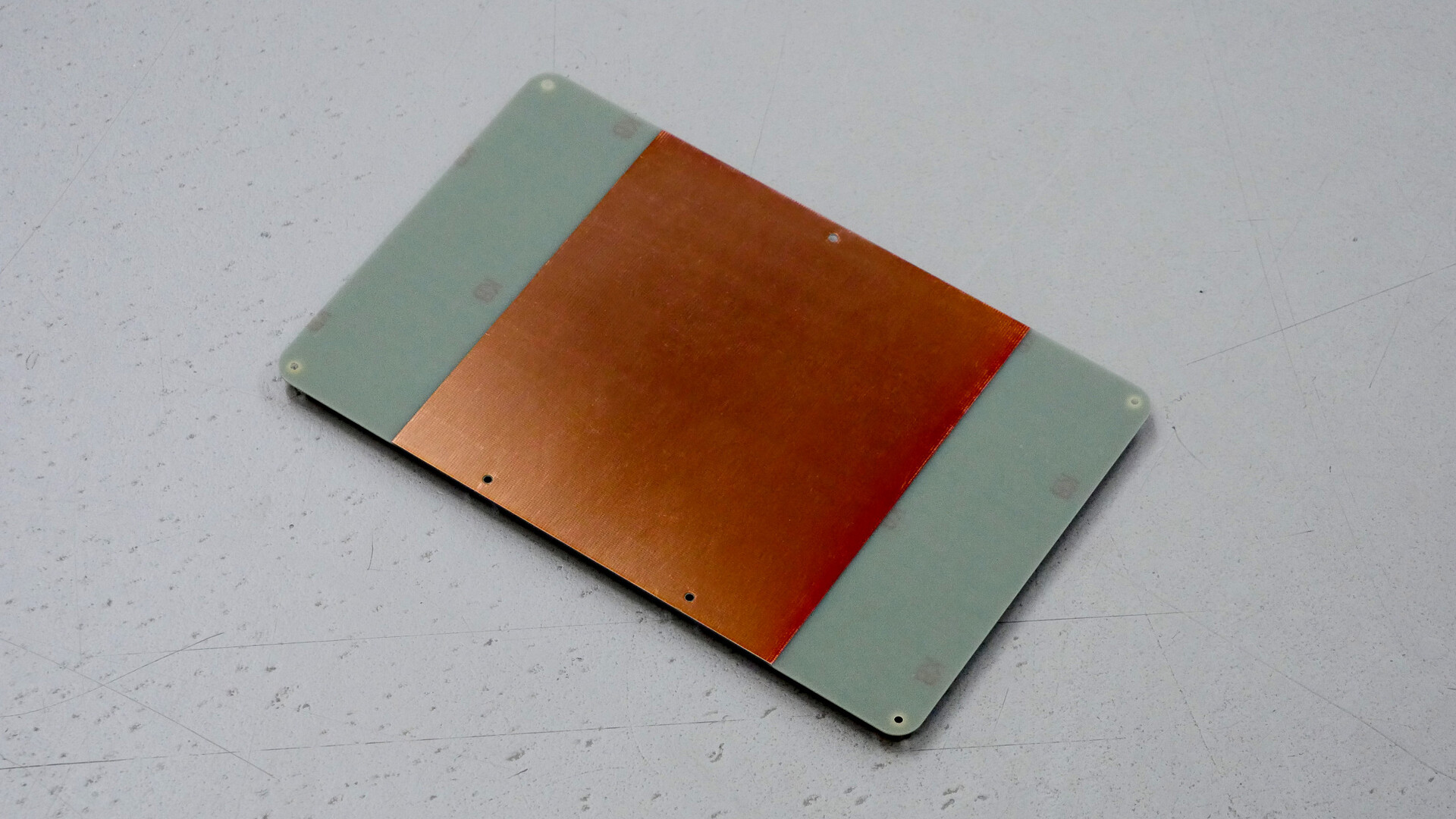
I believe @minute is working on a new backplate that doesn’t have a full plane of copper that the current one unintentionally has, which apparently is the cause of the bad signal.
Aluminium can work a bit better though, for the time being.
Ok then I will wait for PCB Way to send my new aluminum backplate that they are machining and laser engraving. For the time being I managed to at least fix the battery issues I was having and replaced both of the battery packs with some I got off ebay. So I am rocking 100% but tethered to Ethernet for the time being but may installed the cell phone modem this week to get some kind of freedom
So I just got the new backplate in, I fixed the heat issues with it and some new pads, however wifi is still dropping just as much so either it’s the antenna positioning, or the wifi card in the SBC.
I was thinking of buying a new antenna and placing it under the Bezel, I was already looking at doing this with the 5G antennas for the cell modem. Anyone have thoughts or ideas?
I just got a new Pocket Reform, and I have a home network with four TP-Link Deco repeaters. Have good signal everywhere and my iOS, Chrome, and Android devices have no problem. The Pocket connects, and then periodically gets a “Connection failed, Activation of network connection failed” notification after just a few minutes of use. It’s bad enough that I had three failures during “apt install tcsh” which is normally one of the first things I do with a new machine.
This thread is about the i.MX8M+ so I assume that is what you have? In case that is true, you probably do not have the new wifi/bt board but your wifi card is in the mini-pcie slot? Which wifi card is it, probably not the intel ax210 which is shipped with newer models? You probably have the updated lid (see photos above)?
If you do not have the i.MX8M+ with the old backplate then your issue is likely a different one than in this thread and can you then open a new thread for your issue? Thank you!
Yeah, it’s the iMX8M+ that got the v2 charging board while it was in the shop in Berlin last week, along with updated battery holders. Otherwise it’s one of the older ones that CrowdSupply had in stock. Lucie updated the firmware as well.
I can crack it open a little later today and see more of what’s what inside, but it has seemed a little more stable once I got zeroconf working (which required turning IPv6 back on just for my local network) so I could connect to my local servers.
I’ve got a RK3588 upgrade on order at CrowdSupply as well, so as long as I can get it functional, that’ll be fine for now.
Are you on the latest version of reform-tools? You need at least version 1.45 so that you have /usr/lib/NetworkManager/conf.d/default-wifi-powersave-off.conf with wifi.powersave = 2. If it was in the shop recently, I guess you also got the updated backplate for the display?
I have default-wifi-powersave-off.conf with wifi.powersave = 2
As for which version of reform-tools, I don’t know how to look that up. And I’m not sure about the backplate, but my network dropped within 5 minutes of booting the Pocket up this morning.
You could run sudo reform-check which will give you the version of reform-tools together with a bunch of other output but since you already confirmed that you have wifi.powersave = 2 this is not necessary anymore.
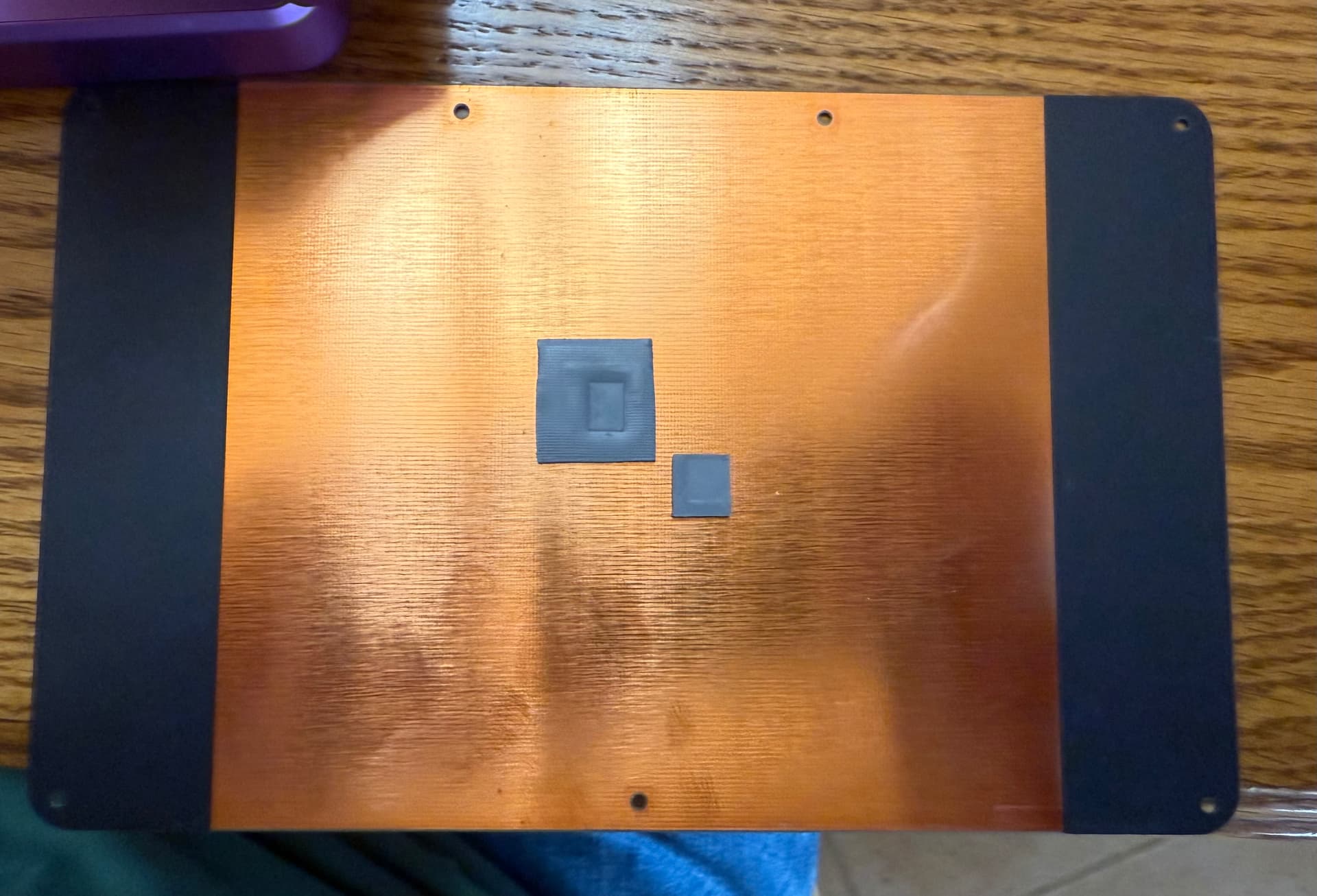
The fixed backplate looks like this on the inside:
Looks to me like part of the purpose of the back plate is heat dissipation. I’ve looked at it and pondered making a wooden one, but that won’t help much with getting rid of waste heat, so I basically set it aside for a few days while we worked on getting our Christmas Cards ready for the mail and I pondered various solutions.
I’d probably buy a new one if it were easily available from CrowdSupply, but given that this machine was at MNT in Berlin just a couple weeks ago, I’m interested to find out why they didn’t offer to replace it.
I didn’t see anything in either the MNT store or the CrowdSupply store, though.