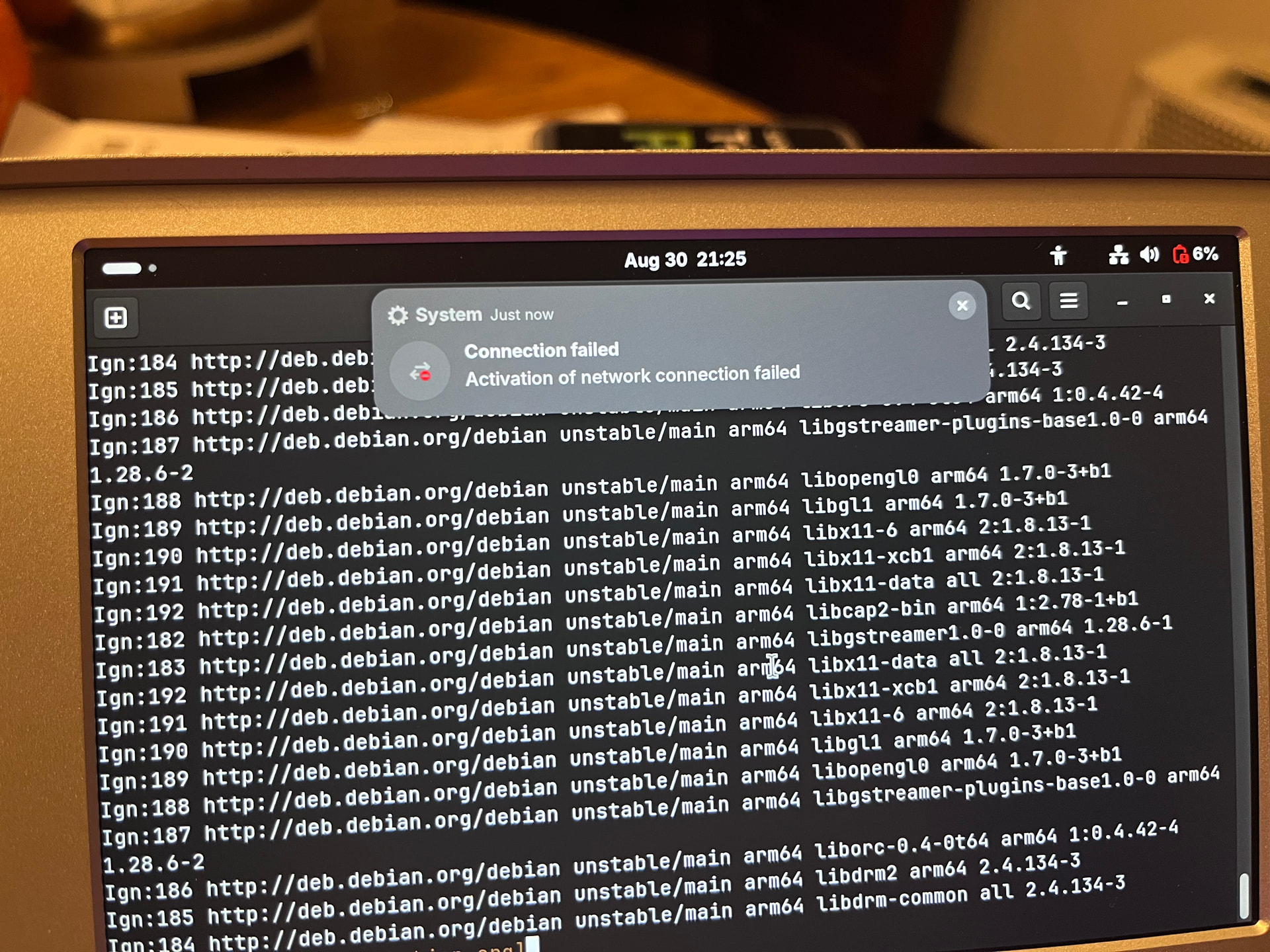
After installing the daughterboard, I kept getting the message in the attached photo. I could tell it was impending when the wifi signal would abruptly decrease and the icon would change from the wifi icon to the ethernet icon. This error message would then pop up. When I went into the settings, there was no tab for wifi or bluetooth and the network tab would say something like “network connection not available.”
This invariably happened within a few minutes of use, whether updating through the terminal or streaming a test video. I took this photo when it crashed while I was running apt update. I could close the terminal, shut down, and then restart the system. Running update would seemingly pick up the download where it left off.
When I tried to shut down the system, network manager.service always seemed to hang up, so I had to do hyper+enter+0 to force a shutdown.
I have tried both v1.0 and 2.0 of the RK carrier boards as well as leaving the back plate off, but none of that seems to make a difference. Good wifi signal goes to low, then switches to the ethernet icon, then the network fails altogether.
I tried doing the latest updates and upgrades to see if that fixes the problem, but due to an incorrect keystroke in response to a y/n prompt while upgrading, my device gets stuck in a loop while booting, so it looks like I will have to try a rescue install to fix it before I can try anything else or try to give you any logs.
It seems like a software issue, but what do you think?
PS: the 6% battery was a separate thing. The battery was actually above 90% when I checked battery status on the little OLED screen.
I moved your post into a new thread so that we can better talk about what to do about it without hijacking the old thread.
Do you remember what prompt that was?
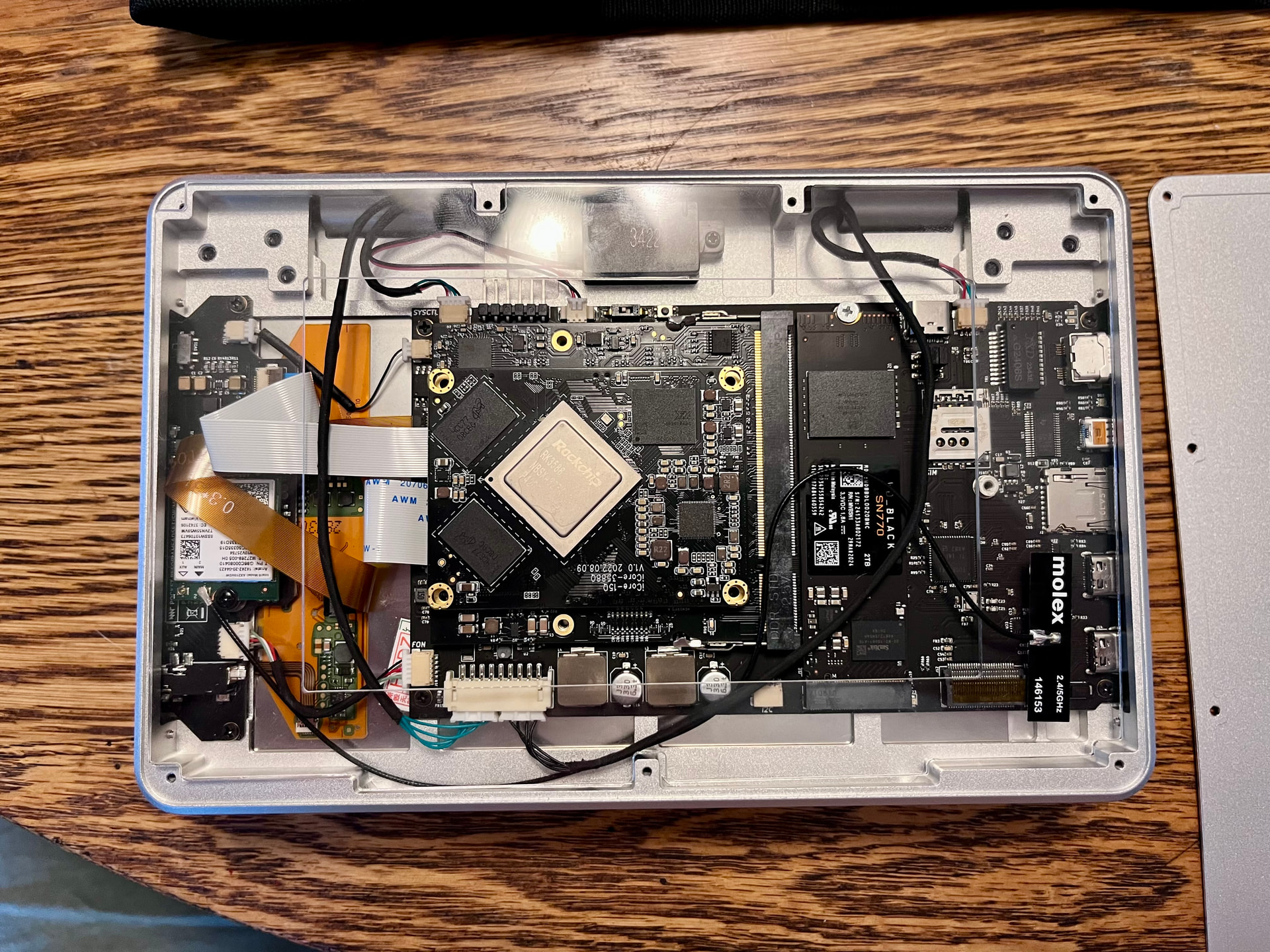
Can you take a photo of your pocket reform’s insides?
Is that with a wifi card from MNT shop or your own? If the latter, which card is it?
I might’ve fixed that problem yesterday. The kernel currently shipped in the MNT Debian unstable repository should no longer have this problem.
Before you scrap your current installation, we should try to find out whether this is actually a hardware issue or a software issue. The best way to do that is to flash the most recent system image to an SD-card and boot from that. If that system exhibits the same issues, then it is likely a hardware issue.
The thing with a prompt was a mistake on my part. It was the first “do you want to keep this package already installed or use the new one?” I chose the option “D” for a description of what it wanted to do, but no option to continue came up once I got to the end. I could only scroll back to the top of the explanation. I closed out of the terminal, but it got stuck in the aforementioned loop when I tried to restart. That’s why I think this is because I closed the terminal with upgrades in process rather than a problem like people were experiencing in the update thread. At any rate, I’ll need to use the system image on an SD card to try to recover the device and that sounds like a great idea to test for a hardware issue.
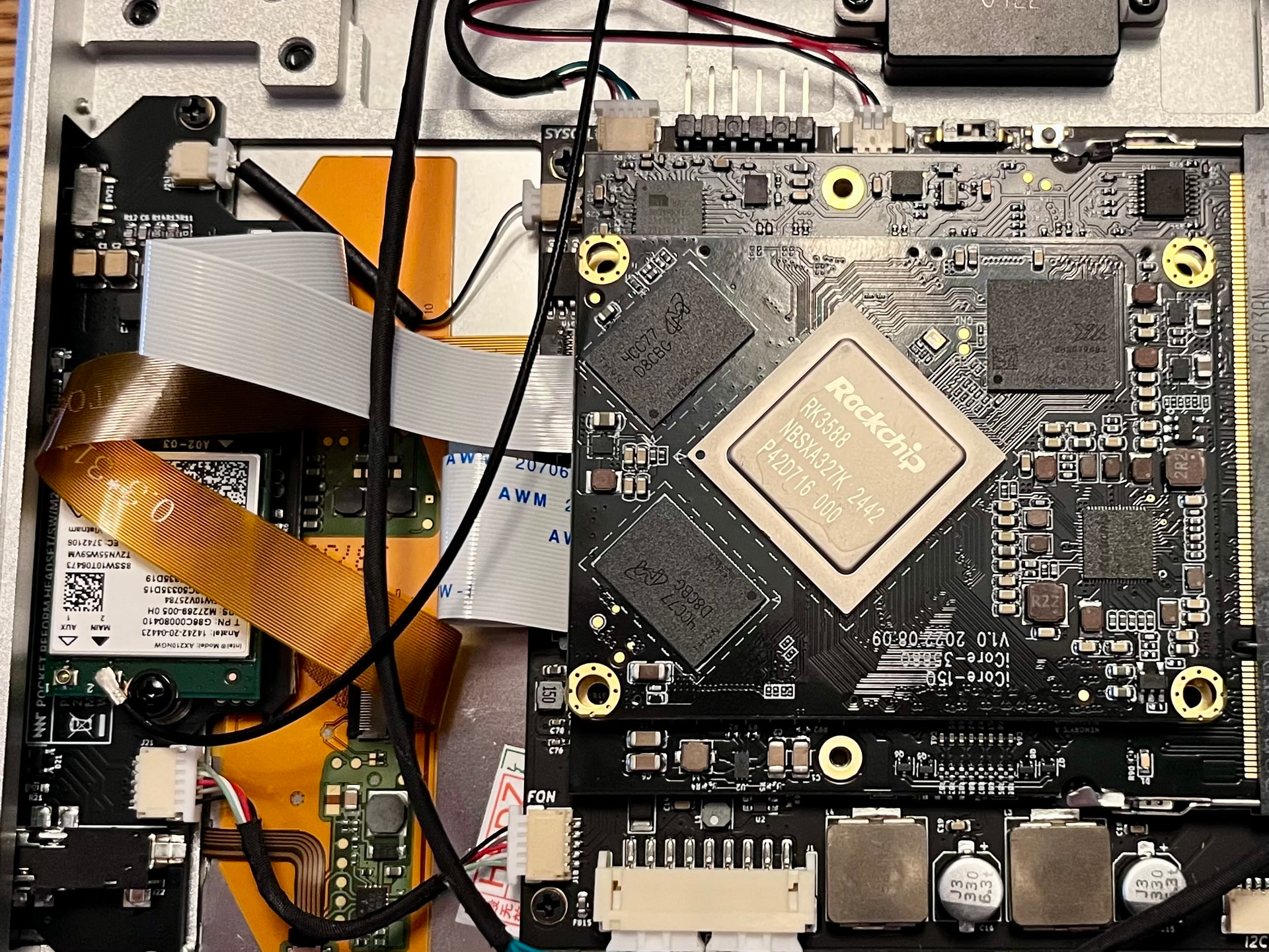
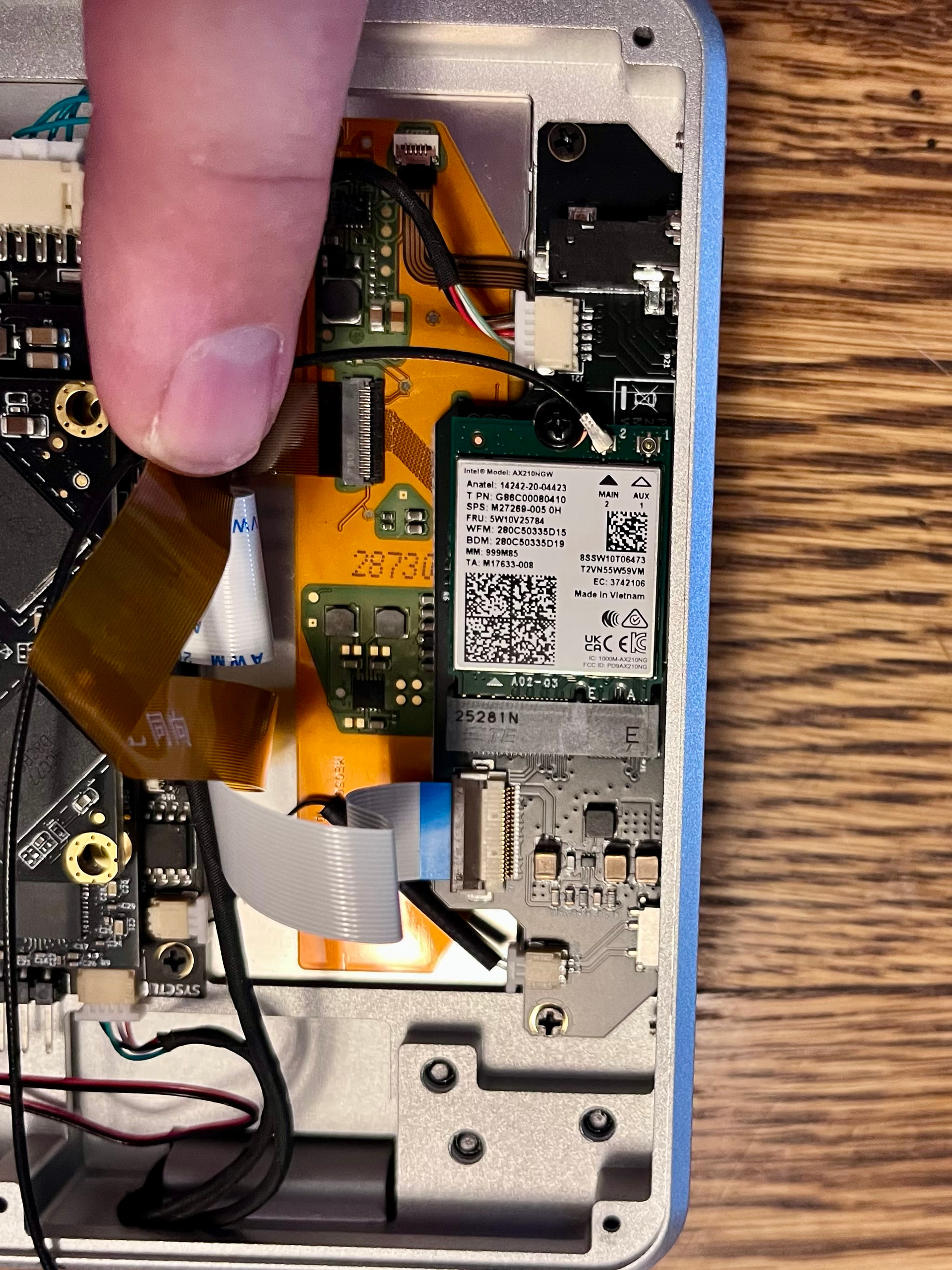
The wifi card is the Intel AX210NGW that came from MNT with the new standby switch/headphone daughterboard. The Molex antenna is attached to the “main” plug.
Here are a few views of the innards of my device. The antenna is attached to an acrylic insert cut to keep cables from getting pinched (was that your idea? I forget).
Looking at the product listings at the MNT shop, it seems to suggest I need the Rockchip carrier board to support the latest intel wifi card, but I ran into the same problem with my v1.0 and v2.0 boards.
But as the card is detected, that isn’t a problem for you (on RCORE R1 it wouldn’t be detected at all).
I suspect it could be a Wi-Fi signal issue, for example interference from the display cable into the antenna cable. Try to route the cable as far away from that brown-ish display cable as you can. Also try connecting the antenna to port 1 instead of 2 on the Intel card. Also a second antenna can help. A good way to debug this is to run sudo wavemon in a terminal (make sure to maximize the window and zoom out before running it, with Ctrl and - (minus)). Wavemon has a mode where you can see the signal strength in realtime, so you can check your antenna adjustments.
Thanks for the suggestions. I’ve been thinking of ways I could tuck the cables out of the way. I also ordered more antennas from Mouser, since that made a huge difference with my metal back plate with my previous wifi card.
Right now my biggest problem is downloading the image from the respository. The connection keeps timing out, and I’ve tried several different times of day thinking it could be traffic. I’ll keep checking in.
ETA: I was doing some searching about other people being unable to access source.mnt.re and I learned about the DDOS thing earlier this year. Could my IP address have been swept up in that?