On my A4000, my ZZ9000 has worked great ever since new, obtained nearly 1 year ago. However, the board suddenly does not display any ZZ9000 modes in preferences. IT also does not show up at all in the expansion board diagnostic menu for Kickstart 3.2.2 and displays a recoverable alert when booting to OS 3.2.2. I’ve reseated the card several times and tried a different daughterboard but no success. I’ve reach out to support several times but I get no response. How does anyone get support for the MNT hardware? Thanks
Hi, where did you reach out to support? Maybe we are overlooking an email address that doesn’t have a proper autoresponder to lead to https://support.mnt.re, so it would be good to know. In any case, sorry to hear about your issue and lets get it fixed.
Hello,
Thanks for your assistance. Over the last 10 days, I submitted the following reference numbers for assistance on this site 808, 815 and 824. Ive owned this ZZ9000 board for nearly 1 year and all the sudden it stopped working, its not even detectable through the kickstart expansion board diagnostic. My system consists of the following.
Amiga 4000 desktop
ZZ9000 without Networking, RAM or USB enabled
BFG9060 / 68060 Rev6
Kickstart / OS 3.2.2
Everything worked great from day one until it didnt, now I get a recoverable error when booting into workbench and no ZZ display modes are shown. Again, there is no mention of the card in the kickstart menu either. The micro USB card that came with the unit has been removed and reinstalled. I have tried all but the top slot of my Amiga and no slot is able to detect the card. I have another daughterboard and neither daughterboard is able to detect the ZZ9000. Please HELP!!! Thanks very much!
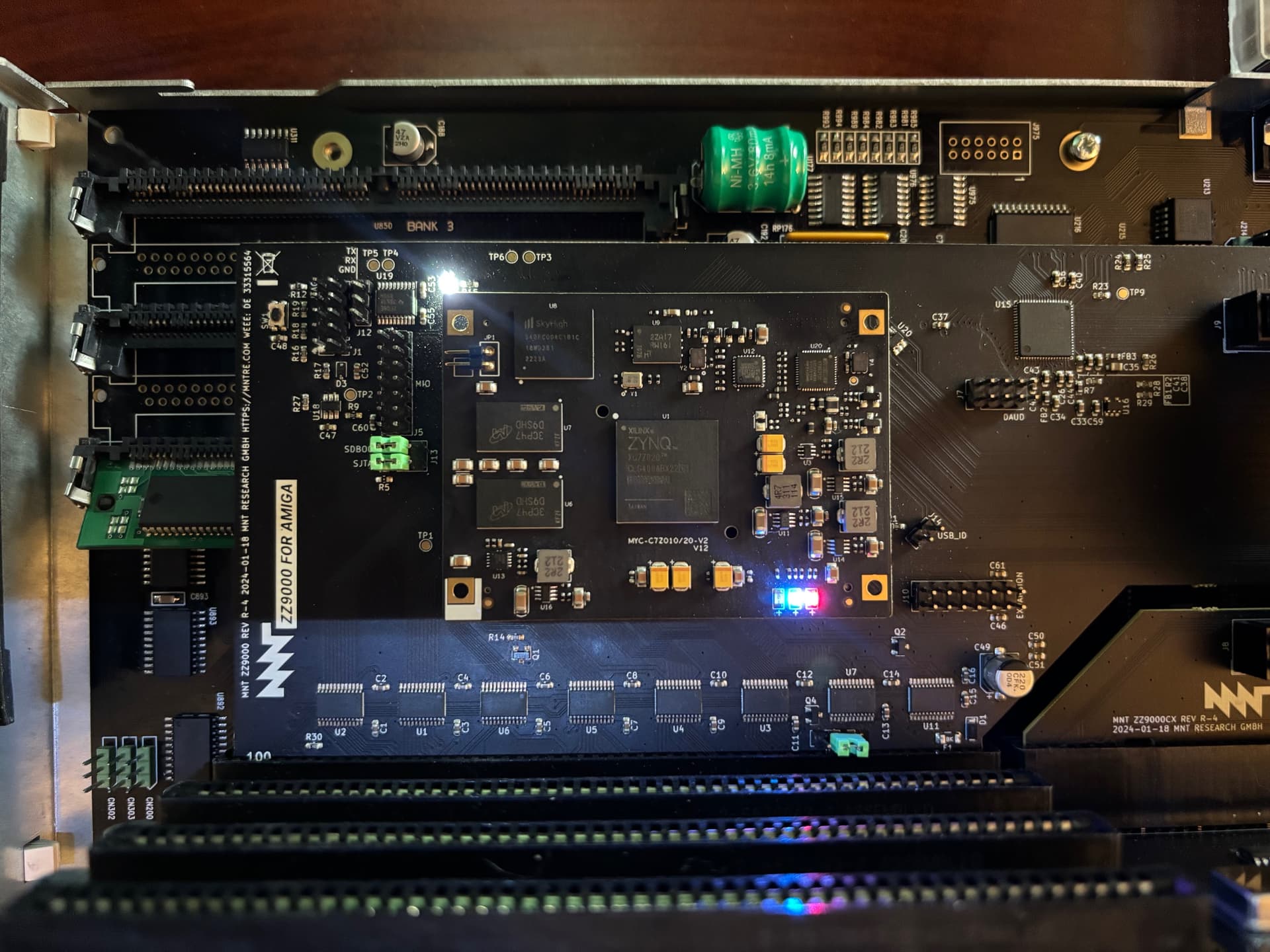
- Can you show some close-up (macro) photos of the card, especially the ZYNQ module (the little board that is plugged into ZZ9000)? I’ve seen it come loose sometimes.
- Also, can you please try a different (new) MicroSD card as well?
- Does the white LED light up on the ZZ9000?
- Does the scandoubler/native Amiga video passthrough work or no?
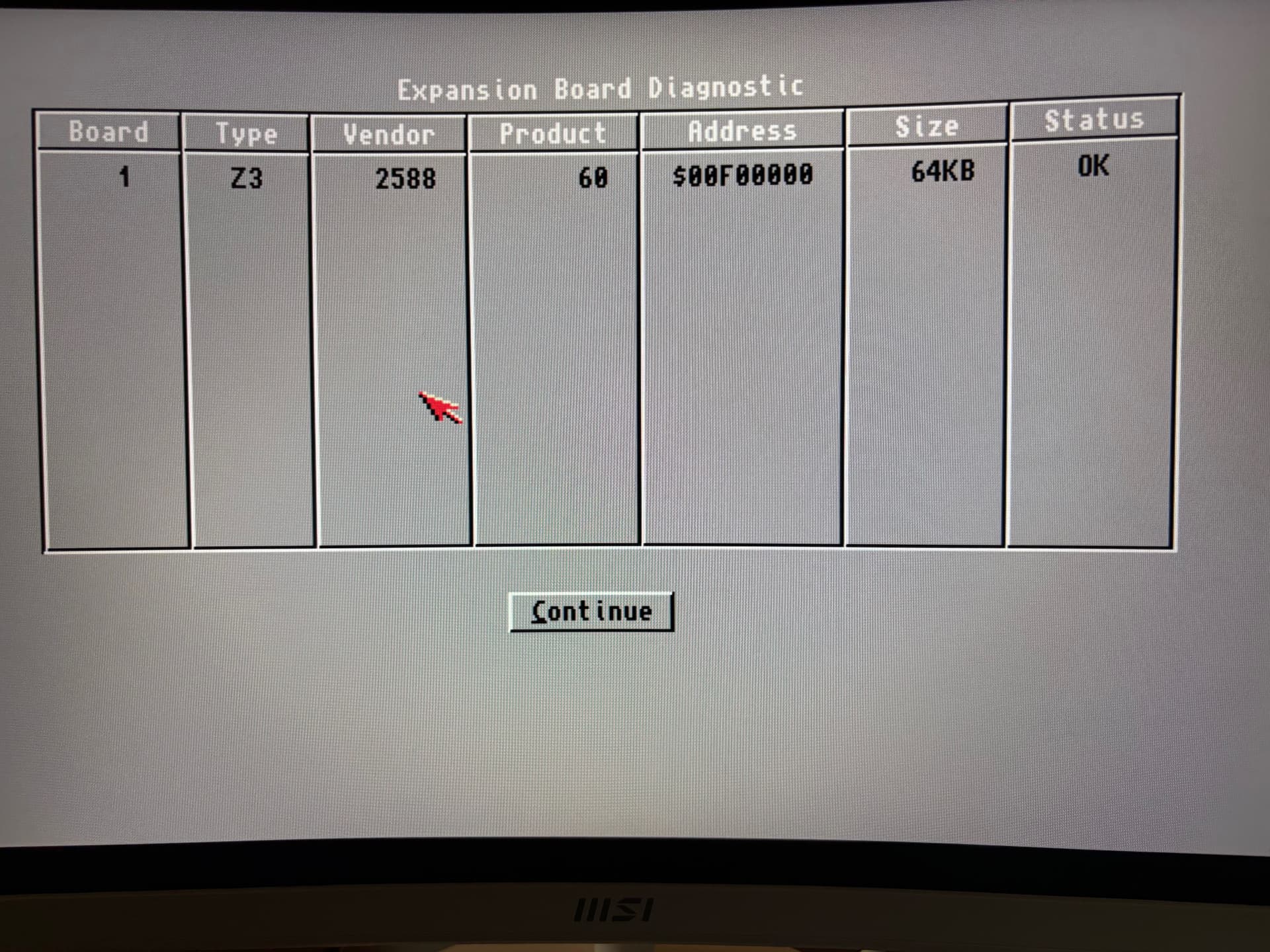
Hi, thanks for your attention. Here are the photos of the card along with a photo showing that the ZZ9900 is not detected. The native Amiga resolutions do output from the ZZ9900 just fine. Also, I tried another Micro USB card but it did not change the results.
Have any other things i can try?
Thank you, not sure what exactly is the issue. The ZZ9000 is starting correctly, but autoconfig doesn’t work / the card is not detected on the Zorro bus. As you tried two daughterboards the issue is either with your motherboard (for example, buster chip) or something broke on the ZZ9000. Do you have any other Zorro cards, and do they work fine? If yes, then we can offer sending back the card for warranty inspection / repair (my colleague can make a UPS label). But please verify first that another Zorro card works.
So I did more testing as you suggested. I finally got the card working perfectly using the bottom slot of my A4000. However, when I insert the card into any other slot, the machine does NOT boot. If I reset the amiga CRTL-Amiga-Amiga, the card then boots fine from any slot. Can you please offer any insight as to why this card does not boot unless I reset the Amiga?
1 Like
Might be related to the power delivery. On cold boot, your beefed up Amiga pulls highest current which, in case of non-refurbished PSU, can disrupt ZZ’s own boot process. Performing reset is a warm boot meaning PSU is not challenged in a same way and thus it enables ZZ finish full initalization (autoconfig and else on ARM’s side).
1 Like
Power stability is a very possible reason. It could also be that your Amiga is very fast to boot / reach autoconfig, earlier than the ZZ9000 is ready. Adding another Zorro card in front of it on the bus could be an interesting thing to try.
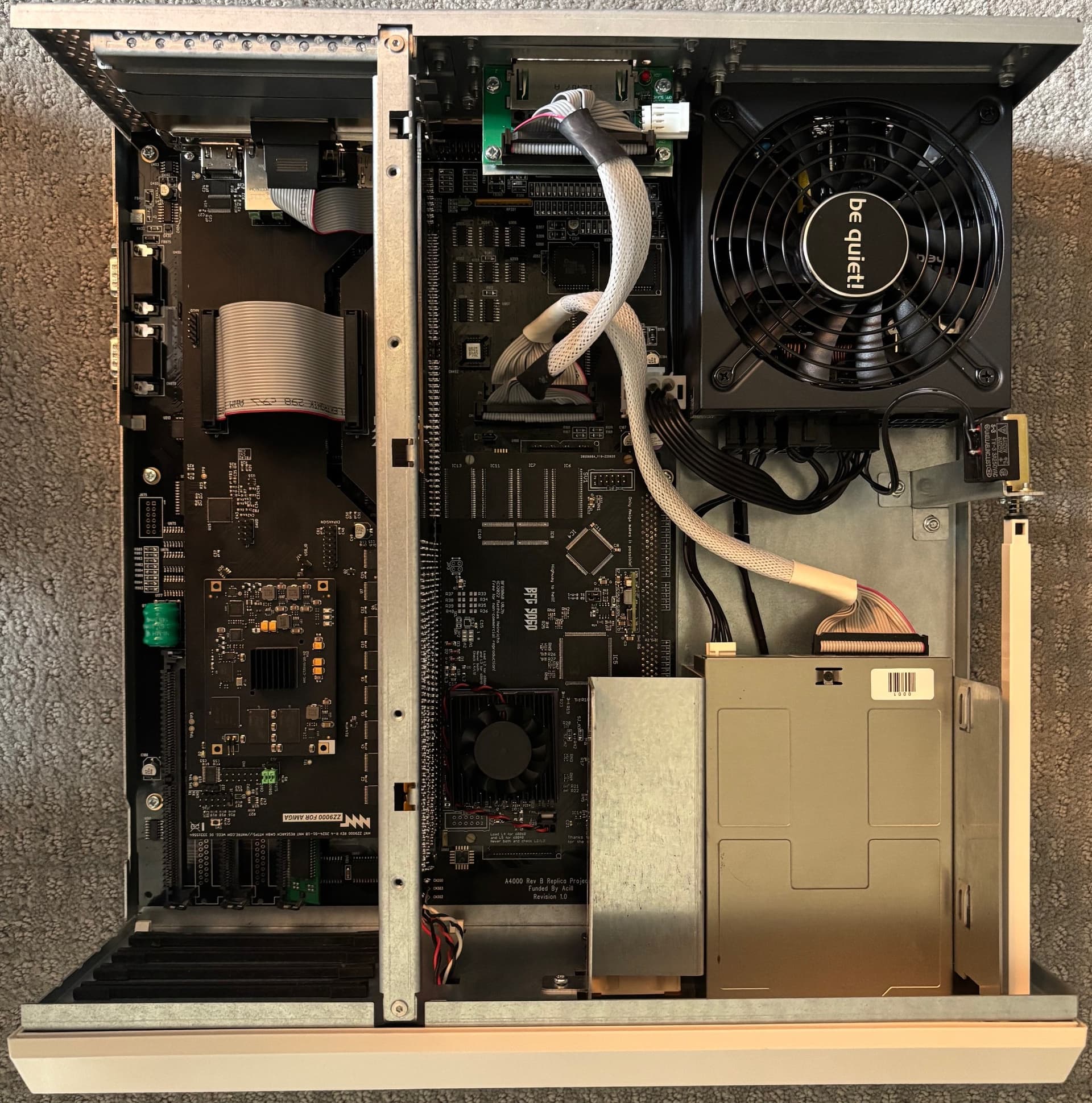
I dont think its power related, I am using a 600W power supply. The card has the same behavior on my other bone stock A4000D. This amiga does run at 100Mhz so I slowed the BFG9060 down to 25Mhz and the same issue persists. Could it maybe be related to a jumper issue on the card?
1 Like
Really awesome looking build, BTW, and very tidy. I wish I had a replica board like that to test with, my original A4000 board is in quite bad shape (was when I got it).
Back to the issue at hand: There are no jumpers on ZZ9000 that influence this behavior I think. The MicroSD card (brand/type/formatting) is the only thing I can think of at the moment, as this can slightly influence the FPGA startup time (as it loads the firmware from the sd card on cold startup, but not on amiga reset–there it is already loaded).
I am using the card that I received with the new unit last year to boot. Has this happened to other A4000 users with this card? Also, is there any reliable documentation as of late to get a USB drive working with the ZZ9000? I am finding a lot of older docs that are not working for me. Thanks
No, I haven’t heard of this issue appearing over time. With old card models, it was happening sometimes from the beginning, which was mostly due to the card taking longer than Autoconfig to initialize.
For USB, you’re right, the current docs are not great. Nowadays, the USB stick is seen like an Amiga harddisk. Which means the ZZ9000 FW expects to see an Amiga RDB partition table. I wrote a bit of assembly that is injected as a boot ROM which discovers the first partition in the table and tries to mount it in early boot, so you can even boot from that partition (it will show up in the early startup menu). This also means you can’t just format the USB stick with the normal default means that i.e. Windows or Mac OS offer. You can use an emulator that supports raw disk access (Probably WinUAE can do it?) to format the stick, or use Linux and “rdbtool”, see the headline “Real Block Device”: rdbtool — amitools 0.7.1.dev14+gbeb7cb5 documentation
Also, make sure the partition is smaller than 1GB (AmigaOS limitation except if you use other filesystems, but I would recommend to start simple).
Another option that comes to mind is to find a suitable empty RDB Amiga disk image on the web an just image it to the USB stick using Balena Etcher, which runs on all platforms.
Here’s another guide I found using UAE to create hard files: file:///home/minute/Downloads/HDF_Creation_Minimig_English.pdf