I was tinkering with installing NixOS on my Pocket Reform a couple months ago and dd’d the eMMC u-boot partition in the process. I was hoping the solution would be as simple as described here: Recovering a possibly bricked RK3588 Pocket Reform . However, after tracking down the Pocket’s RK3588 system image and writing it to the SD card with bmaptool, I was still greeted with a blank screen on boot.
I then tried connecting a USB-C cable to the SYSUSB port on the motherboard and bridging the J21 jumpers as described here: Flashing eMMC Bootloader / Unbricking (IMX8MP) - #7 by digitalrayne . I know this was for the IMX8MP SoM, but I figured I might get similar lsusb output on my desktop. Sadly I get nothing. No connection events show up in dmesg output either.
I bought a UART-USB adapter, but I’m unsure of how to proceed after wiring it up. I wouldn’t know how to flash from the serial console regardless.
when i was using a UART adapter to troubleshoot my Void install, i think i had TX and RX the wrong way around — is the TX cable plugged into the RX pin and the RX cable to the TX pin? that should be the correct configuration.
for clarity, when you say you say the eMMC u-boot partition, is that /dev/emmc2boot1 and /dev/emmc2boot2? i’m not totally sure how to help if that’s the case, but knowing that should be helpful for someone more familiar with the hardware/bootloader to know.
I have limited experience flashing firmware via UART-USB, it’s only with RISC-V chip. I’m waiting on my Reform order yet to be shipped. Despite this, I recommend taking a look at the RK3588 documentation from Firefly.
There is no dedicated partition for u-boot on RK3588. It gets flashed onto the eMMC between the partition table and the first partition which usually begins with an offset of 16 MiB.
If you overrode u-boot on eMMC with something which is not a bootloader then the system will fall back to loading u-boot from SD-card.
Can you show which system image exactly you flashed to your SD card?
Any “unbricking” recipe is only necessary if you managed to flash a broken u-boot to eMMC. Did that actually happen? You said you dd’d the eMMC u-boot partition and if you mean you zeroed it, then you didn’t brick your RK3588. In such a state it will read u-boot from an SD-card.
That link “MNT Pocket Reform Firmware and System Image Instructions” links to https://source.mnt.re/reform/pocket-reform/-/releases which lists version 20260227 as the latest release and that is correct. That version is even newer than what gets distributed via fwupd which only lists 20251118 as the latest version. I also managed to download the build artifacts. Where exactly did you see the expired artifact links? Lets fix those.
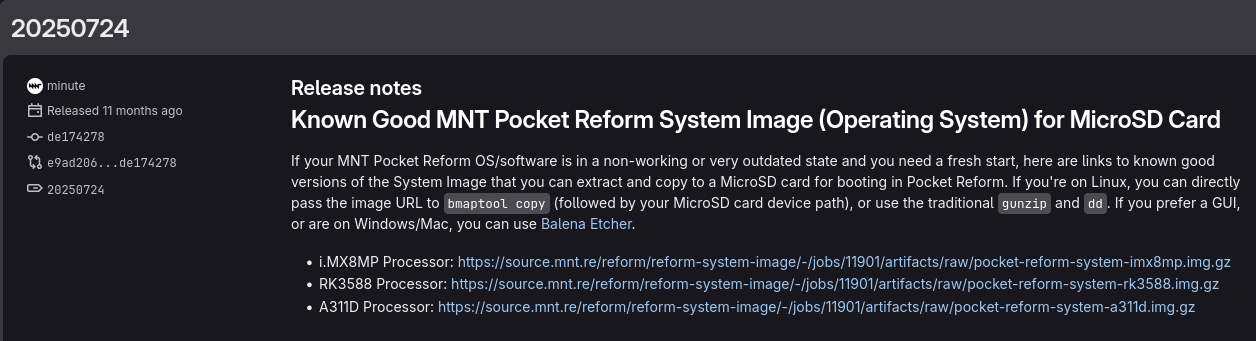
Thank you all for the quick responses. I tracked down build images via the original Reform docs page: Documentation: MNT Reform—MNT Research GmbH , under System Images (Operating Systems) → Official MNT Reform System Image Releases (Debian GNU/Linux) and ran sudo bmaptool copy 'https://source.mnt.re/reform/reform-system-image/-/jobs/22099/artifacts/raw/pocket-reform-system-rk3588.img.gz?inline=false' /dev/sda to get it on my SD card. This still boots to a black screen.
As it was several months ago and on the Pocket itself, I don’t have the dd command I used. I built a community sourced NixOS image and wrote it to the eMMC, and this was the result.
I have not yet attempted to connect the UART, but I will consult the docs carefully. Will this console give me something similar to a UEFI shell?
Also, while you can download build artifacts for those releases, there are no *.img.gz files to be found. I also tried setting up a Debian VM to build from source and it only resulted in a .uf2 file…
The UART will provide debug console and ability to observe the system initialization or error messages. Also can be used to interact with the system in a limited shell session. So, connecting the UART and powering on the Pocket should give you information what is happening from the start. You may find the system image on the eMMC trying to boot but failing.
My understanding for the iCore-3588Q boot order is: from the eMMC first, if no image there, attempt boot from the SD-card. So, if you have broken image or boot loader in the eMMC, it will probably enter into boot loop or halt in error state, never attempting to boot from the SD-card. So, the UART will basically show what is happening during the boot stage. This should help you determine what is the correct approach to get working image into the Pocket.
Just be careful with the UART and using commands there. If not feeling good about it, limit yourself to ‘show/list’ commands.
Wrote to the IRC (# mnt-reform) asking for clarification about the boot order. Got information the order should be SD-card, NVMe, eMMC, USB. Despite what the boot order is, if the eMMC has broken but loadable image, the boot process will remain stuck. Therefore, to recover you will have to perform "Mask ROM mode) recovery. It is described in the manufacturer documentation, but might want to send it to MNT shop for them to carry out the repairs. I haven’t seen or searched extensively the community forum about it, but the manufacturer warnings are serious about causing damage by performing wrong “MaskROM recovery”
But first hook up the UART and capture what’s going on during boot.
No, the boot order is always “SD-card, NVMe, eMMC, USB”. The problem is that there are multiple “boot orders” depending on what it means to “boot” and which component is doing the “booting”. On RK3588 there is roughly:
first stage bootloader (boot rom)
SPL+TP
u-boot
kernel+initramfs
The first stage bootloader loads the second stage bootloader from eMMC or sd-card. It will first try eMMC and only if it fails to load the second stage bootloader (SPL) from there will it try to find one it can run on the SD-card. This is why you should only flash a new bootloader to eMMC once you are certain that it’s working properly. For experiments, you should zero the part of eMMC where the boot rom looks for the SPL blob to force it to load it from sd-card instead. If you mess something up, just flash a new sd-card. If you mess up something with SPL, TPL or u-boot on eMMC such that your system can no longer boot, then you can make the first stage bootloader enter mask rom mode which then allows you to restore eMMC via another computer. So as far as the boot rom is concerned, the “boot order” is always eMMC first, if that fails: try sd-card.
The boot order “SD-card, NVMe, eMMC, USB” refers to the order which u-boot is configured to use. Independent on whether u-boot is loaded from eMMC or from sd-card, it will load the kernel, device tree and initramfs from sd-card first if it finds them there. This is why, when your installation on eMMC is borked, you can pop in an sd-card with a vanilla system image and u-boot will prefer loading the kernel and initramfs from there.
Once you are in the initramfs there is yet another “boot order” though it is usually fixed. Independent whether your initramfs lives on eMMC or sd-card, you can configure it to load the root file system from sd-card, eMMC or nvme. Once you are in the initramfs you can even do fancy things like use full disk encryption. But again you have a choice from which medium to load the remainder of the system. And even should the initramfs come from the sd-card, that says nothing about where your rootfs will get loaded from in the same way as it does not matter whether your u-boot was loaded from eMMC or sd-card.