hi, so, i’ve been looking into swapping from Forky to Trixie, and i’m seeing lots of other people on the forums talking about swapping to debian stable from testing and the wifi drivers needing backporting and adding that package and i found This Other Forum Post, about swapping over, but it seemed more like a guide for post-install fixes, and it’s also a year old so it may be out of date for Trixie, so i wanted to ask what the current state for things is
is there a script that can be run to swap the sources? is there a simple guide for installing and swapping? if there’s nothing made already then how does one install on an arm based system as i’ve only done OS installs on x86 PCs with just live boot and installer, do you just flash an SD card with the image and then boot off that and then it’s the same process?
if someone at MNT or with experience in this can help that’d be awesome as i’ve never done this before.
the reason i make yet another related post is i wanna get the path of stock from MNT to debian stable installed solid and locked in so when i make a master post for the step by step of making the Pocket Reform replace a cellphone based on my project i started here i can include this for waydroid (which will be a must for full compatibility if anyone else is gonna follow along in my wonderful madness), but need help with getting it done, as while there’s tons of documentation on x86 installs, there’s not a ton walking you through how u-boot works and SD cards and ARM and all this.
You cannot. Or maybe you can but it is highly likely to break, requires lots of skill to fix and you cannot be sure whether you really fixed everything. Downgrades are not supported in Debian which means that bugs you find while downgrading will most likely not be considered bugs in the package. We do not have the person-power in Debian to support downgrades.
Yes, the post is about Bookworm and a lot of things mentioned in that post are fixed in Trixie.
If you are currently running Debian unstable but you would like to switch to Debian stable once it gets released in 2027, then you could at some point before the release swap out your Debian unstable apt sources with the sources for Debian forky instead. It would look somewhat like this:
deb http://deb.debian.org/debian forky main contrib non-free-firmware
deb http://deb.debian.org/debian forky-updates main
deb http://security.debian.org/debian-security forky-security main
You can do this any time before the forky release.
You can either grab a system image, flash it to an sd-card and then use that, or if you want the system to live on your nvme drive you can run reform-setup-encrypted-disk to copy things over or you can run reform-flash-rescue to set up your emmc with a system image. You can install Debian from a system image on x86 systems as well (this is what I did in the past) but you would usually use Debian installer to install Debian. You can also do that on the Reform: reform.debian.net -- Debian Installer for MNT Reform
About u-boot: yes, u-boot makes all of this a bit different from how it works on x86 systems but I think you have the rk3588, no? If yes, then there is the option of using EDK2 instead of u-boot which will give you efi booting and then you can even use a “normal” bootloader like grub as the efi payload. But using EDK2 is still in its experimental stages. Be careful with this. There is no official EDK2 blob from MNT yet.
Please ask anything you like. I’m not from MNT but since I’m effectively maintaining the system image stuff I may be able to answer most of your questions on this topic. Please feel free to bug me about the things you’d like to know about. I am motivated to share what I know in the hopes that this means that others can contribute to this stuff.
yeah i get that, i had a feeling. i can only imagine how much of a PITA that’d be to maintain. i’m mostly after how to just, get Trixie installed, don’t much care if it’s a fresh install
i don’t wanna wait since i’ll have the rest of the Pocket Reform stuff i want ready setup and installed long before then. there’s actually only a couple things i haven’t done yet that i want to get done before i daily drive it as my cellphone basically. it’s been a long time coming but i’m nearly there.
right now i have my system installed on an encrypted NVME, so would i install Trixie onto an SD, then move it to the NVME using that command? and would i need to make a backup of my home folder externally before running it, or will it prompt me to preserve my home folder and user and such? the end result i want is trixie on my NVME with the micro SD card slot free, even if that install is a fresh one and i need to manually copy my user and such
i grabbed my Pocket order off the MNT site for the 2024 holiday season with an A311D, but am looking to upgrade to an rk3588 once i get the cash on hand, likely end of year this year or early next year. also it being experimental means i’d probably rather not anyways lol
yeah i see you around the forums a ton, you friggin rock. thanks for the answer so far.
I think the easiest way forward for you would be to back up your existing data and then perform a fresh install of Debian Trixie using an sd-card with a Trixie image on it, then run reform-setup-encrypted-disk (this will wipe your nvme - there is no option to preserve your $HOME) and then restore the data from your backup.
You will likely encounter bugs. Please feel free to report all of them so that we can get them fixed so that the next user doesn’t run into them. The content of reform.debian.net is only very slightly tested. I estimate that we have maybe a dozen users? So many bugs will not have been found yet.
absolutely awesome, thank you. i’ll do that in the coming days when i have a bit of time.
shall i report bugs here or is there somewhere else i should report?
what’s the plan for when forky is released as stable? will there be an update at some point that will keep users on forky once everything is done and then all pockets will be on forky stable past 2027? or will pockets get migrated to the next testing debian release?
It depends on which bug you find. For me, the forum is fine but you can also create issues on source.mnt.re for everything related to the MNT scripts or on Issues · Reform Team · GitLab if the problem is with the Debian-specific scripts or via private mail to josch@debian.org.
Neither. There is no automatic migration in Debian. You always have to manually do it (except for things like unattended-upgrades when you run stable). But upgrading from one stable release to the next is always manual (after all, you should have read the release notes before upgrading) and if you are running Debian unstable, then each upgrade is manual as well.
The MNT Debian systems will keep using unstable. If you installed from the Debian stable repositories, you will keep using that release. If you want to upgrade, you have to do that manually.
No. By default, with the MNT image, systems are on unstable and remain on unstable. Unstable is never “forky” or “trixie”. If on the other hand you are changing from unstable to testing, then yes, right now “testing” is “forky”.
If you are using the non-MNT image with Debian stable then you are on “trixie” right now and can switch to “forky” once it is released. If you are unhappy with trixie, you can also switch from trixie to testing or unstable today.
which happens, i think because i set nemo to auto mount removable media, but when it’s unmounted i get the error
bmaptool: WARNING: "/dev/sda1" does not exist, creating a regular file "/dev/sda1"
bmaptool: ERROR: An error occurred, here is the traceback:
File "/usr/bin/bmaptool", line 8, in <module>
    sys.exit(main())
File "/usr/lib/python3/dist-packages/bmaptools/CLI.py", line 781, in main
    args.func(args)
File "/usr/lib/python3/dist-packages/bmaptools/CLI.py", line 472, in copy_command
    error_out(
File "/usr/lib/python3/dist-packages/bmaptools/CLI.py", line 82, in error_out
    print_error_with_tb(str(msgformat) + "\n", *args)

bmaptool: ERROR: the bmap signature file was specified, but bmap file was not found
i have no idea how to get it to be able to open in exclusive mode, outside of unmounting it
i’m gonna try using sudo mount next but i wanted to make a reply first. edit: no dice. it didn’t work. also weirdly enough btop shows literally nothing using the micro SD card so i have no idea why it’s throwing a fit?
ok so, i tried both variants of the debian installer on reform.debian.net and i could not get wifi working, and it just refused to continue until i added a mirror, so i tried the full system images, but balena etcher threw a fit every time i tried flashing the backports variant of the full system images on reform.debian.net, throwing “the flasher suddenly quit, ensure the image isn’t corrupted” despite checking both the GPG sig and hash on the file, i even tried it just for debugging and “hey, why not”, and no dice. it’s currently installing the flat debian 13 Trixie without backports full system image, and i’ll report back once it finishes (if it finishes). edit: same error. gonna try uncompressing the image to get the .img and use popsicle instead
i think the debian installer should be phased out over full system images due to the nature of it, or have explicit instructions for how to get it to actually work on the page, and note for the A311D that the wifi blob is required to complete the install, therefore the system image is required as it includes the wifi module firmware.
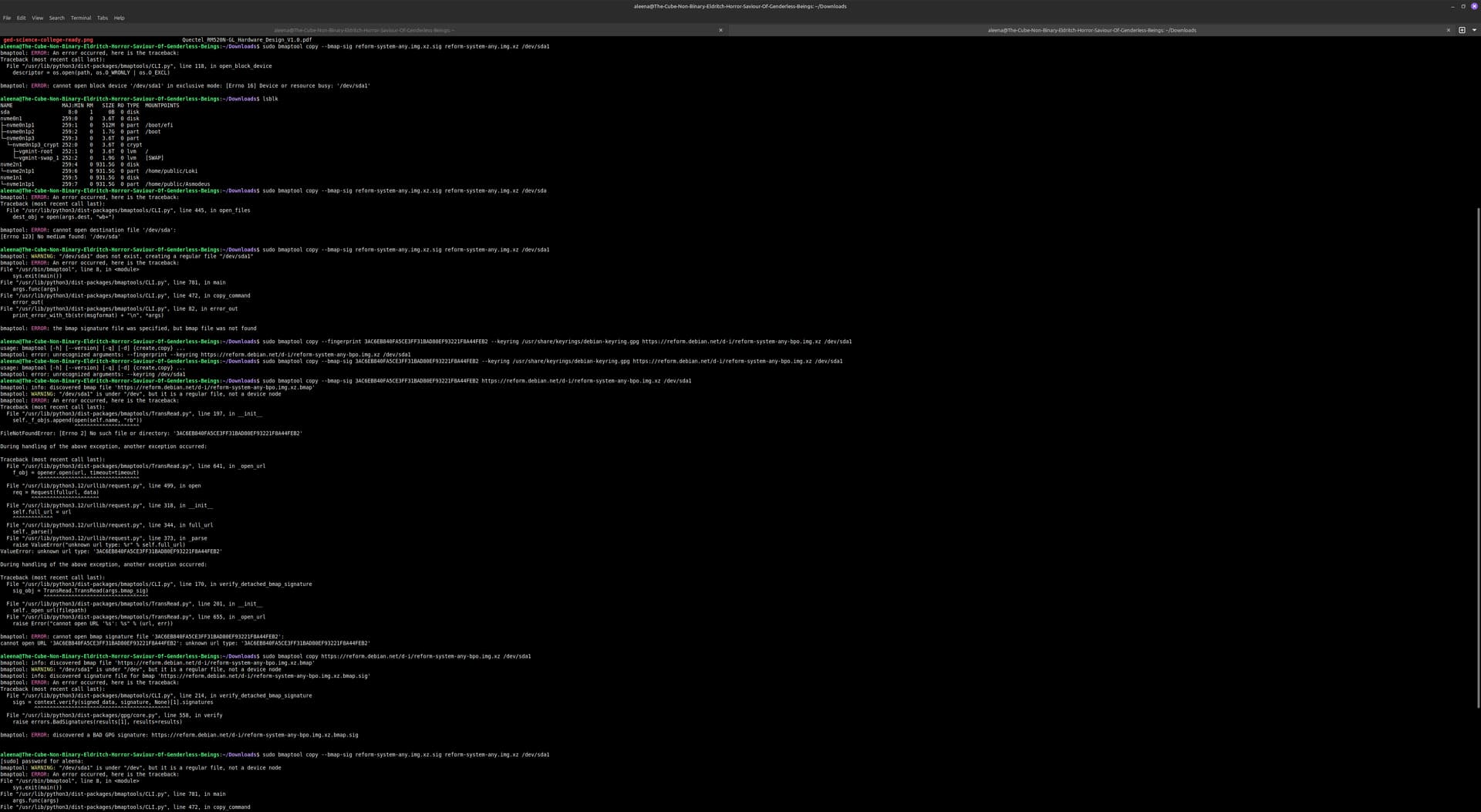
You uploaded a photo with a very high resolution and I don’t think this forum is storing it in its original resolution which makes the text on it unreadable to me. Could you instead copypaste the raw text from the terminal? Also, there seems to be a lot going on in that terminal session. Could you select the error message you want to talk about instead of showing multiple errors?
What page are you referring to?
This is not a bug but a feature of bmaptool. In contrast to other tools like dd, it will not allow you to flash an image to a medium which is still used by your operating system, for example when it has mounted partitions on it.
Unmounting is the correct solution. You should never flash to a device which has still partitions mounted.
You can flash with --nobmap (see the man page of bmaptool) or you could download the bmap file. bmaptool will also automatically discover the bmap file if you do not download it yourself but just pass the URL to the image to bmaptool.
Ah you are on A311D, not imx8m+. Just use an ethernet cable. We can also include the wifi firmware for a311d in the netboot image. That one is already packaged in Debian.
You seem to have a problem with bmaptool. But I feel your writing to be all over the place and if you see a real problem with bmaptool, it would help me if you created a structured bug report so that I can fix the problem not only for you but for everybody. Thank you!
I already closed that terminal a forever ago because I got tired of messing with bmaptool
I assumed the bmap one as --fingerprint no longer works, it’s something else I forget by now, it’s changed in the man page
yeah I got the full system image working fine. I got really tired of bmaptool and just went off and did my own thing after all the errors I kept running into.
I manually checked with my terminal.
I was all over the place today. today was a lot for me. the only problem that I think was a problem with bmaptool was bmaptool threw an error about the device not existing when I unmounted it. i’d have to re run to get the error again. I need to retrace my footsteps because I was frazzled today, still kinda am. I can probably have a coherent report on everything that went wrong in a couple weeks (lots of stuff going on rn). I just wanted the thing working again.
luckily the full system image did work when uncompressed and flashed with popsicle! it worked perfectly, WiFi included. I got it installed but now have a really weird bug. gnome’s software manager updated the keyboard firmware and it now sends both escape and backspace when I hit backspace, as a result, for some reason, GNOME registers this as meaning to delete a whole word, and it’s getting really annoying. if you have any idea how to fix it I’d really appreciate it. or at least instructions for how to roll back the firmware with apt (I just need the package name and can go from there)
apologies for the general lack of coherence in my last couple replies, today’s been a lot. I’m gonna go to bed shortly after this reply and will hopefully have a more coherent reply in the morning
hey, now i’m more awake and can manage a coherent response
for this, it was because of my lack of a wifi driver. i think the page should at very least be updated to add that you will need ethernet or a full system image when using the A311D. it was partly my fault for not reading everything, and putting it together, but a clear warning/note would be very beneficial to user friendliness, something you seem to agree with here
to tack on, i think the system images page should also be the go to recommendation, with the netinstaller being a second choice, as the system image is way more user friendly, then have a note on the system images page saying “if you’d prefer to do a netinstall of Debian as you would any other system, see netinstaller images here. note that when using the A311D, you will need an ethernet cable.” make it abundantly clear. also i think the netinstaller should have a monitors.xml file added for convenience, as it defaults to portrait mode, making the install a bit… weird.
as for the whole thing with bmaptool. that was a bit of a fiasco, i was rushing and was so frazzled yesterday so i wasn’t paying as much attention as usual (truly a testament to MNT’s design being difficult to brick if you’re halfway skilled in Linux, props for that). i should have just waited till today or tomorrow to do the install as that would have gone way better i think. as i said in my last post from last night (i’m in EDT), the only issue that was bmaptool’s fault i think was the command not working when the device was unmounted. i forget the error message and you’re entirely right about the resolution being messed up, so i can’t read it from the image i sent.
if you want me to, i can try doing a full debug of bmaptool, just let me know if that would help, but i think the majority if not all of it was my fault due to rushing and being frazzled.
I agree that the system images might be preferable. Right now both options are presented as equal choices. I’m not sure whether I should anywhere recommend the system images over the netinstaller explicitly.
If I understood correctly then in that case the problem was that bmaptool did not find a bmapfile. The advantage of bmaptool is that even though you flash a 10 GB image, not 10 GB of data will be written to the disk but, in case of the Reform image, only 5 GB. So using bmaptool will make the flashing twice as fast and will wear out your sd-card less. This can only work though if bmaptool knows about which blocks to flash and which ones not. This information is part of the bmapfile that you did not download. Downloading an additional file is a hassle which is why bmaptool offers to download it for you automatically. But for that to work you must also use bmaptool for downloading the image because it needs the URL to auto-discover the bmapfile. So this should work which is also an example on reform.debian.net:
good to know, I think that paired with the netinstaller change will improve things a TON
yeah I feel like that was probably the issue, so definitely my fault
any ideas for the keyboard? I checked with evtest and the backspace key is sending both backspace and escape for some reason, and GNOME is deleting entire words because of it, and I have no idea why. it only started happening when the GNOME software manager updated the keyboard firmware. is there a package name so I can roll back with apt by manually installing the previous version and putting the package on hold until it’s fixed? alternatively how can I manually flash it?
I have not heard of this kind of issue before. The currently most recent keyboard firmware version has been used for a while without anybody else reporting this issue.
Could you try and see if the problem is also present with a fresh vanilla system image from MNT? If no, then it’s a software problem and not a keyboard firmware problem. I’d start there.
it only happened after GNOME software updated the firmware automatically. is there a way to manually reflash the current version then if nobody’s reported this issue?
I highly doubt it’s a software issue because I’ve done tons of research online and cannot for the life of me find why it’s happening, nobody online has this issue, and evtest is very low level, it’s reading the raw inputs. if the firmware itself isn’t the issue it may have gotten flashed wrong by GNOME software, in which case I wanna try manually installing the current version
it also wasn’t doing the weird deleting words and sending the escape key on the fresh system image when I loaded the SD card with the system image on it, nor after I moved it to the SSD, it was only after the firmware was updated.