I have been working with folks on the MNT IRC channel for a while but I think things will be better managed over here on the forums.
@minute has made several improvements to the keyboard firmware that are making strides here, but the biggest issue is that the keyboard will get into a state where the USB hub does not re-enumerate it and it is effectively disconnected from the system.
Sometimes, if I wait and keep trying to reset the keyboard via the oled (this is functionality that was added in an attempt to overcome this issue) I can get it working again. The time here can be extensive. Anywhere from a single reset to hundreds.
The keyboard in these cases will appear to be functional. The oled menu is functional and you can mess around with the backlighting. It is just the keyboard appears to not be plugged in.
I was able to get things back by removing the keybaord cover and physically unplugging the keyboard and plugging it back in.
Has anyone else had issues like this? Are you using @amospalla 's psuspend service?
Hopefully this is something we can get resolved because it really tanks the Pocket’s usability out in the wild.
I love the Pocket Reform though, and I am sure this will get sorted.
I’ve had an issue once or twice where the OLED appears to work, and trying to trigger boot doesn’t initiate the start up sequence, but just turns the keyboard purple.
Usually I’ve done random things to get it working. Think the last time I unplugged the USB power and it allowed it to boot, but not sure if it was random chance, as it’s usually trying combinations of powering on / off and switching the standby switch until I can get it to boot.
It’s also random, and thankfully infrequent. I’ve disabled standby (via the sway screenlock setting), and using it regularly without switching the standby switch to off seems to be a workaround for me to avoid the issue for the most part.
If you think psuspend is related to your keyboard disconnection issues you can help find what is triggering the problem. Personally I don’t use the script that much because I have limited time to play with my Pocket, and during the times I have done I have not experienced any keyboard problems.
I have reviewed the code several times looking for something causing your issues but I can’t think of how it may trigger them, so (and sorry if I repeat myself, I know I have suggested this before) you could help narrow down what would be causing the problem. The script is modular, I would try the following steps, each one during enough time to discard if the issue persists or not. By limiting each step to a single action we can narrow down what is triggering the issue and help reproduce it. By reproducing the problem we have a path to solve it.
I would follow these steps:
psuspend disabled, do not run the script.
psuspend enabled, configured with all modules disabled (commented out) and keyboard feedback set to false. This effectively should equal to the script not running, but still worth the test.
Enable the keyboard feedback (setting it to true).
Enable one by one the modules you use (by uncomenting them out).
Ask me for any help doing this if you need it. I hope you can solve soon your keyboard issues!
MNT, being as awesome as ever, feels that it might just be that I have a faulty RP2040, so they are going to send me another keyboard. I think that is going to be a good way forward.
I would have periodic keyboard issues similar to what you’re describing that were especially likely to trigger when using my accelerometer mod and polling for readings from the system controller over SPI.
The firmware updates seem to have largely fixed the issue - occasionally I’ll find that the keyboard has re-enumerated itself and once I’ve manually reset USB via the OLED menu.
Hope the new RP2040 works out for you! If you have to transfer the keycaps over from your old board be careful to wiggle them out vertically rather than horizontally - it’s easy to do damage to the stems otherwise!
I will pile up here since I am experiencing the same problem.
Keyboard works normally and all of a sudden seems to lose its connection. It can still drive the OLED menu and change light colors so the firmware its alive, but it is disconnected from the system.
I am not using any specific suspend service, nor did I have luck by resetting the keyboard multiple times. (but hey, I did not try 100).
I see @2disbetter has a suspended account, did somebody else have the same problem?
From system status in the OLED I get: error: syntax
That keyboard firmware is rather old, can you try updating it with gnome-firmware and seeing if that helps? Your system firmware may also be old (or something?), since the keyboard cannot identify its firmware version.
Thanks @elb , I did the firmware update via gnome-firmware but I can only see the system firmware there, not the keyboard one. or at least, no updates available for the RK3588 listed.
Should I go with the script in https://source.mnt.re/reform/reform-factory/-/raw/main/pocket-reform/update-keyboard-firmware.sh changing to the latest build 14844?
I’ve had it at my side today running on battery with simple watch -n1 uptime and I sporadically touched the trackball to see that the keyboard still responded.
After 3 hours (yes, my previous message) It disconnected .
Tried the reset keyboard option multiple times to no avail, it is just out until I reboot.
The fact that resetting the keyboard doesn’t reconnect it is interesting. (I presume this means the OLED menu is working.)
Does an external USB keyboard work when the internal keyboard quits?
What does dmesg say when the keyboard connects?
Can you run lsusb when things are working, and then run it again when the keyboard cannot connect? Are both TI TUSB8041 hubs present both before and after?
yes, you presume correctly, OLED and everything works fine, just that the keyboard is not registering.
I have a list of the lsusb pre and post (you’ll see the hub connected from which I can get keyboard input).
Here the lsusb pre/post and the dmesg pre.
I have been trying to generate the dmesg post.. but in the second restart I decided to turn off the power switch, wait some minutes and turn it back on. This time the keyboard behaved for the whole battery session. But I could reproduce the moment I connected the charger. Can´t assure you it happened exactly when plugging it in though. In any case, I leave here a gist with the lsusband the dmesg pre and post (unfortunately the dmesgs are from different sessions)
OK, unfortunately that busts several of my theories. (I was wondering about the USB hub on which the keyboard was connected, in particular, and the root USB hub, secondarily.) It looks like the keyboard is even still connected, from the USB stack’s point of view, in the post-disconnect dmesg!
It does look like there’s some kind of shenanigans in the post-disconnect dmesg. I suspect all of those full speed USB device resets are related, here.
I’m personally at a loss of what to check next to try to isolate the problem, hopefully someone else has an idea.
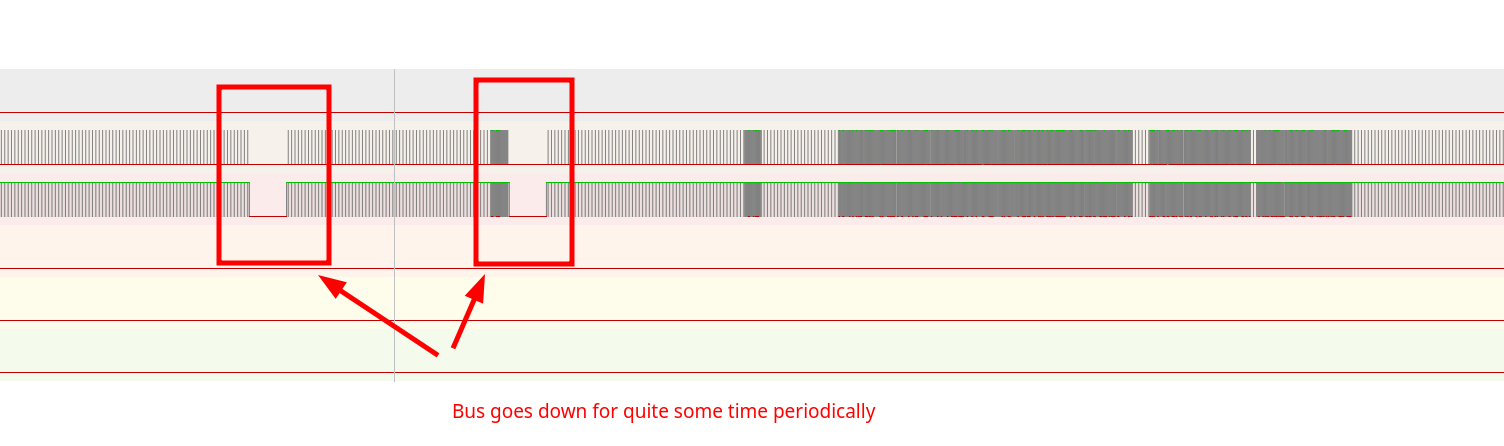
On a small analysis I can see the bus halting for some time periodically, and afterwards there is more activity, I guess is the re-negotiation of the firmware with the system. This happens soon enough after powering on, less than 2m in.
I will keep an eye to dmesg for more problematic traces. I can still see sometimes the dreaded reset full-speed USB device number X using echi-plaform but it does not seem so prevalent.
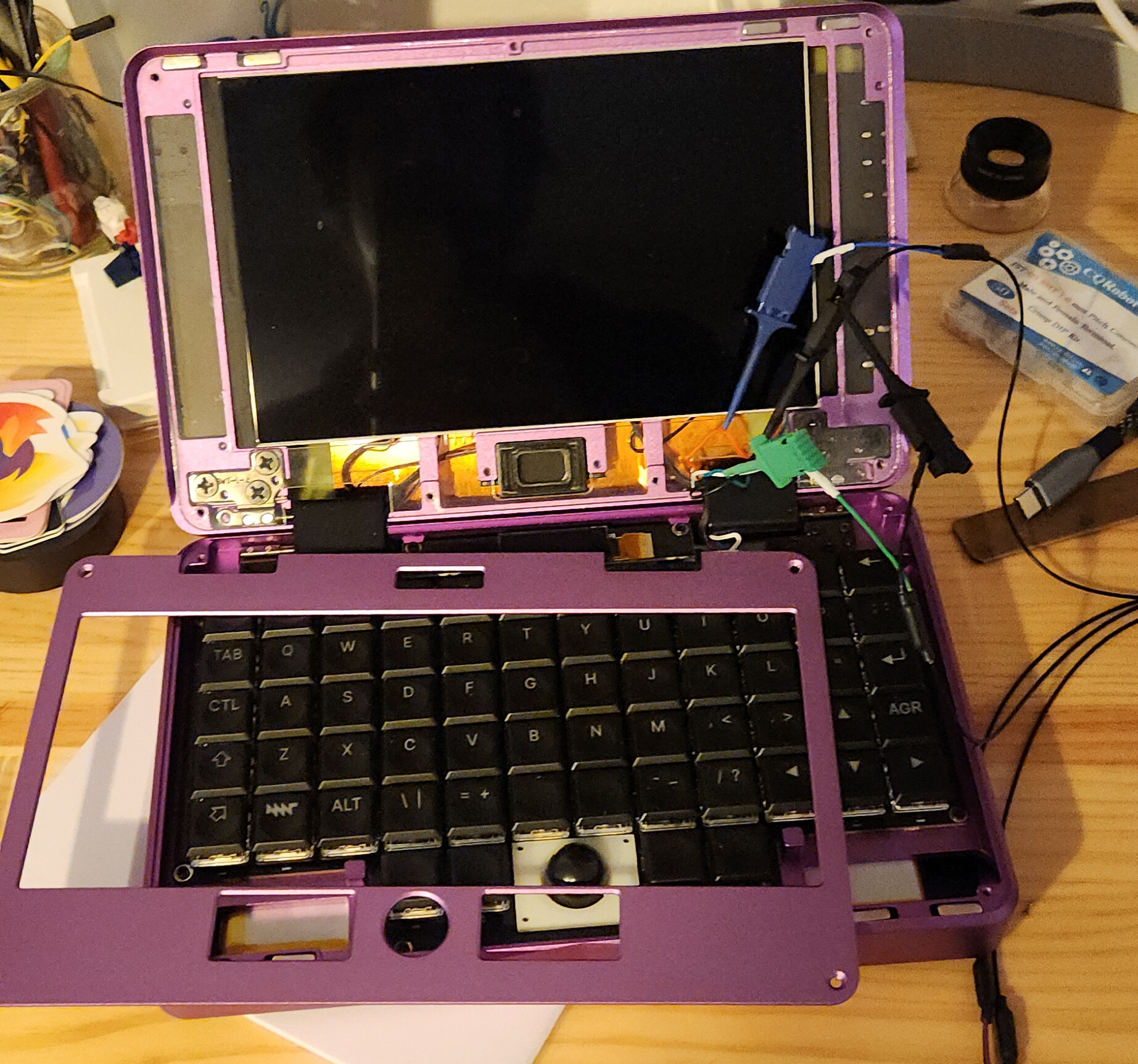
I actually replaced the keyboard cable that goes through the right hinge so I could peel it and probe the line. Then just turned the analyzer on, mnt on and waited for it to fail.
Would be interesting to see with an oscilloscope too, since changing the batteries solved the issue I wonder if there are voltage inconsistencies.
 .
.